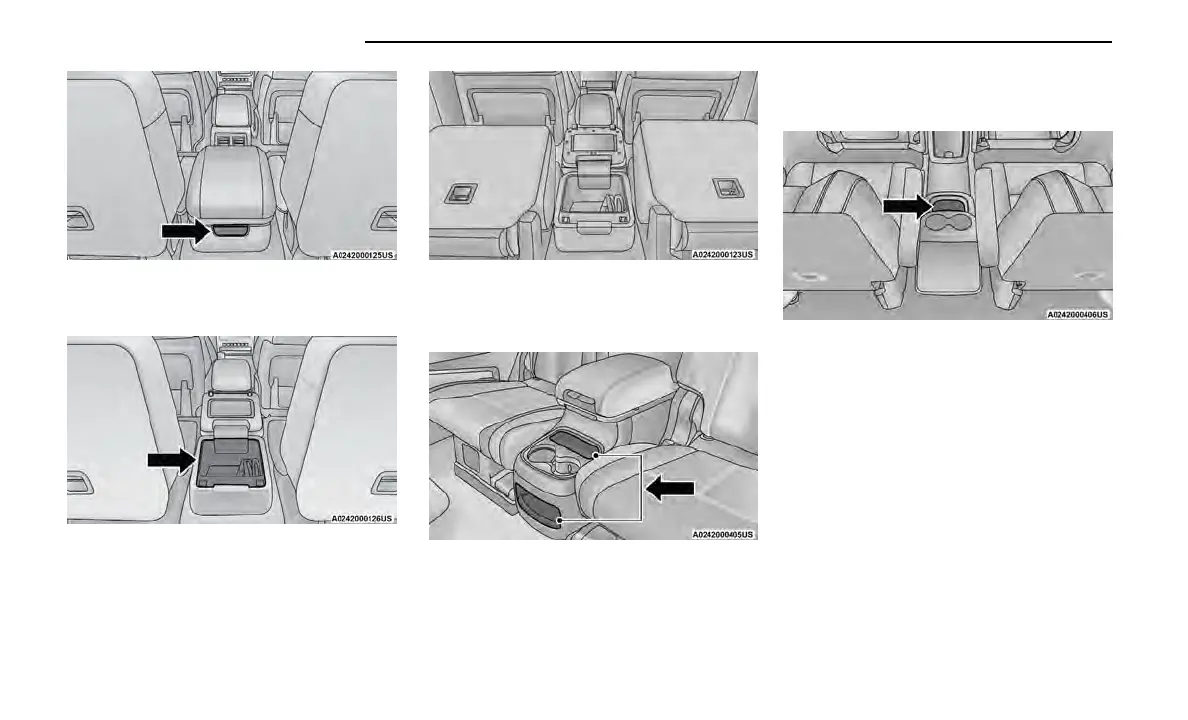
When lifted forward, there is access to the lower stor-
age compartment.
NOTE:
When the lower storage compartment is accessed, it
allows the armrest to flip forward for Fold-Flat mode.
Fold-Flat mode allows the console armrest to be lowered
below the Fold-Flat seat plane and protects the armrest
vinyl from damage when using the vehicle to haul cargo.
Open storage areas, or cubby bins with removable lin-
ers, are located rearward of the cupholders and in the
lower front of the console.
Rear Mini Center Console — If Equipped
An open storage area, or cubby bin with removable
liner, is located in the front of the console.
USB/AUX CONTROL
This feature allows an external USB device to be
plugged into the USB port.
Plugging in a smartphone device to a USB port may
activate Android Auto™ or Apple CarPlay® features,
if equipped. For further information, refer to “Android
Auto™” or “Apple CarPlay®” in the Uconnect Radio
Instruction Manual.
Connecting The AUX Audio Input Or
External USB Device
Use the connection cable to connect an external USB
device to the vehicle’s USB/AUX connector port which is
located in the center console.
The USB ports on the media hub are equipped with a
Smart Electronic Voltage Regulator (Smart Charge) fea-
ture. This feature allows a device to charge for up to
one hour after the vehicle is powered off.
Storage Compartment Rear Push Button
Lower Storage Compartment
Fold-Flat Mode
Console Cubby Bins
Console Cubby Bin
54 GETTING TO KNOW YOUR VEHICLE















 To Next Page