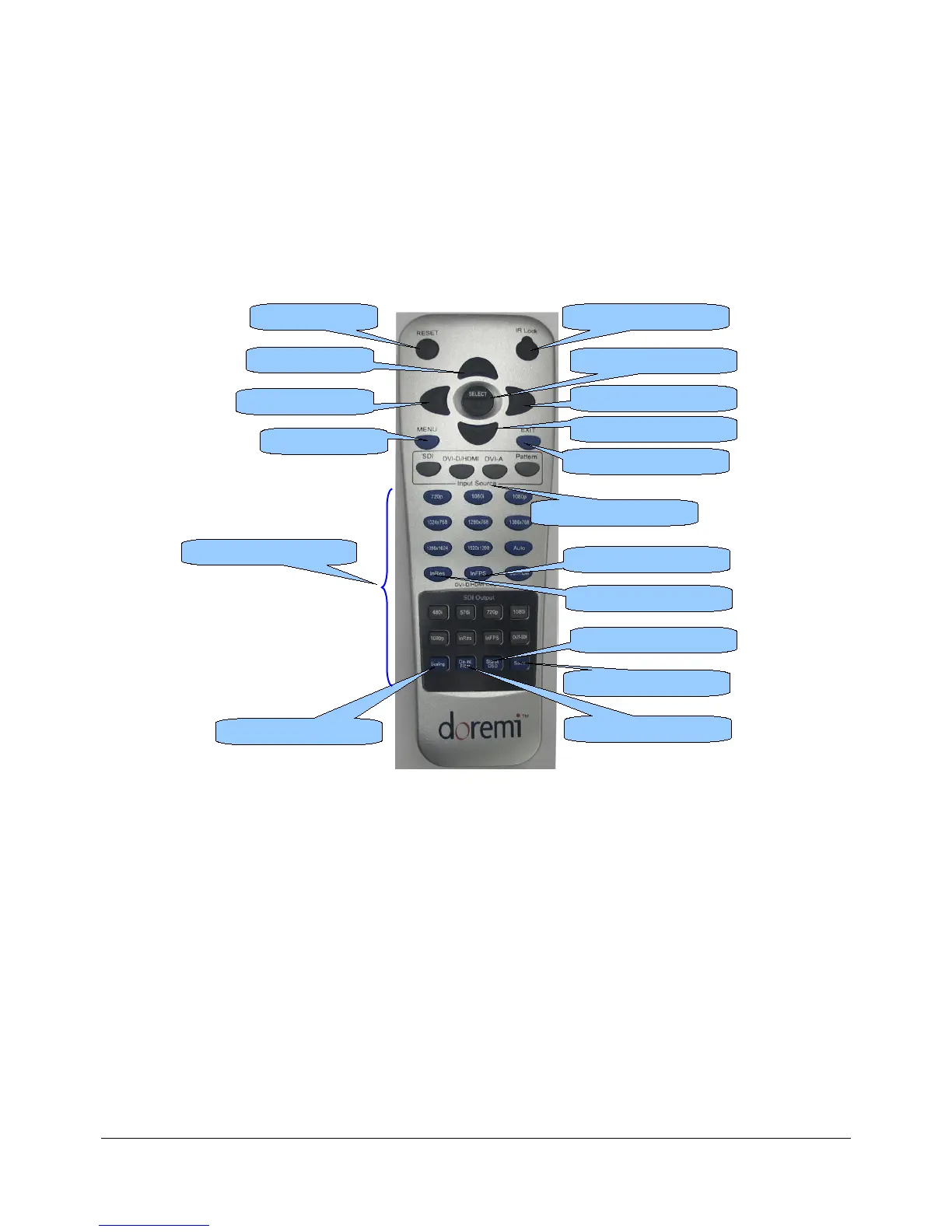
4 Infrared Remote Controller
The buttons on the IR remote are used to access the unit while observing the "On Screen Display"
(OSD). The "Left" and "Right" arrows are used to navigate between menus and sub-menus. The
"Select" button is used to make a selection and the "Exit" button is used to go one level up or exit
the menu structure.
4.1 Remote Controller Overview
Figure 4: Infrared Remote Controller
• The Remote Controller is divided into four different sections:
1) RESET/IR Lock buttons
2) Navigation or Menu System
3) Input Format
4) Output Format
DM3.OM.001026.DRM Page 27 Version 1.4
Doremi Labs Inc.
“Up Arrow” button
“Left Arrow” button
“Menu” button
Input Format Selection
“Select” button
“Right Arrow” button
“Down Arrow” button
“Exit” button
Output Format area
“InRes” button
“Scaling” button
“InFPS” button
“De-Int Filter” button
“Save” button
“Status OSD” button
“Reset” button “IR Lock” button



 To Next Page