5.4.4 Sync I/O Tab
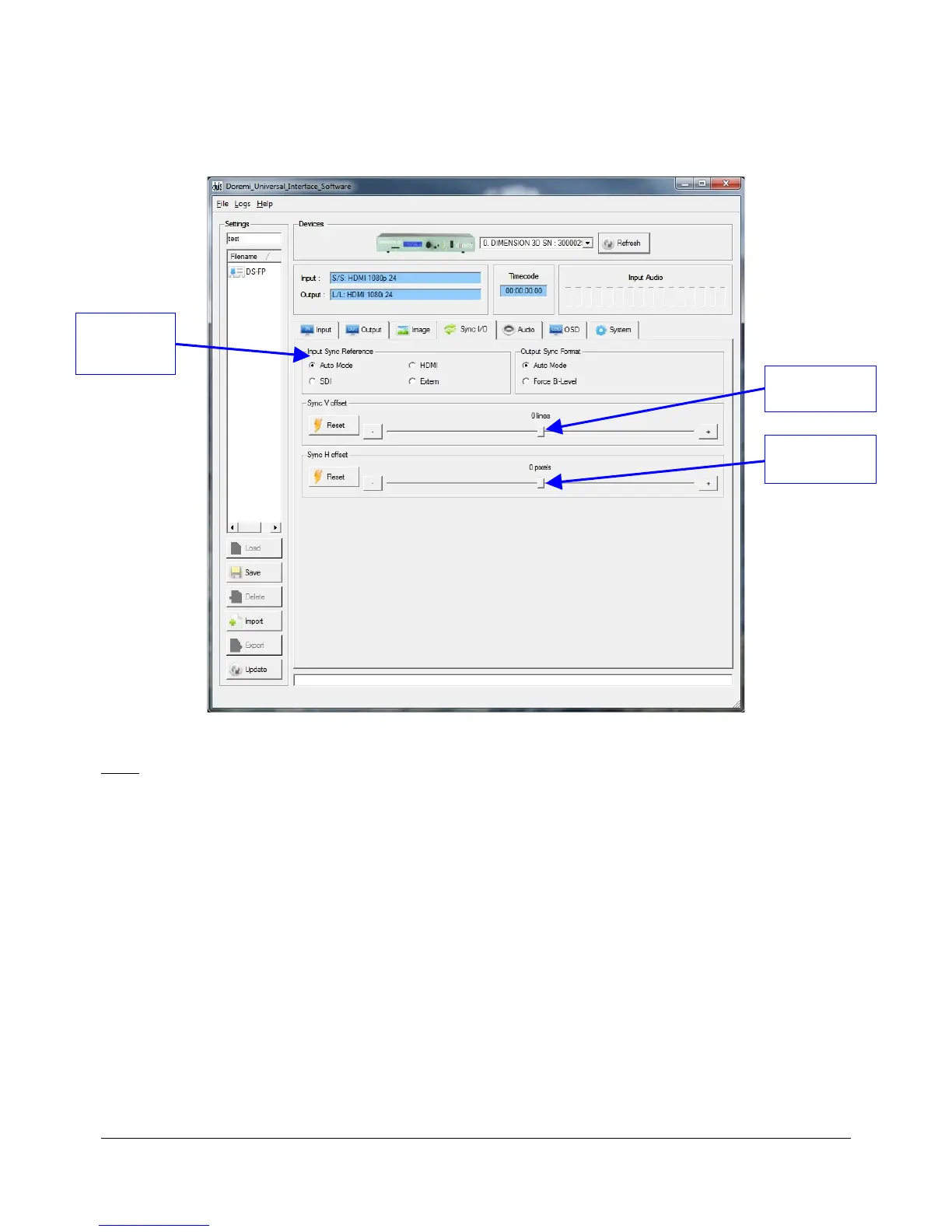
• The “Sync I/O” tab is illustrated below:
Figure 16: Doremi Universal Control GUI – Sync I/O Tab
Note: All parameters are explained in this manual in Section 3 "Dimension-3D Front Panel
Controller."
• This tab is used to adjust the sync features on the unit.
• The user can adjust the external video preferences.
• In the "Input Synce Reference" field:
• The "Audio Mode" option allows the user to sync the unit to the input.
• The "HDMI" option allows the user to sync to the HDMI input source.
• The "Extern" option allows the user to sync to an external sync source.
DM3.OM.001026.DRM Page 40 Version 1.4
Doremi Labs Inc.
"Input Sync
Reference"
Field
"Sync H offset"
Cursor
"Sync V offset"
Cursor



 To Next Page