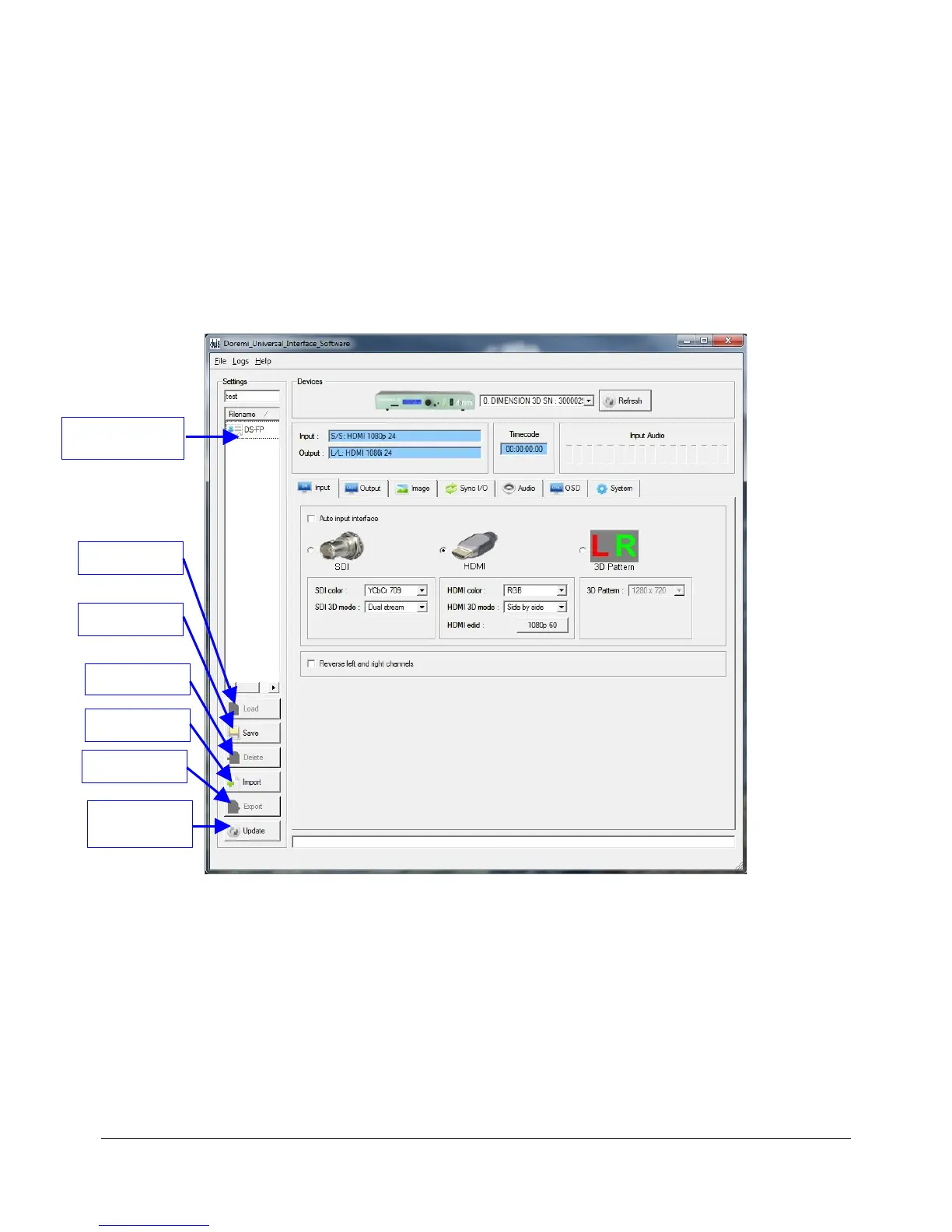
• The “Settings” field located on the upper left side of the GUI can be used to manage the
settings files (loading, saving, importing, exporting, etc). The “Settings” field is explained in
detail in Section 5.3 .
5.3 Settings Window
• The “Settings” field is used to manage the settings files.
• To save the current "Doremi Universal Interface" settings into a file enter a settings file
name in the top left corner field as shown below and then click “Save” (Figure 11).
• The saved settings file will appear in the “Settings” window as illustrated below:
Figure 11: Doremi Universal Interface GUI – Settings Window
DM3.OM.001026.DRM Page 34 Version 1.4
Doremi Labs Inc.
"Settings" Files
"Load" Button
"Save" Button
"Delete" Button
"Import" Button
"Export" Button
"Update"
Button



 To Next Page