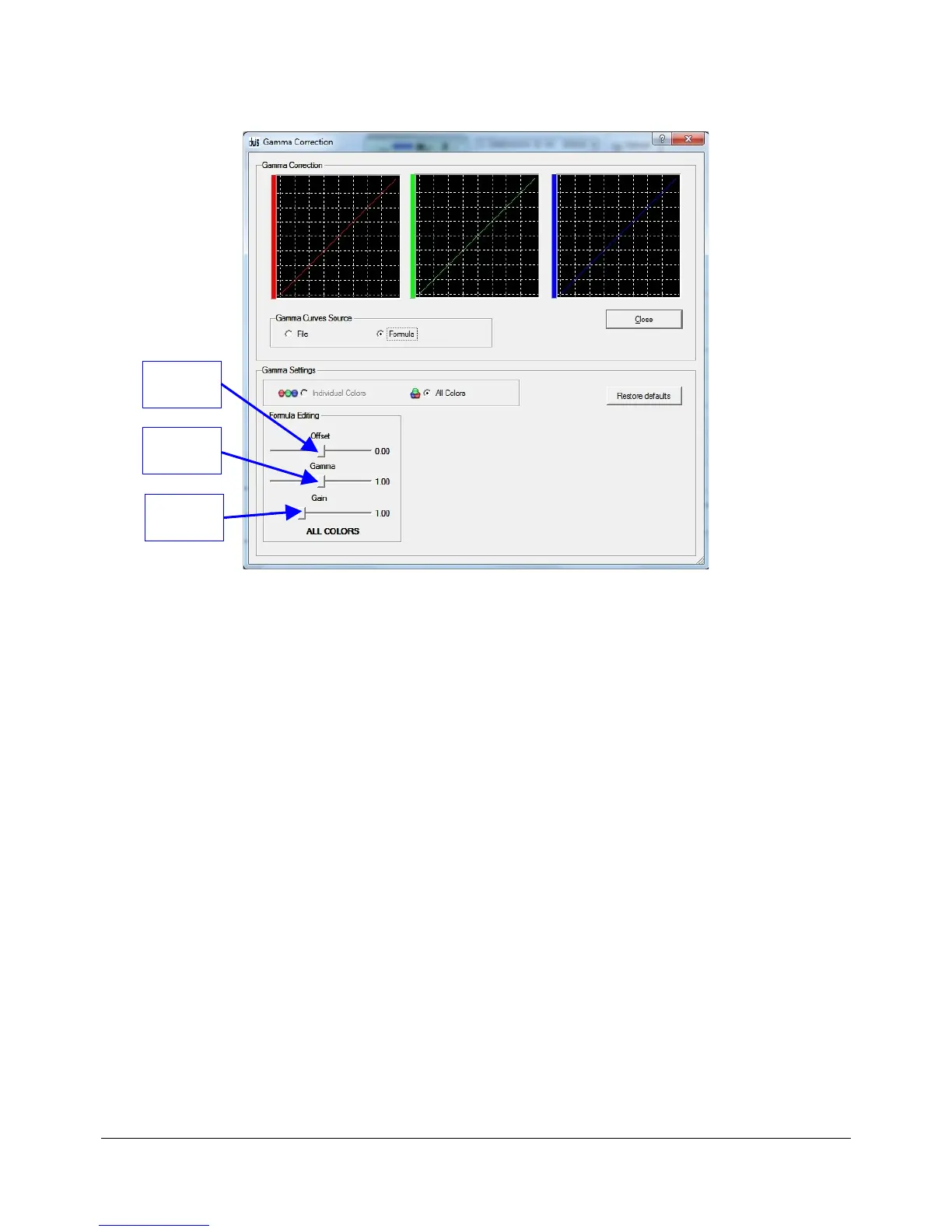
Figure 14: Doremi Universal Interface GUI – Gamma Correction and Formula
• The Gamma Curves can be adjusted in two different ways.
1. By editing the formula:
• Select the “Formula” check-box (Figure 14).
• Edit the formula by using the “Offset,” “Gamma” and “Gain” cursors available in the
“Formula” editing area (Figure 14).
2. By loading an existing LUT file:
• Select the “File” check-box (Figure 14).
• The following window will be displayed:
DM3.OM.001026.DRM Page 38 Version 1.4
Doremi Labs Inc.
"Gain"
Cursor
"Gamma"
Cursor
"Offset"
Cursor



 To Next Page