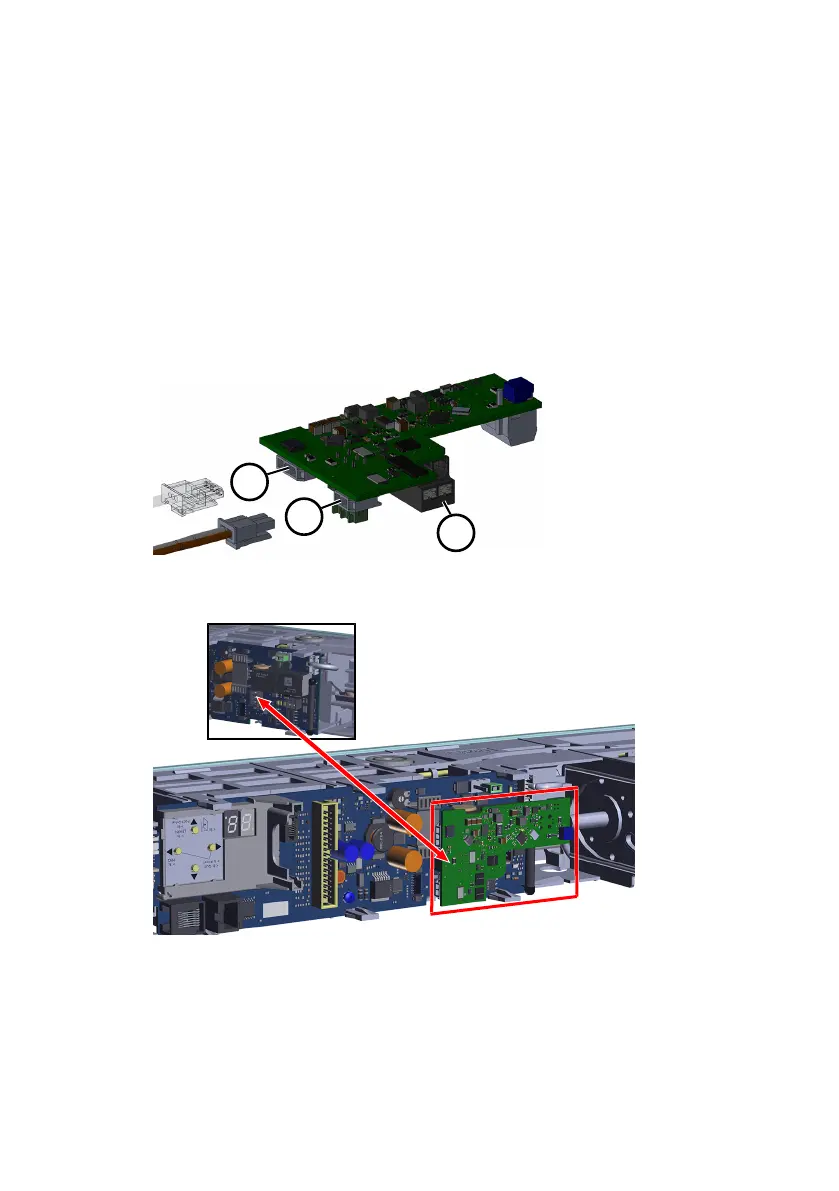
Electrical connection Assembly Instruction
10 ED UPS 060675 45532/17224 - 07/2023
5 Electrical connection
5.1 Connecting ED-AMP (single-leaf operation)
1. Disconnect the ribbon cable.
2. Plug in the battery cable at the plug-in connection (11).
3. Remove the green 3-pin power plug from the ED100/250 control board.
4. Unscrew the red and black cable from the connector.
5. Some ED100/250 have another blue cable in the connector next to the red (+)
and black (ground) cable.
If available, unscrew the blue cable from the connector and apply the
enclosed shrinking hose to the insulation properly on the end of the blue
cable. The blue cable remains loosely hanging in front of the board and now
has no function.
6. Insert the red and black cable into the mains connection of the ED-AMP board
(13).
7. Insert the ED-AMP board onto the 3-pin plug of the ED board.
8. Disconnect the program switch plug from the control board.
9. Dispose of the program switch.
10. The conversion kit includes a new program switch with a longer cable. Mount
this program switch on the outer Vario bracket (9).
11. Insert the program switch plug into the control board.











 To Next Page