10 PORTEO
2021-03WN 060008 45532
dormakaba Mounting instructions Commissioning
Basic settings
The following parameters are stored with
base values in the basic setting:
• Lintel mounting
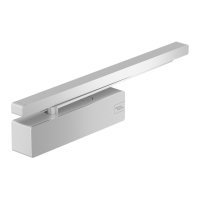
• with slide rail
• on hinge side
• door weight up to 60kg
• door widths up to 1,000mm
Teaching the door operator
1. Switch power switch to “OFF” position.
Switch the program switch to “0”
position (middle position)
2. Open door approx. 5°
3. Simultaneously press the Service
button and switch on the power switch
until the door starts moving (approx. 8
sec.), then release the Service button.
‣ LED (green) flashes
→ The control unit determines and stores
the swing direction of the door during
this movement.
The door then moves to
the “Door closed” position.
4. Move door into the desired open
position (max. 110°)
‣ LED (green) flashes
5. Press the Service button once
‣ LED (green) 3sec. continuous light,
then flashes
→ The control unit stores this position as
the “Door open” position.
The door then moves to
the “Door closed” position.
‣ LED (green) continuous light.
→ PORTEO ready for operation.
5.3 Extended commissioning
In the case of scissor arms, door leaf
mounting and deviations from the basic
values of the original settings (see 5.2), an
extended commissioning is required in which
deviating values are determined and
adjusted.
Door widths and permissible maximum
weights
Door width Max. door weight
600 mm 140 kg
700 mm 130 kg
800 mm 120 kg
900 mm 110 kg
1000 mm 100 kg
1100 mm 100 kg
Teaching the door operator
1. Close the door.
2. Set DIP switch “A” according to the
mounting type
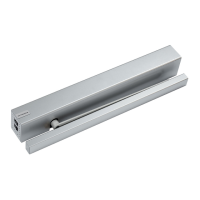
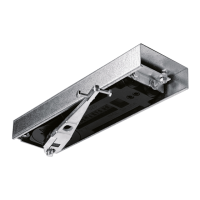
Scissor arm A = ON
Slide rail A = OFF
Note
Following commissioning, DIP
switch “A” has a different
function, see 3.6
3. Set DIP switches ”B”, “C” and “D” to
“OFF” position.
4. Switch power switch to “ON” position
5. Switch the program switch to “0”
position (middle position)
‣ LED (green) flashes
6. Open door approx. 5°
‣ LED (green) flashes





 To Next Page