Instruction Manual Dräger MSI EM200-E
11
7. Documentation Menu
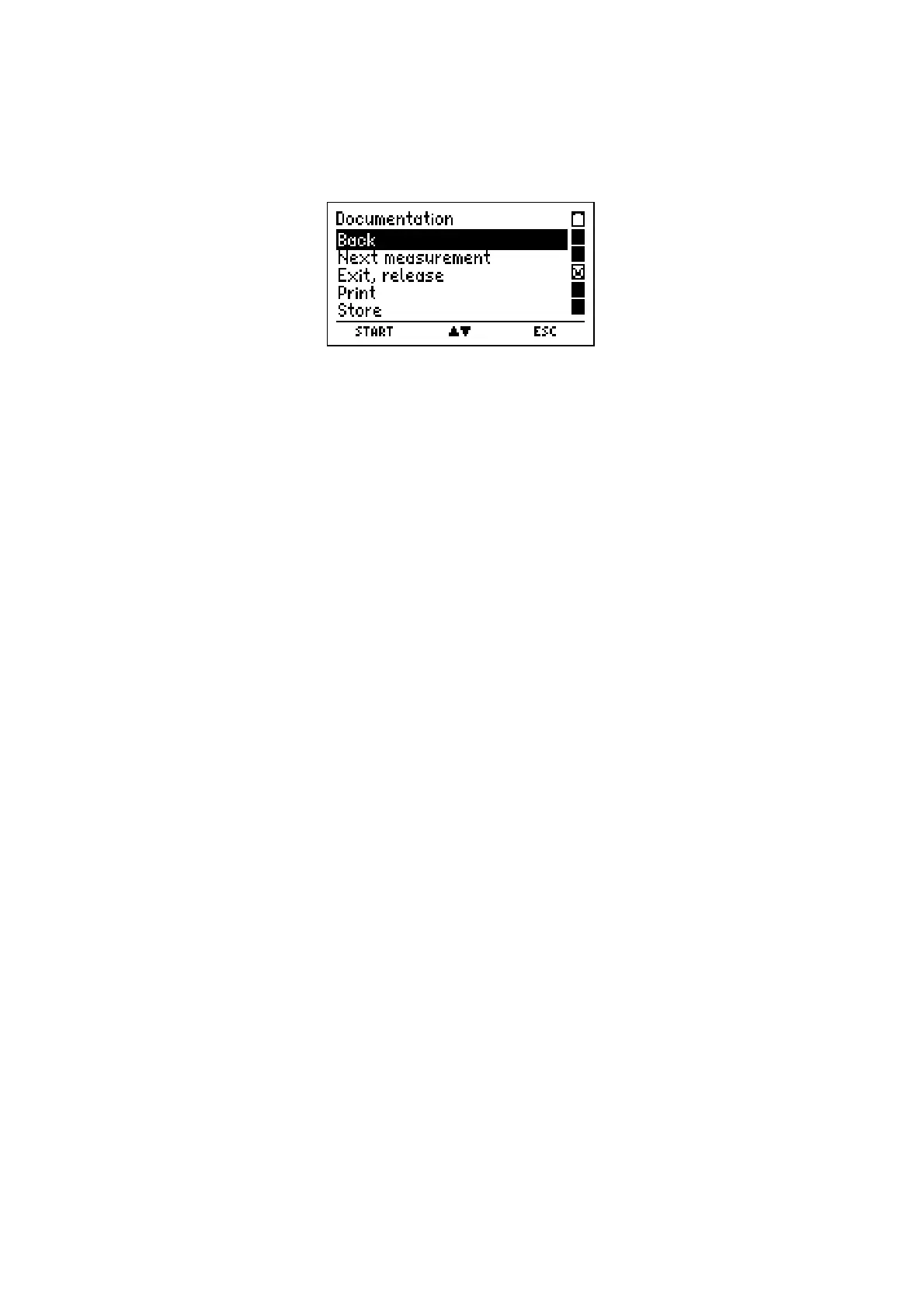
If the "Documentation Menu" is selected, the display reads:
With pushing "▲ or ▼" (
▲▼
)
you may mark the wanted function.
With "F" (
SELECT
) you may start the marked function.
Selectable functions are:
Back = You call the last display screen of actual measurement. Here
you can start a new measurement and the results of the actual
measurement will be overwritten.
Next Measurement = The MSI EM200-E skips back to “Emission test”. A mark behind
a condition indicates, that the measurement for this condition
has already been done.
Exit, release = End of measurement, the results are released and the menu,
from which the measurement has been started, is called again.
Print = The result is printed on a IR-printer. For this there has to be an
intervisibility between printer and IR-transmitter of MSI EM200-E
Store = Calls menu "Store Data" (see 8.1)













 To Next Page