Vigor2912 Series User’s Guide
250
Schedule
Type the schedule number that the notification will be sent
out.
You can click the Schedule(1-15) link to define the
schedule.
After finishing all the settings here, please click OK to save the configuration.
4
4
.
.
1
1
0
0
V
V
P
P
N
N
a
a
n
n
d
d
R
R
e
e
m
m
o
o
t
t
e
e
A
A
c
c
c
c
e
e
s
s
s
s
A Virtual Private Network (VPN) is the extension of a private network that encompasses links
across shared or public networks like the Internet. In short, by VPN technology, you can send
data between two computers across a shared or public network in a manner that emulates the
properties of a point-to-point private link.
Below shows the menu items for VPN and Remote Access.
4
4
.
.
1
1
0
0
.
.
1
1
V
V
P
P
N
N
C
C
l
l
i
i
e
e
n
n
t
t
W
W
i
i
z
z
a
a
r
r
d
d
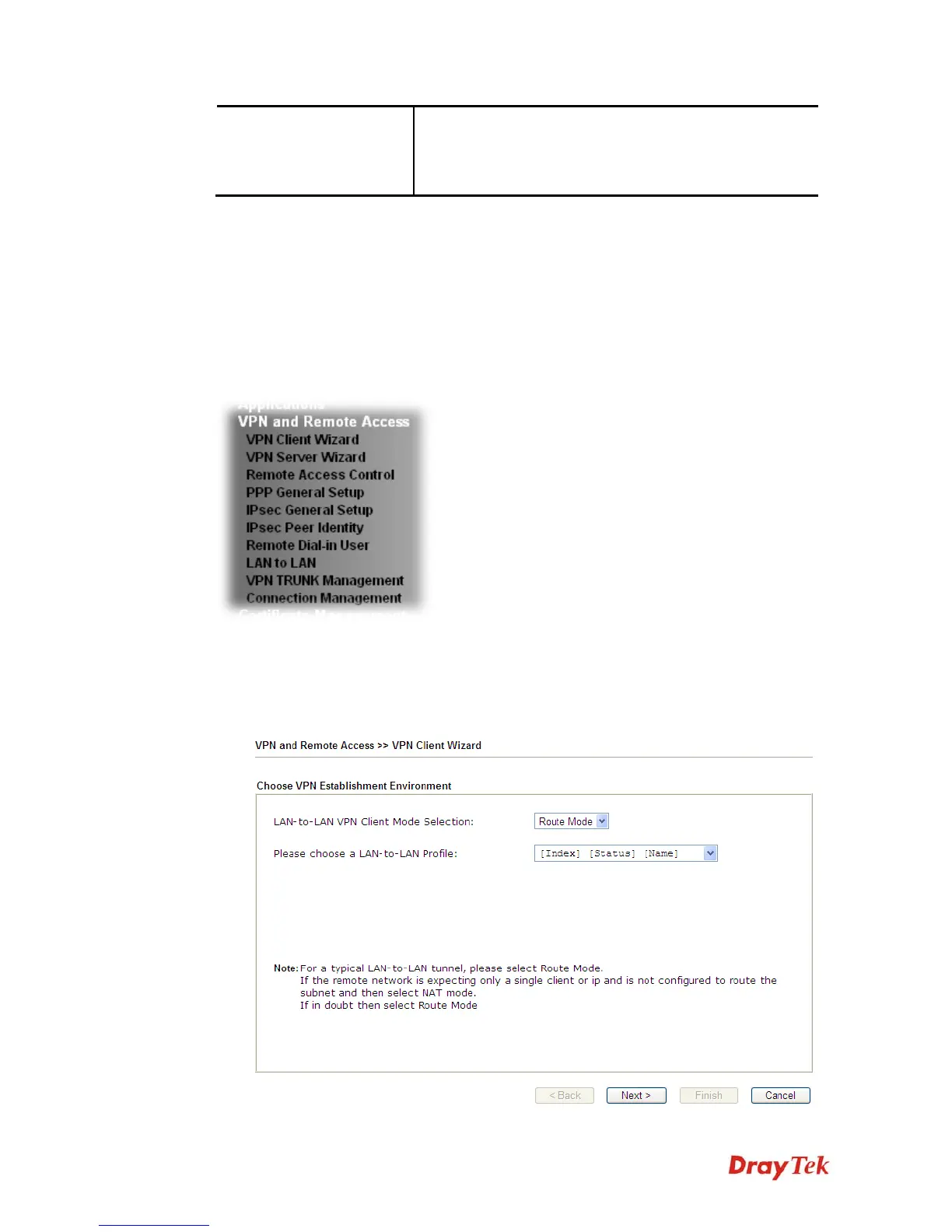
Such wizard is used to configure VPN settings for VPN client. Such wizard will guide to set
the LAN-to-LAN profile for VPN dial out connection (from server to client) step by step.
1. Open VPN and Remote Access>>VPN Client Wizard. The following page will appear.













 To Next Page