Vigor2912 Series User’s Guide
347
4
4
.
.
1
1
5
5
.
.
6
6
N
N
A
A
T
T
S
S
e
e
s
s
s
s
i
i
o
o
n
n
s
s
T
T
a
a
b
b
l
l
e
e
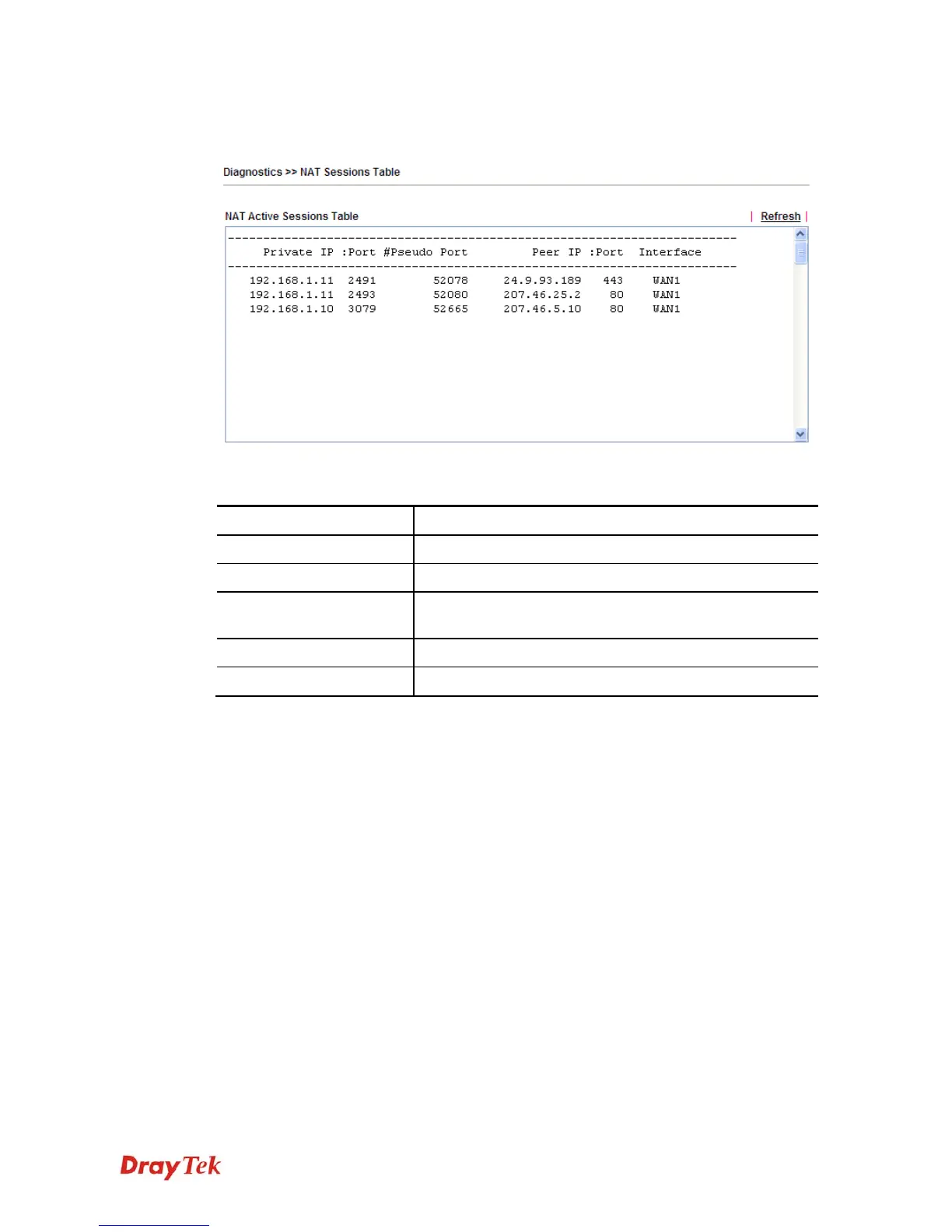
Click Diagnostics and click NAT Sessions Table to open the list page.
Available settings are explained as follows:
Item Description
Private IP:Port
It indicates the source IP address and port of local PC.
#Pseudo Port
It indicates the temporary port of the router used for NAT.
Peer IP:Port
It indicates the destination IP address and port of remote
host.
Interface
It displays the representing number for different interface.
Refresh
Click it to reload the page.













 To Next Page