Vigor2912 Series User’s Guide
78
3
3
.
.
8
8
H
H
o
o
w
w
t
t
o
o
C
C
o
o
n
n
f
f
i
i
g
g
u
u
r
r
e
e
C
C
e
e
r
r
t
t
a
a
i
i
n
n
C
C
o
o
m
m
p
p
u
u
t
t
e
e
r
r
s
s
A
A
c
c
c
c
e
e
s
s
s
s
i
i
n
n
g
g
t
t
o
o
I
I
n
n
t
t
e
e
r
r
n
n
e
e
t
t
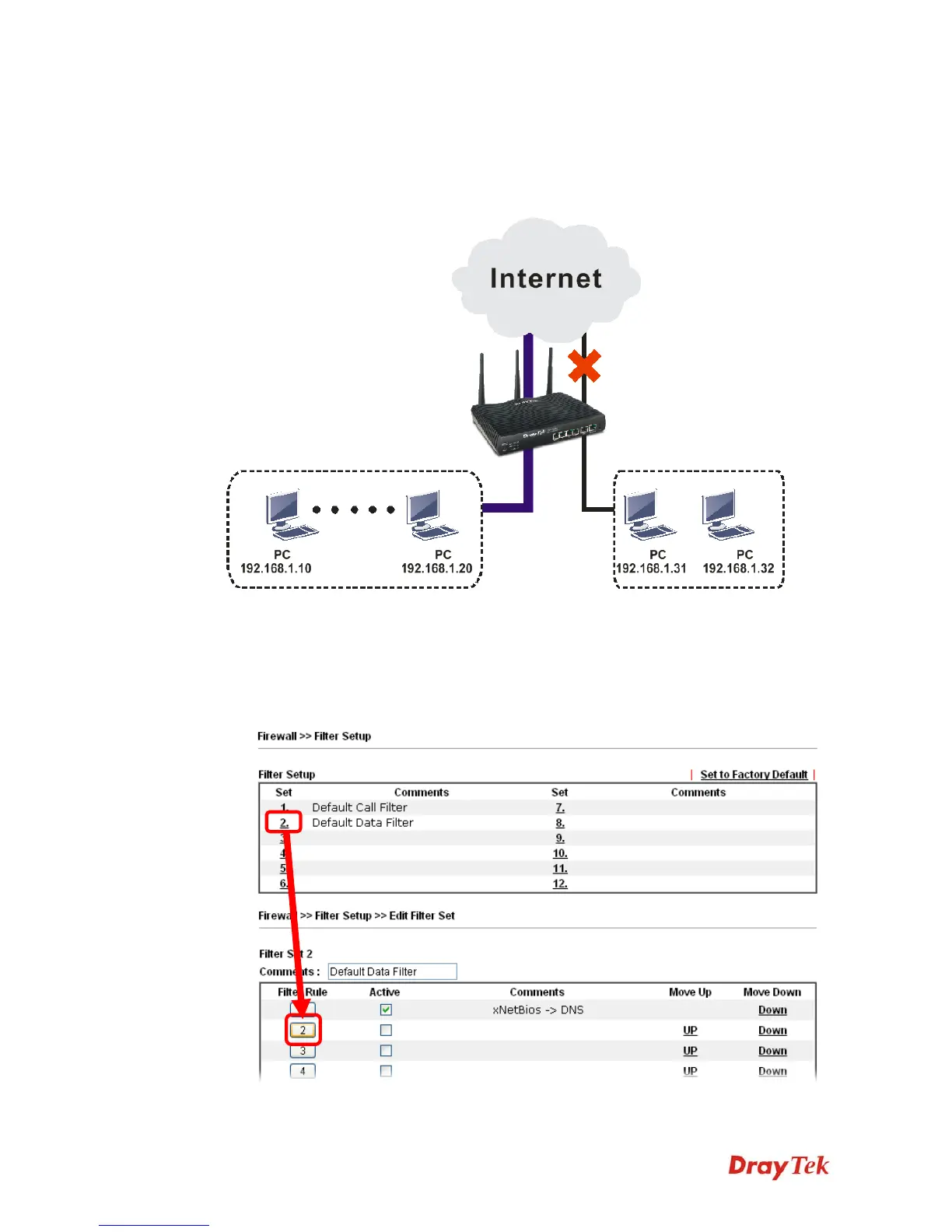
We can specify certain computers (e.g., 192.168.1.10 ~ 192.168.1.20) accessing to Internet
through Vigor router. Others (e.g., 192.168.1.31 and 192.168.1.32) outside the range can get
the source from LAN only.
The way we can use is to set two rules under Firewall. For Rule 1 of Set 2 under
Firewall>>Filter Setup is used as the default setting, we has to create a new rule starting
from Filter Rule 2 of Set 2.
1. Access into the web user interface of Vigor router.
2. Open Firewall>>Filter Setup. Click the Set 2 link and choose the Filter Rule 2 button.













 To Next Page