Vigor2912 Series User’s Guide
341
4
4
.
.
1
1
4
4
.
.
1
1
3
3
A
A
c
c
t
t
i
i
v
v
a
a
t
t
i
i
o
o
n
n
There are three ways to activate WCF on vigor router, using Service Activation Wizard, by
means of CSM>>Web Content Filter Profile or via System Maintenance>>Activation.
After you have finished the setting profiles for WCF (refer to Web Content Filter Profile), it
is the time to activate the mechanism for your computer.
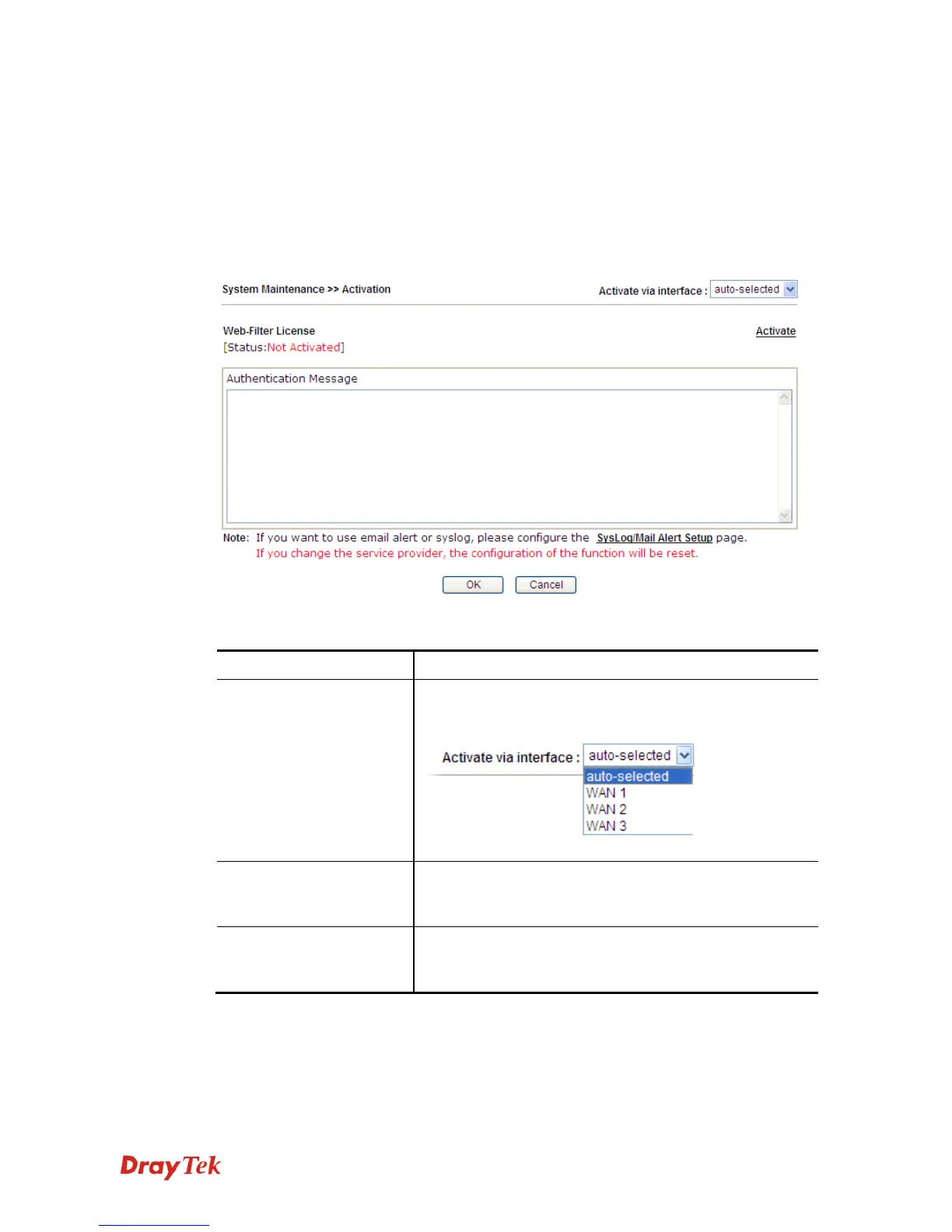
Click System Maintenance>>Activation to open the following page for accessing
http://myvigor.draytek.com.
Available settings are explained as follows:
Item Description
Activate via Interface
Choose WAN interface used by such device for activating
Web Content Filter.
Activate
The Activate link brings you accessing into
www.vigorpro.com to finish the activation of the account
and the router.
Authentication Message
As for authentication information of web filter, the process
of authenticating will be displayed on this field for your
reference.













 To Next Page