Vigor2920 Series User’s Guide
219
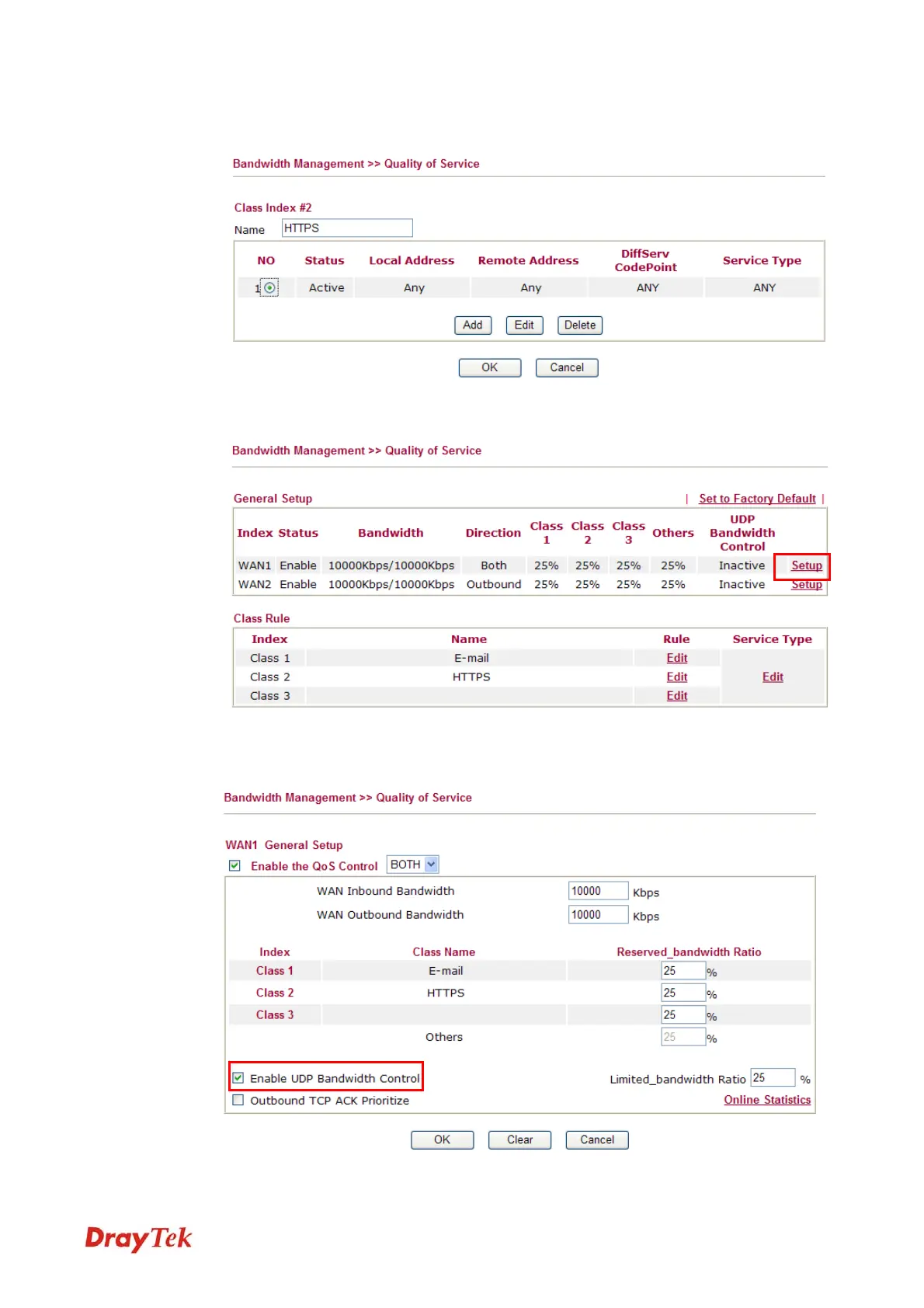
6. Return to previous page. Enter the Name of Index Class 2 by clicking Edit link. In this
index, the user will set reserved bandwidth for HTTPS. And click OK.
7. Click Setup link for WAN.
8. Check Enable UDP Bandwidth Control on the bottom to prevent enormous UDP traffic
of influent other application. Click OK.
VoIPon www.voipon.co.uk sales@voipon.co.uk Tel: +44 (0)1245 808195 Fax: +44 (0)1245 808299














 To Next Page