Vigor2920 Series User’s Guide
181
Also the Vigor router will discard any request that tries to retrieve the malicious code.
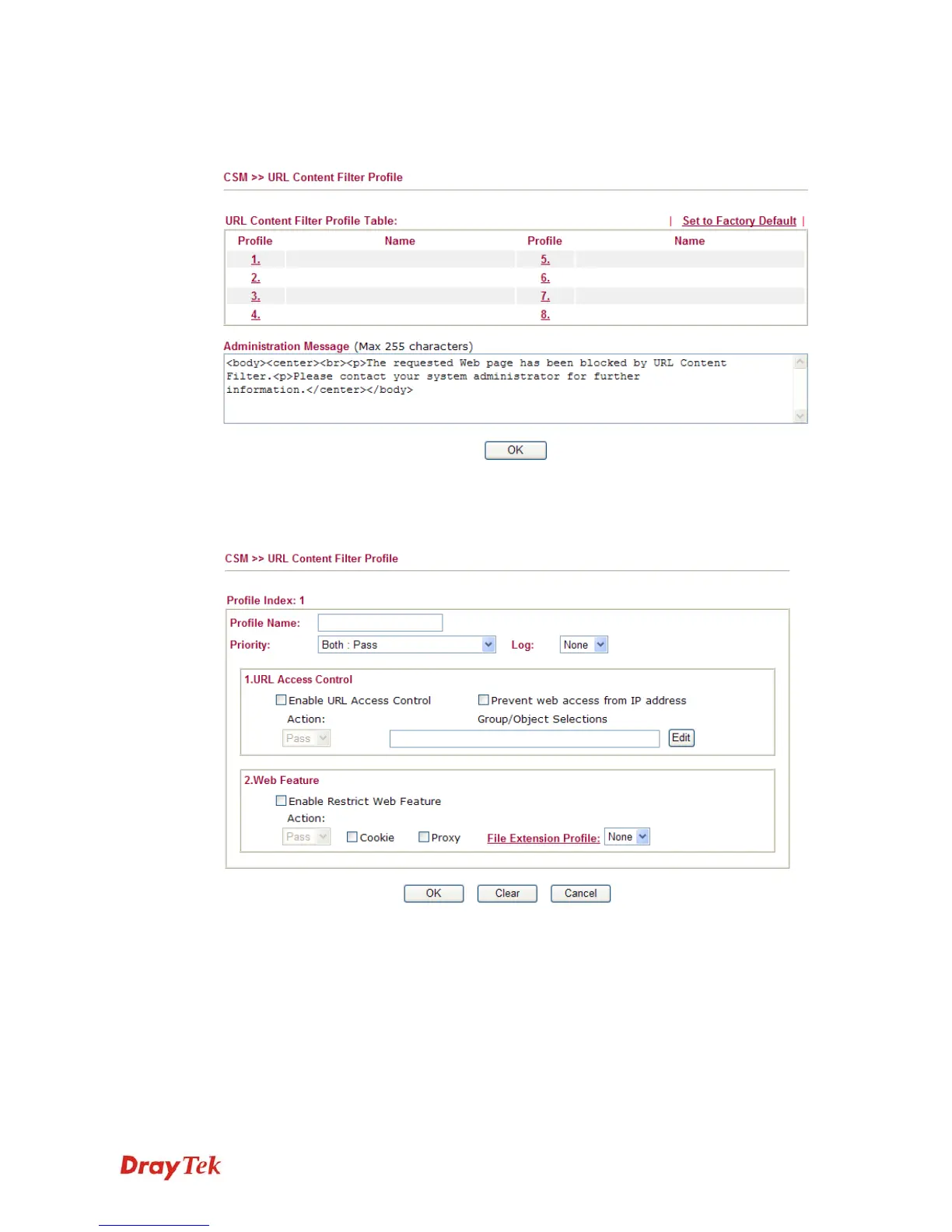
Click CSM and click URL Content Filter Profile to open the profile setting page.
You can set eight profiles as URL content filter. Simply click the index number under Profile
to open the following web page.
Profile Name
Type a name for the CSM profile.
Priority
It determines the action that this router will apply.
Both: Pass – The router will let all the packages that match
with the conditions specified in URL Access Control and Web
Feature below passing through. When you choose this setting,
both configuration set in this page for URL Access Control
and Web Feature will be inactive.
Both:Block –The router will block all the packages that match
with the conditions specified in URL Access Control and Web














 To Next Page