15 of 36
User Manual - ProVideo GUI v1.2.4
Please note that, depending on the optical lens used, the aperture and focal length have
influence on the lens shading, so you should use your default setup for configuring the
compensation. Also it might be helpful to turn off the auto exposure during the setup.
Note regarding ATOM one SSM500 cameras:
The ATOM one SSM500 slow-motion cameras share most of the options with the other
cameras. Additionally the following functions are available under “Output Configuration:
• Sensor Framerate: Setup the framerate at which the sensor runs. The combination
of sensor framerate and video mode determines the maximum slow motion factor
during playout (Trigger Mode only).
• Phases: Select how many of the SDI outputs shall be enabled. This impacts the
sensor framerate, e.g. when all 4 phases are enabled and 1080p50 is selected as
the video mode the sensor will run at 4 x 50 = 200 fps (SSM Mode only).
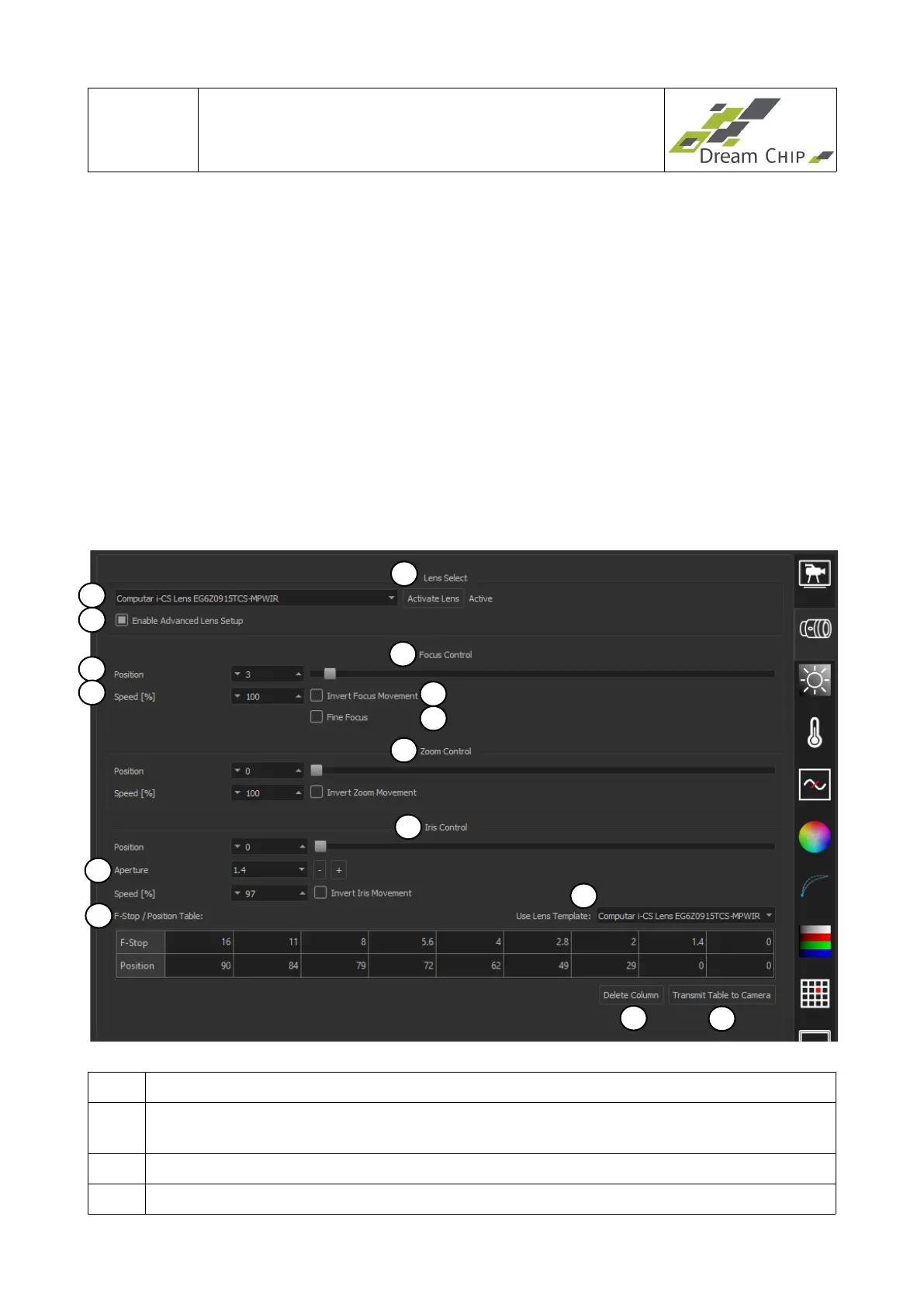
4.2 Lens Driver Tab
1 Choose the connected lens driver kit
2 Activate the chosen lens driver kit. The text on the right side next to this button
indicates weather the activation was successful or not
3 Enable Advanced Lens Setup. Enables elements 8 to 15.
4 Focus control box. Contains all available configuration elements for focus control.
1
3
7
8
9
4
5
6
2
10
12
13
14
15
11


 To Next Page