24 of 36
User Manual - ProVideo GUI v1.2.4
4.8 Knee Function Tab
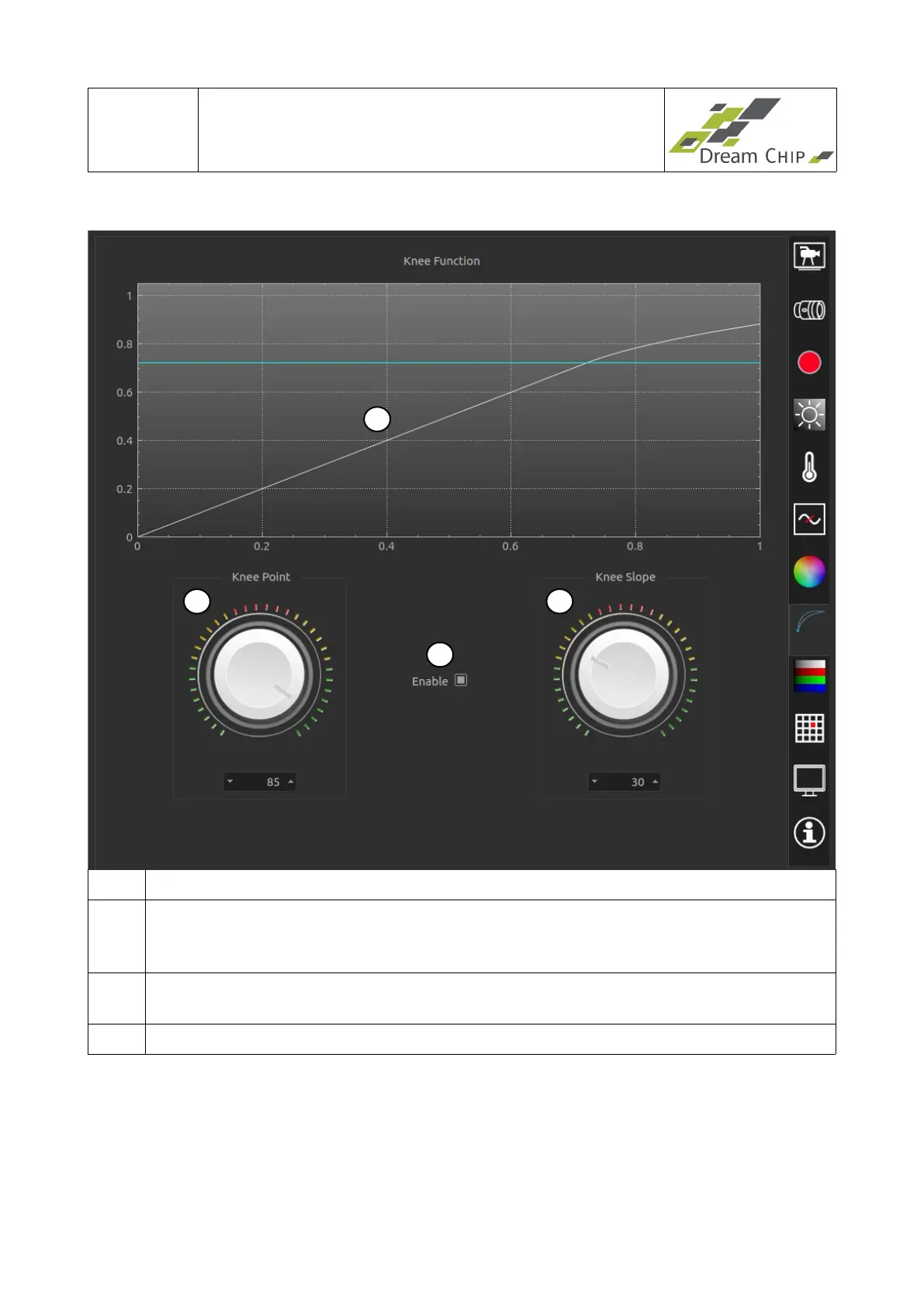
1 Graphical view of current knee settings.
2 Enable knee function. If the slope is set to 45% the function is neutral, that means
it can be safely enabled during a live production, as it has no visible effect on the
live image.
3 Set knee point (point in % of the displayed brightness where the curve bends,
indicated by the blue line in the plot).
4 Set knee slope (angle in ° measured from the knee point till 100%).
1
2
3
4


 To Next Page