33 of 36
User Manual - ProVideo GUI v1.2.4
4.13 Info Tab
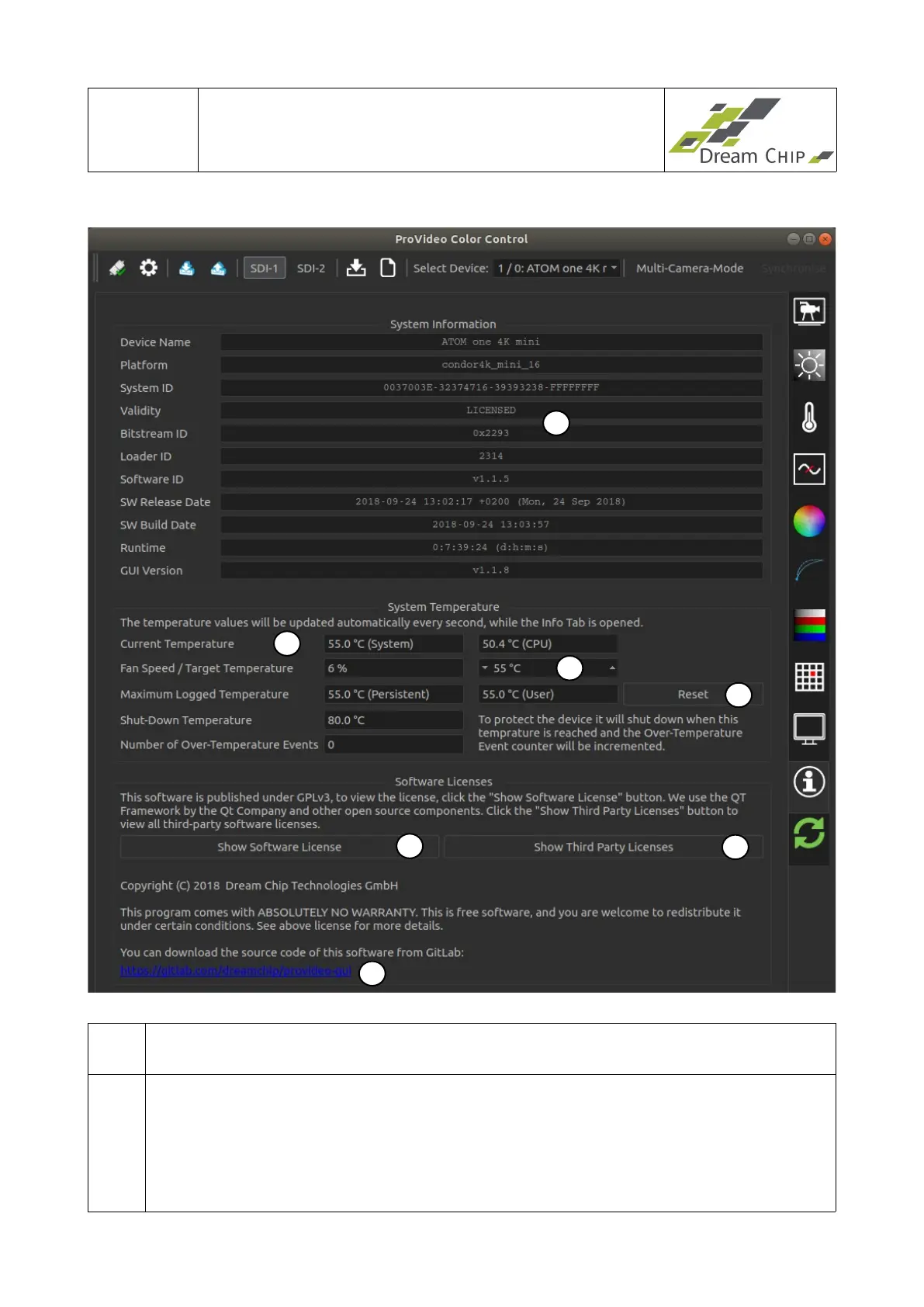
1 The system information box gives some general information about the connected
device. Check the “Software ID” to find out your current device version.
2 This section shows information about the operating temperature of the device.
Depending on the device one or two temperature sensors are available, their
current values are listed under “Current Temperature”.
Additionally the device is logging the maximum temperature of any sensor, it is
displayed under “Maximum Logged Temperature”. There is a persistent maximum
temperature value which can not be reset, and a user resetable one (also see
1
7
5
6
4
2
3


 To Next Page