2 of 36
User Manual - ProVideo GUI v1.2.4
1 Overview
This manual describes the usage of the ProVideo GUI by Dream Chip. The GUI is used to
setup supported ProVideo devices which are attached over a serial interface. The GUI is
currently available for Linux and Windows operating systems and supports the following
devices:
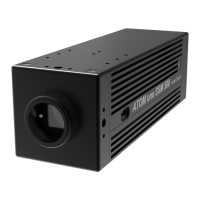
• ATOM one
• ATOM one mini (including AIR and waterproof variants)
• ATOM one 4K Mini
• ATOM one SSM500 (Trigger and SSM Mode)
The goal of this document is to describe the full functionality of the GUI. Not all devices
listed above support all features, so the actual appearance of the GUI might vary.
The screenshots in this documentation were created, while the GUI was connected to an
ATOM one camera. The application was run on a desktop PC running Ubuntu 18.04, on
other operating systems the style of the UI elements may vary.
The GUI mainly consists of two windows: The connection dialog is used to establish a
connection to a device, while the main window is used to setup the device. They are
described in detail in the following chapters.
The GUI is open source software, you can get the source code from GitLab:
https://gitlab.com/dreamchip/provideo-gui
The latest firmware and software updates, manuals and application notes for Dream Chip
products, including updates for the ProVideo GUI can be downloaded here:
https://gitlab.com/dreamchip/provideo-downloads


 To Next Page