35 of 36
User Manual - ProVideo GUI v1.2.4
4.14 Update Tab
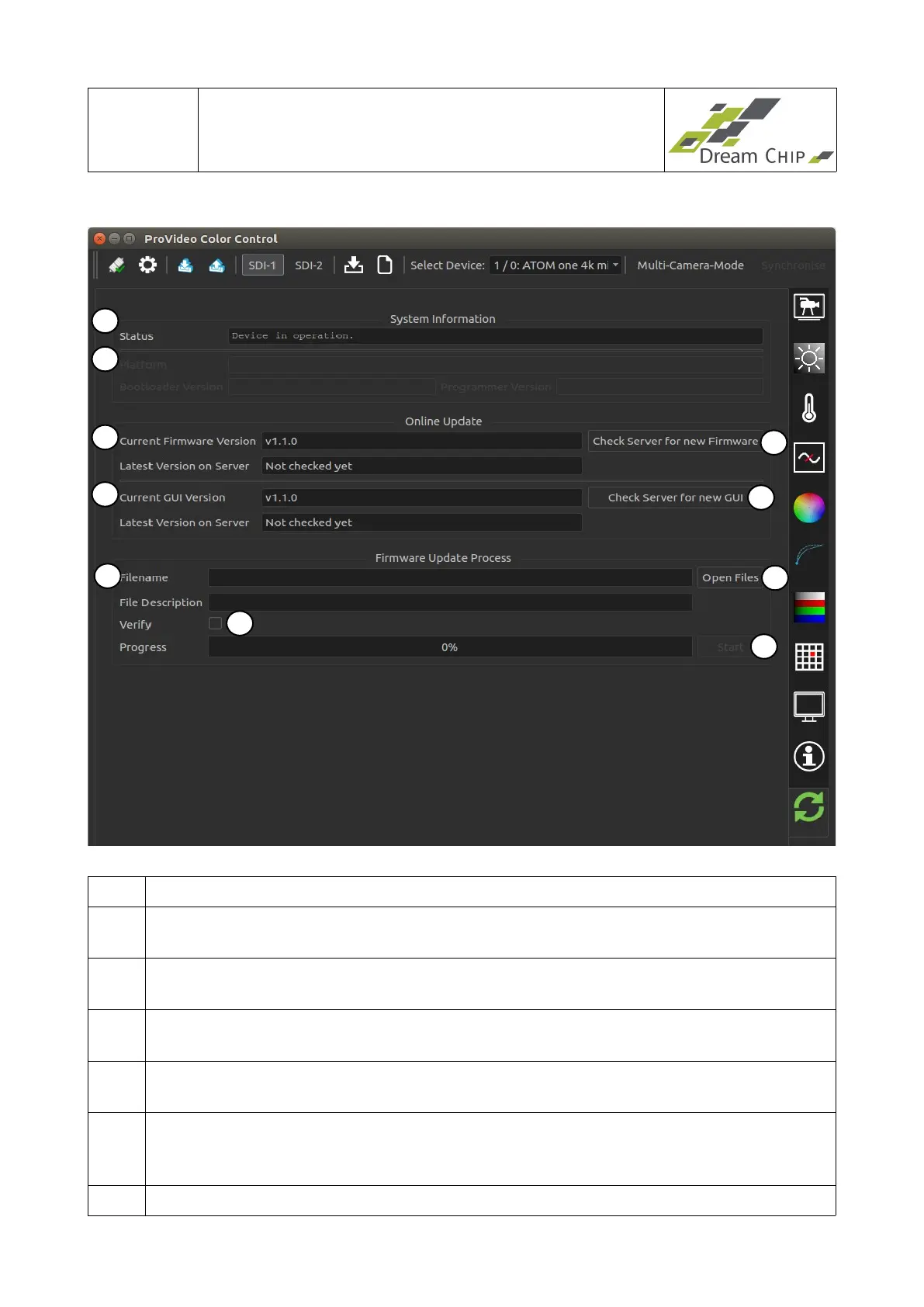
1 Shows the current status of the device.
2 Shows information about the firmware update components (device and local
programmer tool).
3 Shows the firmware version which is currently installed on the device, and the
version which is available on the update server.
4 Click this button to contact the update server and check for a new firmware
version. If a new version is available, you will be asked to download and install it.
5 Shows the GUI version which is currently installed on the device, and the version
which is available on the update server.
6 Click this button to contact the update server and check for a new GUI version. If a
new version is available a browser window will open which redirects you to the
download page.
7 Click the “Open Files” button to open a file open dialog. Navigate to the folder
1
2
3
5
4
6
7
10
9
8


 To Next Page