6 of 36
User Manual - ProVideo GUI v1.2.4
3.2 Sidebar
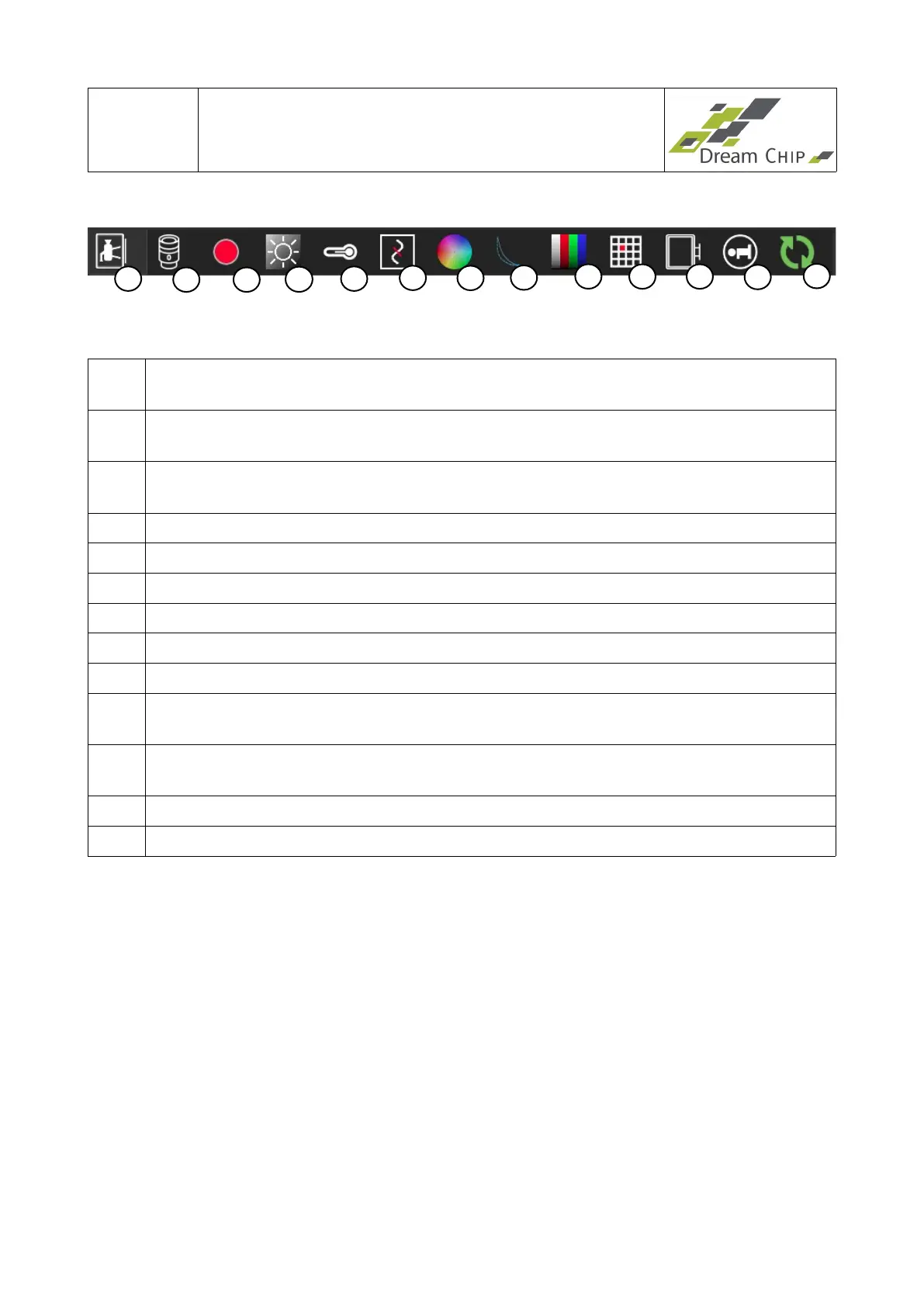
Note: For better presentability the screenshot of the sidebar has been turned left by 90
degrees. A click on a symbol opens the corresponding tab:
1 In-Out Tab: Configure exposure settings, lens shading correction, video output,
genlock and timecode features.
2 Lens Driver Tab: Configure a connected automated lens (only available for some
camera models).
3 Playback Tab: Control slow-motion recording and playback (only available for
ATOM one SSM500 cameras in Trigger Mode).
4 Black Level Tab: Configure black levels and flare compensation.
5 White Balance Tab: Configure white balance settings.
6 Filter Tab: Configure denoise and detail filters.
7 Multi Color Controller Tab: Configure color correction.
8 Knee Function Tab: Configure the knee function.
9 Lookup Table Tab: Configure the gamma correction lookup table.
10 Defect Pixel Correction Tab: Setup the automatic defect pixel correction and create
a defect pixel table.
11 Output Tab: Configure the RGB to YcbCr matrix and fine tune the SDI output
range.
12 Info Tab: Show device and software information and change system settings.
13 Update Tab: Perform device updates.
The tab pages will be described in detail in chapter 4.
13
1
2 3
4
5
6 7
8
9
10 11
12


 To Next Page