7 of 36
User Manual - ProVideo GUI v1.2.4
3.3 System Settings Dialog
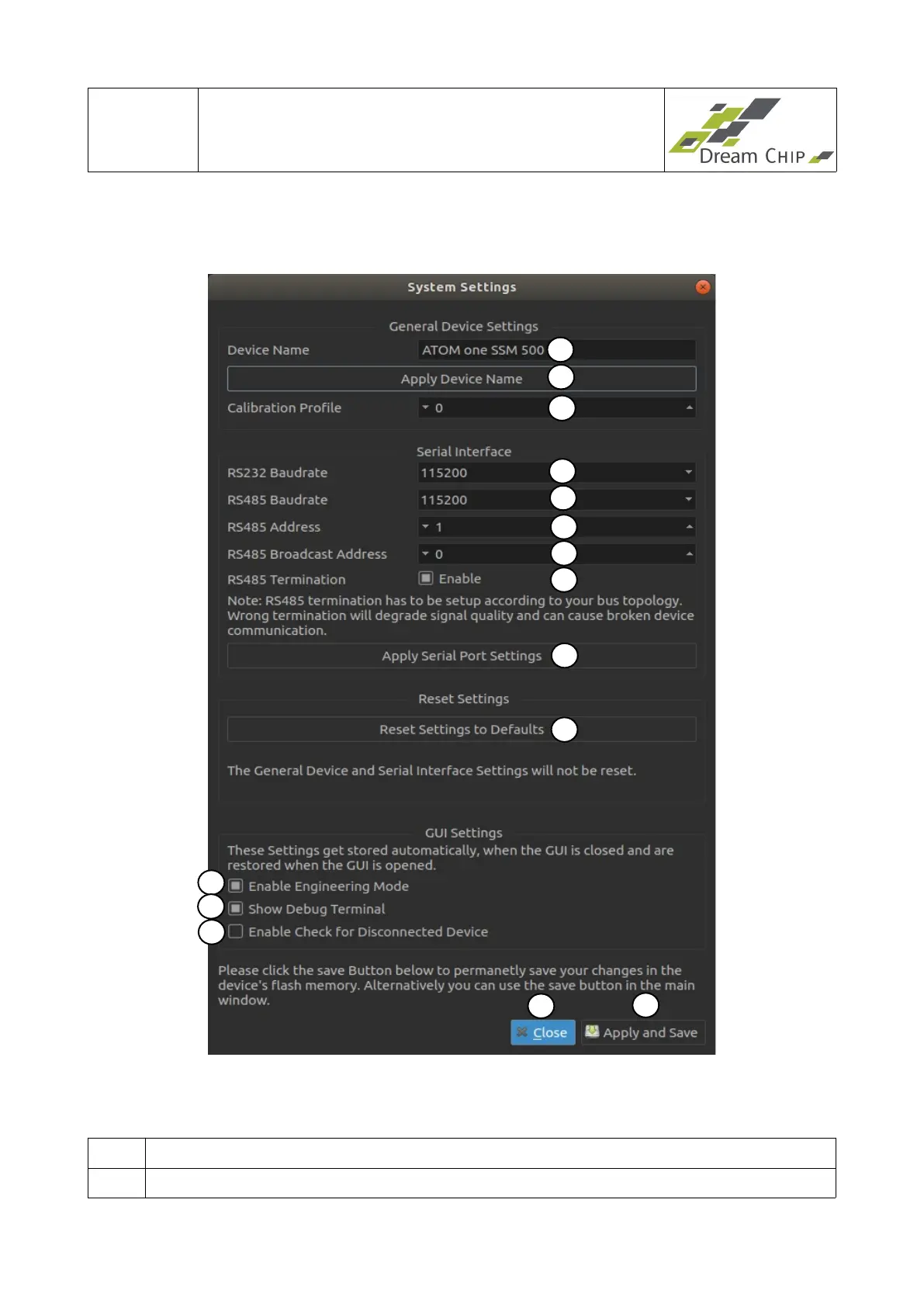
The settings dialog is used to configure general device and GUI settings.
Note: The GUI Settings (points 11, 12 and 13) will be saved when the GUI is closed and
are restored when it is opened again.
1 Use this field to enter a new device name.
2 Click to apply the device name on the device.
13
1
2
3
4
5
6
10
14
11
9
12
15
7
8


 To Next Page