31 of 36
User Manual - ProVideo GUI v1.2.4
test image for the camera. Then make sure the DPC is enabled by checking the “Enable”
checkbox, set the “Test Mode” to “Off” and finally click the “Automatic Table Generation”.
You will see that the image is rotated and flipped a few times during the calibration
process. The camera will store an individual correction table for each image rotation, this
way you can use the “Flip” setting on the In-Out Tab (chapter 4.1 point 19) without having
to re-calibrate the DPC.
After the process is finished the table is saved automatically, no further action is required.
If you want to test which pixels where detected switch the “Test Mode” to the “Validation”
setting.
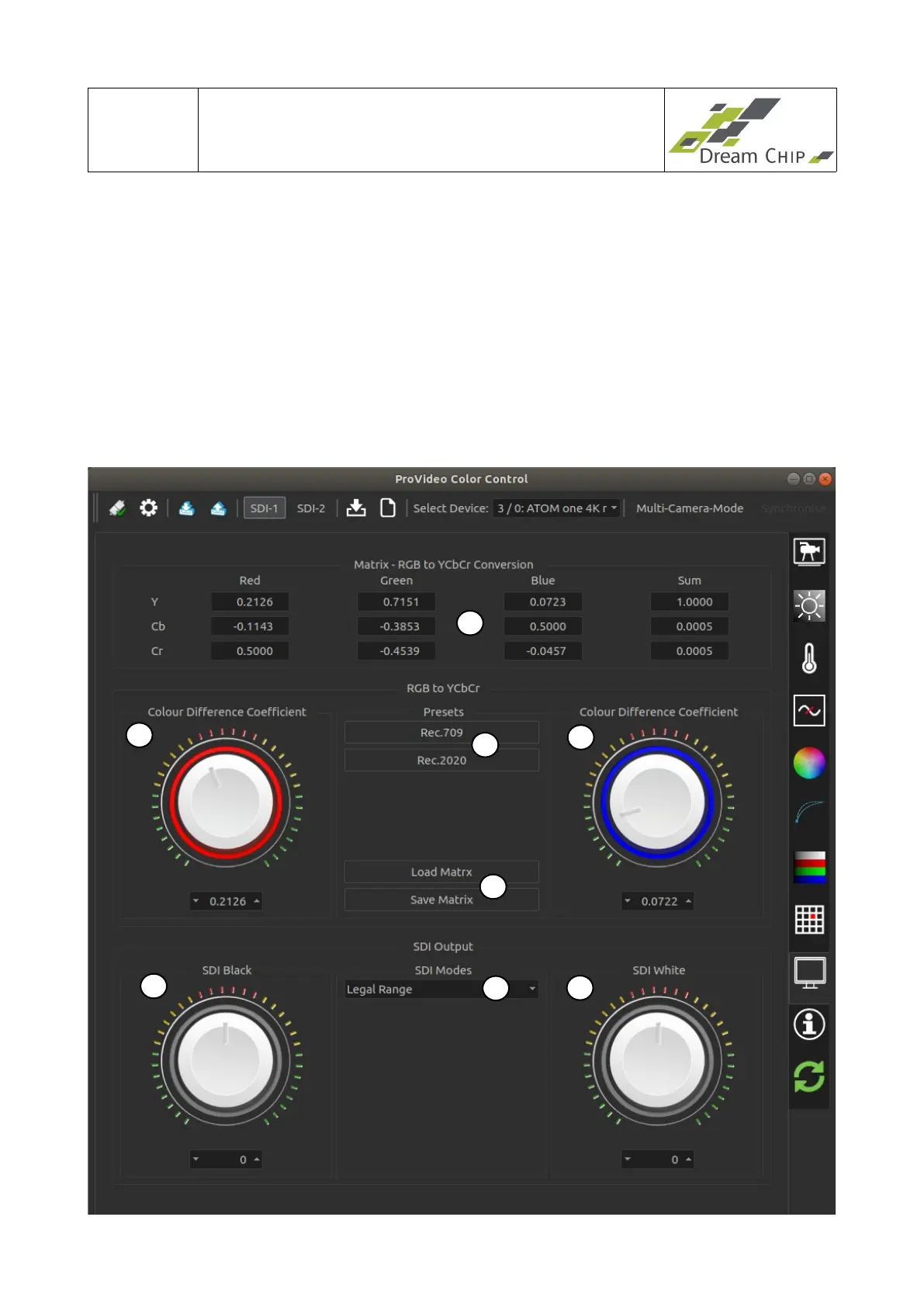
4.12 Output Tab
1
3
7
4
8
5
2
6


 To Next Page