21 of 36
User Manual - ProVideo GUI v1.2.4
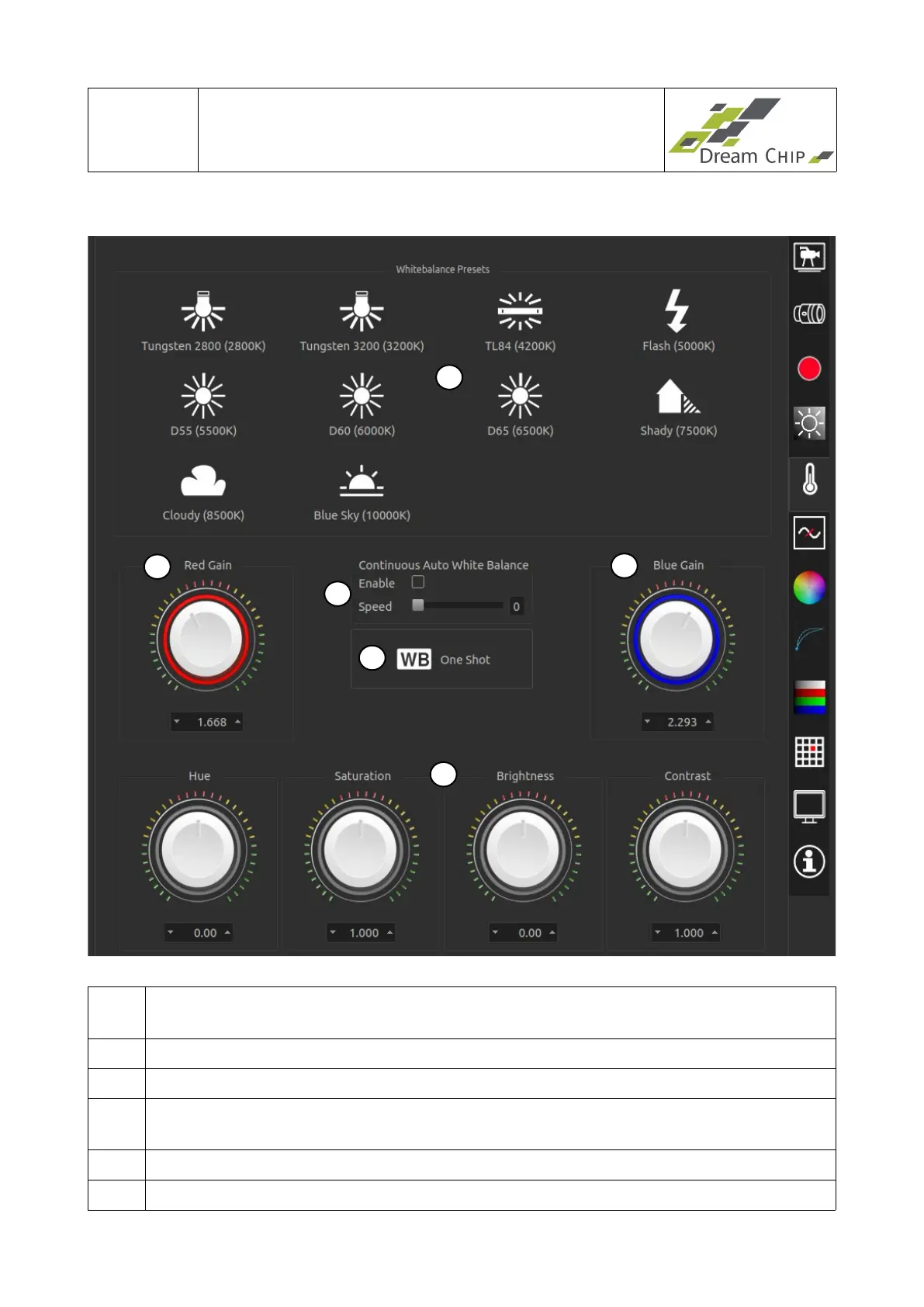
4.5 White Balance Tab
1 Select a white balance preset depending on the current lighting conditions. The
available presets can very between camera models.
2 Manual red gain.
3 Manual blue gain.
4 Configure continuous automatic white balance (AWB). A higher speed means
faster adjustment, but also a less fluid look of the AWB.
5 Trigger automatic white balance (one shot, not continuous).
6 Post processing: Hue, Saturation, Brightness, Contrast
1
5
2
3
4
6


 To Next Page