EasyManua.ls Logo

Dreame D10s Plus - User Manual

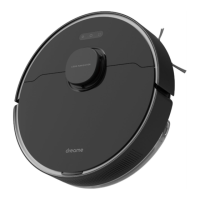
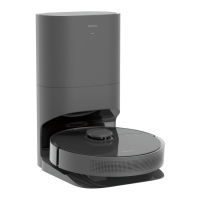
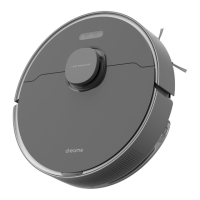
Dreame D10s Plus
145 pages
Print Icon
To Next Page IconTo Next Page
Loading...
D10s Plus
User Manual • Uživatelský manuál •
Užívateľský manuál • Használati utasítás •
Benutzerhandbuch

Questions and Answers

  • W
    wwatersSep 9, 2025
    What to do if the dust collection bag of my Dreame D10s Plus is full?
    • L
      Linda GutierrezSep 9, 2025
      If the dust collection bag of your Dreame Vacuum Cleaner is full: * Check whether the dust collection bag is full. * If so, replace it with a new one. * Check whether the auto-empty vent or air duct at the bottom of the base is blocked. * Remove any blockage before use.
  • J
    Jay WatsonSep 7, 2025
    Why Dreame Vacuum Cleaner doesn’t resume cleaning after charging?
    • F
      fcarrilloSep 7, 2025
      If your Dreame Vacuum Cleaner robot doesn’t resume cleaning after charging: * Make sure the robot is not set to Do Not Disturb mode (DND) as this will prevent it from resuming cleaning. * The robot does not resume cleaning when it is manually recharged or placed onto the base.
  • M
    Michelle BarrettAug 22, 2025
    Why my Dreame Vacuum Cleaner cannot connect to Wi-Fi?
    • E
      ethan00Aug 22, 2025
      If your Dreame Vacuum Cleaner isn't connecting to Wi-Fi, there could be several reasons. First, reset the Wi-Fi and download the latest version of the Dreamehome app, then try reconnecting. Ensure the location permission on the Dreamehome app is enabled. A weak Wi-Fi signal could also be the problem, so ensure the robot is in an area with good Wi-Fi coverage. Also, confirm your robot connects to 2.4GHz Wi-Fi, as 5GHz Wi-Fi is not supported. Finally, double-check that the username and password for your Wi-Fi are correct.
  • A
    April MortonSep 5, 2025
    What to do if no water comes out of the Dreame D10s Plus Vacuum Cleaner water tank?
    • J
      Jason MooreSep 5, 2025
      If no water or only a little bit comes out of the water tank of your Dreame Vacuum Cleaner: * Check whether there is water inside the water tank. * Clean the mop if it becomes dirty. * Make sure the mop pad is installed correctly according to the user manual. * Clean the blowhole on the top of the water tank.
  • S
    Sara HaasSep 4, 2025
    Why is my Dreame Vacuum Cleaner making a strange noise?
    • H
      hgarciaSep 4, 2025
      If your Dreame Vacuum Cleaner robot is making a strange noise, a foreign object may be caught in the main brush, side brush, or one of the main wheels. Stop the robot and remove any debris.
  • D
    David SullivanSep 2, 2025
    Why Dreame D10s Plus Vacuum Cleaner does not perform scheduled cleaning?
    • C
      Christopher VaughnSep 2, 2025
      If your Dreame Vacuum Cleaner robot does not perform scheduled cleaning, it is because scheduled cleaning will not start unless the robot has at least 15% battery left.
  • A
    Alexander KingSep 1, 2025
    Why Dreame Vacuum Cleaner returns to the base without auto-empty?
    • J
      John PhillipsSep 1, 2025
      If your Dreame Vacuum Cleaner robot returns to the base without performing auto-empty tasks, DND mode may prevent the robot from performing auto-empty tasks.
  • R
    Ronald GregoryAug 31, 2025
    Why my Dreame D10s Plus Vacuum Cleaner robot cannot return to the base?
    • M
      Monique LopezAug 31, 2025
      If your Dreame Vacuum Cleaner robot cannot return to the base, there might be too many obstructions around the base. Try placing the base in a more open area. Also, clean the signaling area of the base. Note that moving the robot may cause it to re-position itself or re-map its surroundings. If the robot is too far from the base, you may need to manually place it onto the base.
  • R
    Robert MartinezAug 29, 2025
    Why my Dreame D10s Plus Vacuum Cleaner robot cannot recharge?
    • A
      Amanda TurnerAug 30, 2025
      If your Dreame Vacuum Cleaner robot isn't recharging, first, confirm that both ends of the power cord are plugged in correctly to the base. It's also possible that the robot has poor contact with the charging contacts. In this case, clean the charging contacts on both the base and the robot.
  • A
    Amy PruittAug 28, 2025
    What to do if my Dreame Vacuum Cleaner robot does not turn on?
    • N
      Nancy BowmanAug 28, 2025
      If your Dreame Vacuum Cleaner robot doesn't turn on, the battery level might be low. Recharge the robot on the base and try again. Also, the battery temperature might be too low or too high. It is recommended to operate the appliance at a temperature between 32 °F (0°C) and 104 °F (40°C).

Summary

Safety Information

Usage Restrictions

Guidelines for safe operation and limitations of use for the robot.

Product Overview

Accessories

Lists and identifies the various accessories included with the robot.

Robot Components

Explains the different parts and controls of the robot unit.

Robot Sensors

Identifies and describes the sensors located on the robot.

Auto-Empty Base

Details the parts and indicators of the auto-empty base.

Auto-Empty Base Details

Further explanation of auto-empty base parts like dust bin and filter.

Preparing Your Home

Home Environment Preparation

Advice on tidying up the environment for optimal robot cleaning performance.

Obstacle Avoidance and Lighting

Tips for ensuring clear paths and good lighting for the robot's sensors.

Before Use

Initial Setup and Charging

Steps for removing protective strips, installing the side brush, and initial charging.

Auto-Empty Base Placement & App Connection

Positioning the base and connecting to the Dreamhome app for robot control.

How to Use

Wi-Fi Connection and Reset

Steps to connect the robot to Wi-Fi and how to reset the connection.

Fast Mapping Function

Guide to initiating the robot's mapping process for efficient navigation.

Robot Operation and Modes

Covers turning on/off, cleaning, pausing, DND, and spot cleaning functions.

Advanced Cleaning Features

Details on scheduled cleaning, app functions, and using the mopping feature.

Routine Maintenance

Maintenance Schedule and Parts

Table outlining recommended maintenance frequency for robot parts.

Cleaning the Dust Bin and Filter

Step-by-step instructions for cleaning the robot's dust bin and filter.

Cleaning the Mopping Module

Procedures for cleaning the water tank and mop pad.

Cleaning the Main Brush

Instructions for removing and cleaning the robot's main brush.

Cleaning Side Brush and Wheels

Guidance on cleaning the side brush and the main/universal wheels.

Cleaning Sensors and Charging Contacts

How to clean the laser, visual sensors, charging contacts, and vents.

Replacing the Dust Collection Bag

Steps for discarding the old dust bag and replacing it with a new one.

Cleaning the Air Duct

Instructions for clearing blockages in the robot's air duct.

Robot Restarting and Battery Care

Procedures for restarting the robot and maintaining battery health.

Troubleshooting

Power and Charging Issues

Solutions for problems like the robot not turning on or recharging.

Navigation and Malfunction Issues

Troubleshooting steps for navigation problems and general robot malfunctions.

Cleaning Performance Issues

Advice for when the robot is not cleaning efficiently or leaves dust.

Connectivity and Scheduling Issues

Solutions for Wi-Fi connection problems and failure to perform scheduled cleaning.

Operational Queries and Specifications

Addresses common operational questions and lists product specifications.

Battery Disposal and Removal

Battery Removal Guide

Detailed instructions on how to safely remove and dispose of the robot's battery.

Warranty Conditions

Warranty Terms and Exclusions

Outlines the warranty period and conditions that may void the warranty.

EU Declaration of Conformity

WEEE Compliance Information

Information regarding waste electrical and electronic equipment disposal.

Dreame D10s Plus Specifications

General IconGeneral
ShapeRound
Product colorBlack
Dust container typeDust bag
Smartphone remote supportYes
Battery capacity5200 mAh
Battery technology-
Suction power5000 Pa
Brush typeRoller brush & Side brush
Noise level60 dB
Navigation typeMapping
Water tank capacity0.235 L
Dust capacity (base)4 L
Dust capacity (total)4.57 L
Dust capacity (vacuum cleaner)0.57 L
Weight and Dimensions IconWeight and Dimensions
Width350 mm
Height96.8 mm
Weight3240 g
Base station weight4350 g
Base station dimensions (W x D x H)403 x 403 x 483 mm

Related product manuals