40
DEHUMIDIFIER INSTALLATION, OPERATION, AND MAINTENANCE MANUAL
INSTALLER TEST MODE
After wiring the power, the dehumidifier and all of the wired components will
turn on and off during Installer Test Mode to demonstrate that all are properly
operating. Installer Test Mode lasts for four (4) minutes. If the ON/OFF button
is pressed during test mode, the dehumidifier will exit Installer Test Mode and
return to the OFF screen.
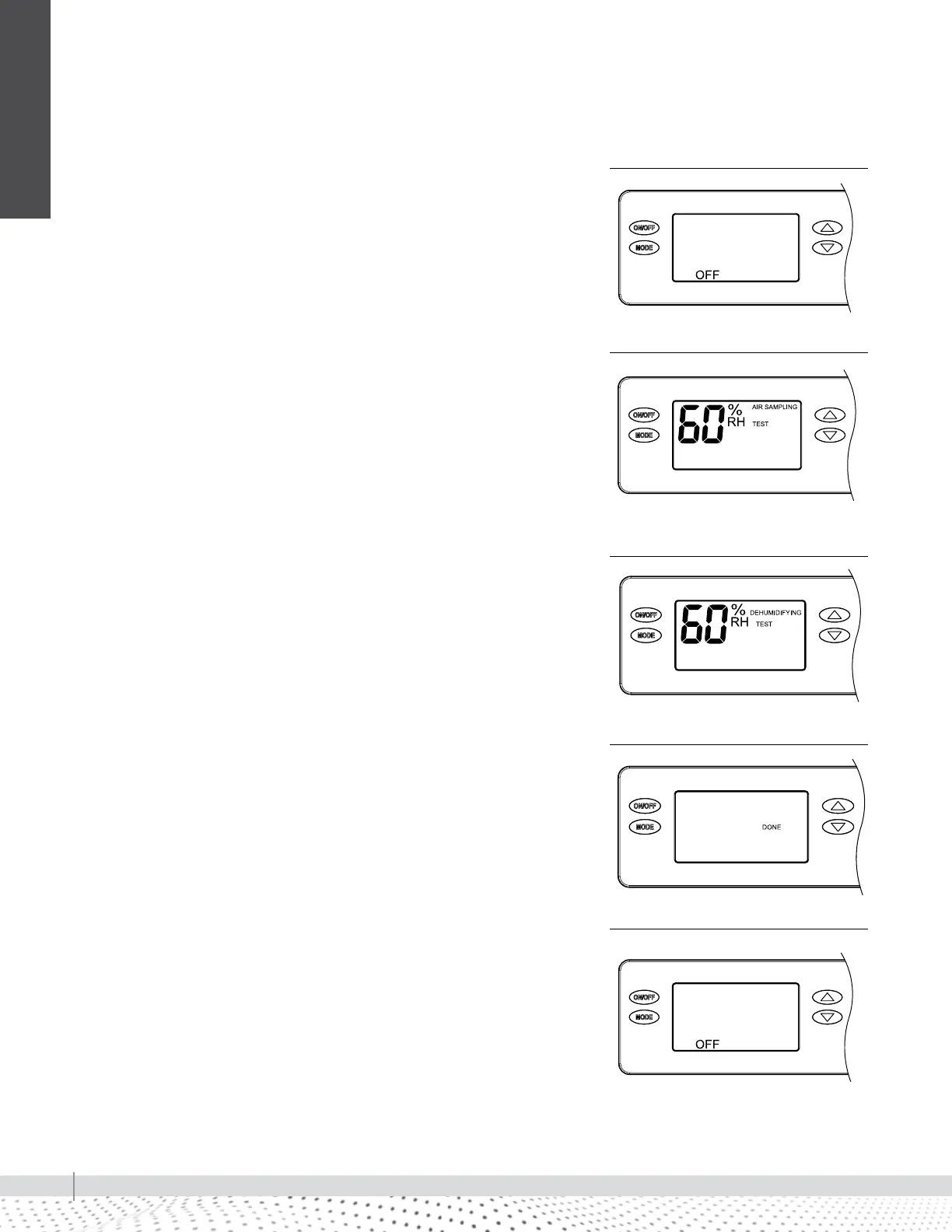
1. If the dehumidifier is not already OFF, press the ON/OFF button to turn it
off (see Figure 40-1).
2. Press and hold the ON/OFF button and MODE buttons for 3 seconds. The
measured humidity, AIR SAMPLING and TEST will show on the display (see
Figure 40-2).
3. After three (3) minutes the dehumidifier compressor will turn on and
DEHUMIDIFYING will replace AIR SAMPLING on the control screen (see
Figure 40-3).
After one minute of compressor operation, all outputs will turn off and DONE
(Figure 40-4) will blink for 3 seconds and then return to the OFF screen
(Figure 40-5).
System set-up & checkout
90-1854
FIGURE 40-1: DISPLAY SCREEN OFF
90-1854
FIGURE 40-2: AIR SAMPLING TEST
90-1854
FIGURE 40-3: DEHUMIDIFYING
90-1854
FIGURE 40-4: DISPLAY SCREEN DONE
90-1854
FIGURE 40-5: DISPLAY SCREEN OFF
INSTALLATION


 To Next Page