49
DEHUMIDIFIER INSTALLATION, OPERATION, AND MAINTENANCE MANUAL
Table 49-1:
Diagnostic Codes
Diagnostic
Code Failure Mode Action Reset
E1 Internal Humidity
or Temperature
Sensor Open or
Shorted
If connection okay, replace User Interface. Cycle Power
E3 Model D77
Remote Control
Communication
Loss
• Check connections between Model D77 and dehumidifier control board. Terminals
should be fully inserted and secured in the control board and Model D77 control
terminals.
• If connections are correct and secure, turn off the dehumidifier and remove the Model
D77. Use a short section of 4-wire cable to reconnect the Model D77 to the control
board. Turn the dehumidifier back on and decrease the humidity setting below ambient
conditions on the Model D77. If the dehumidifier turns on, the problem is with the wiring
between the dehumidifier and control.
• If the dehumidifier does not turn on, call Technical Support.
Self-
Correcting
E4 Insufficient
Capacity
• Check the frost sensor connection at the power board. Terminal should be fully seated on
the power board pins.
• Remove the side access panel and verify that the sensor is secured to the suction line.
• If the sensor is connected and secured to the refrigeration line proceed to the next step.
• Reset the fault by cycling power to the dehumidifier.
• Turn the humidity setting down (below room/home humidity level) to make a
dehumidification call.
• Allow the fan and compressor to run for approximately 10-15 minutes and then enter
diagnostic test mode by simultaneously pressing the UP ARROW and MODE buttons for 3
seconds. The LCD will display the temperature measured by the internal sensor while also
displaying AIR SAMPLING and ON, the humidity measured by the internal sensor while
also displaying %RH and ON, and the frost sensor temperature while also displaying
ON. Scroll through these values by using the UP/DOWN arrow buttons.
• Record values and call Technical Support.
Cycle Power
90-1854
Troubleshooting
For assistance, call Technical Support at (800)328-4447. Use the guides on
the following pages to identify and correct system faults. Contact Technical
Support before replacing the unit or any components and for additional
troubleshooting.
DIAGNOSTIC CODES
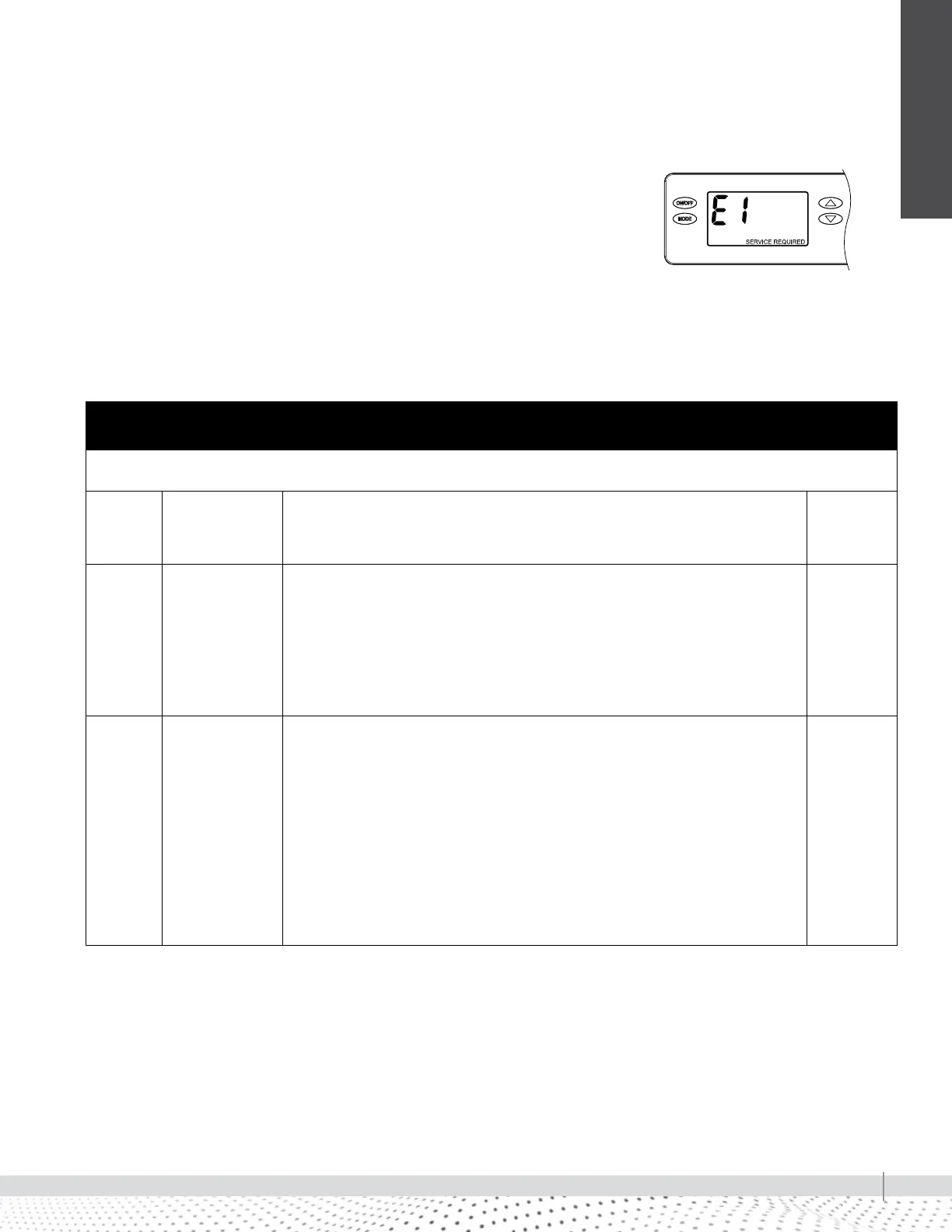
When an error occurs, the Diagnostic Code along with SERVICE REQUIRED
will be displayed on the control screen. If an Alert Light (part # 601176) is
used, the light will turn on when an error occurs. The Alert Light output can
also be wired to the DriSteem BACnet humidistat so that the BACnet humidistat
displays a generic alarm when any error code is active.
TROUBLESHOOTING


 To Next Page