DRC 242-A 2007-08-03 Page 15 DC3 with SEM Installation Instructions
14. Test the brown connection (switched power)
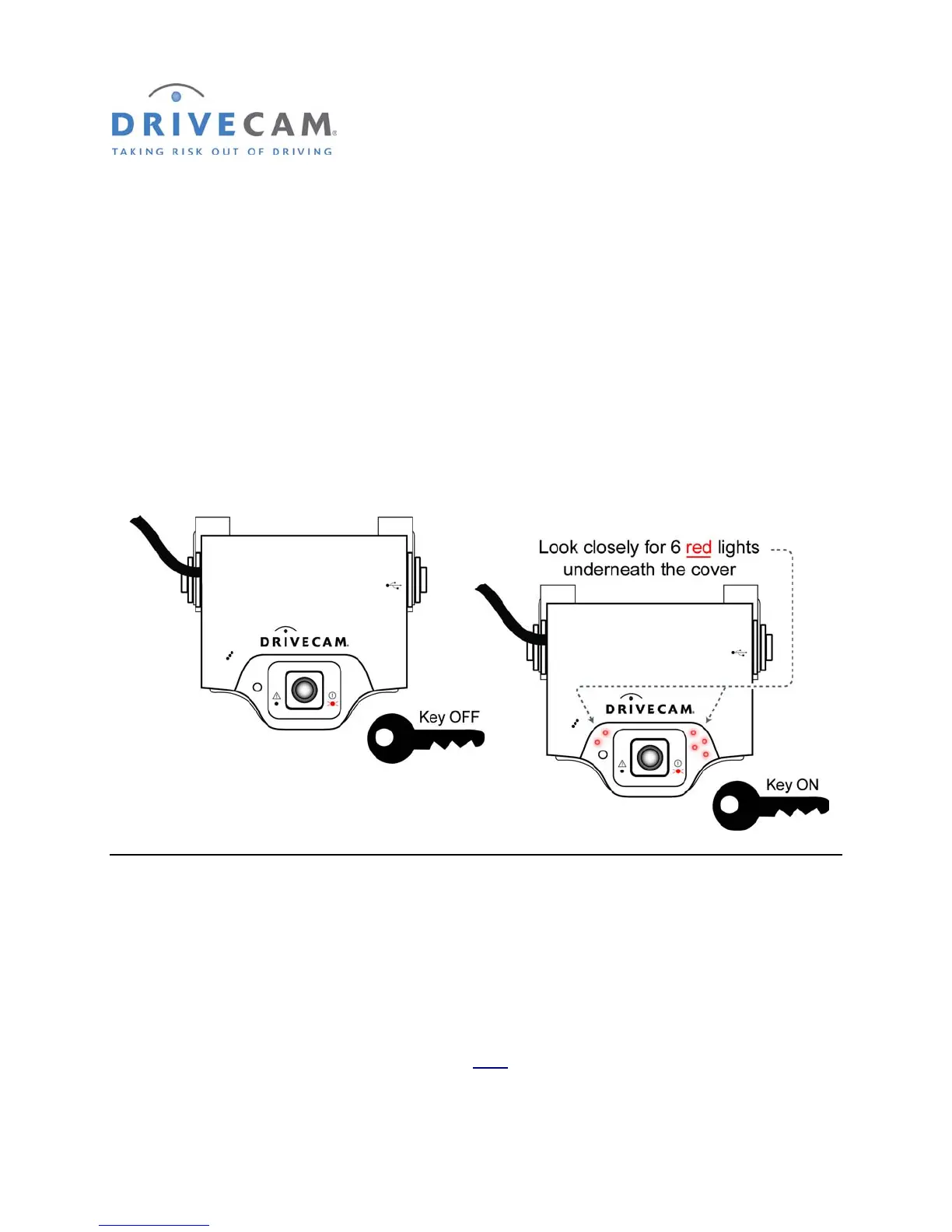
Underneath the translucent cover surrounding the interior-facing lens are six small, infrared lights. These
lights can only be seen when they are lit, and they are only lit when power is being provided through the
brown wire (i.e. when the key is in the ignition (A) position).
NOTE: This is the event recorder’s IR Illuminator feature (see page 13 for information).
Step 1 Turn the key to the Ignition / Switched-On position.
Step 2 Look closely for the six red LEDs underneath the translucent cover.
Step 3 Turn the key to the OFF position. The six red LEDs should go out.
If the test worked as described, the brown wire has been connected properly. Continue to the next
section to test the primary trigger input.
If the test did not work as described, repeat the test in a darker area. The lights are difficult to see in
bright light. If still not lit, check with the key in a different position and then recheck the wiring.
* * * The six red lights must go out when the key is in the OFF position * * *
* * * The single (red or green) LED to the right
of the lens will always remain lit * * *



 To Next Page