DRC 242-A 2007-08-03 Page 5 DC3 with SEM Installation Instructions
5. Attach the mounting bracket to the windshield
CAUTION: The adhesive is very sticky. Once applied to the windshield, it will not easily
come off. See page 25 for bracket removal instructions.
Step 1 Make sure
the glass is clean and dry and the air temperature is at least 50°F (10°C).
Step 2 Remove the backing from the adhesive side of the bracket.
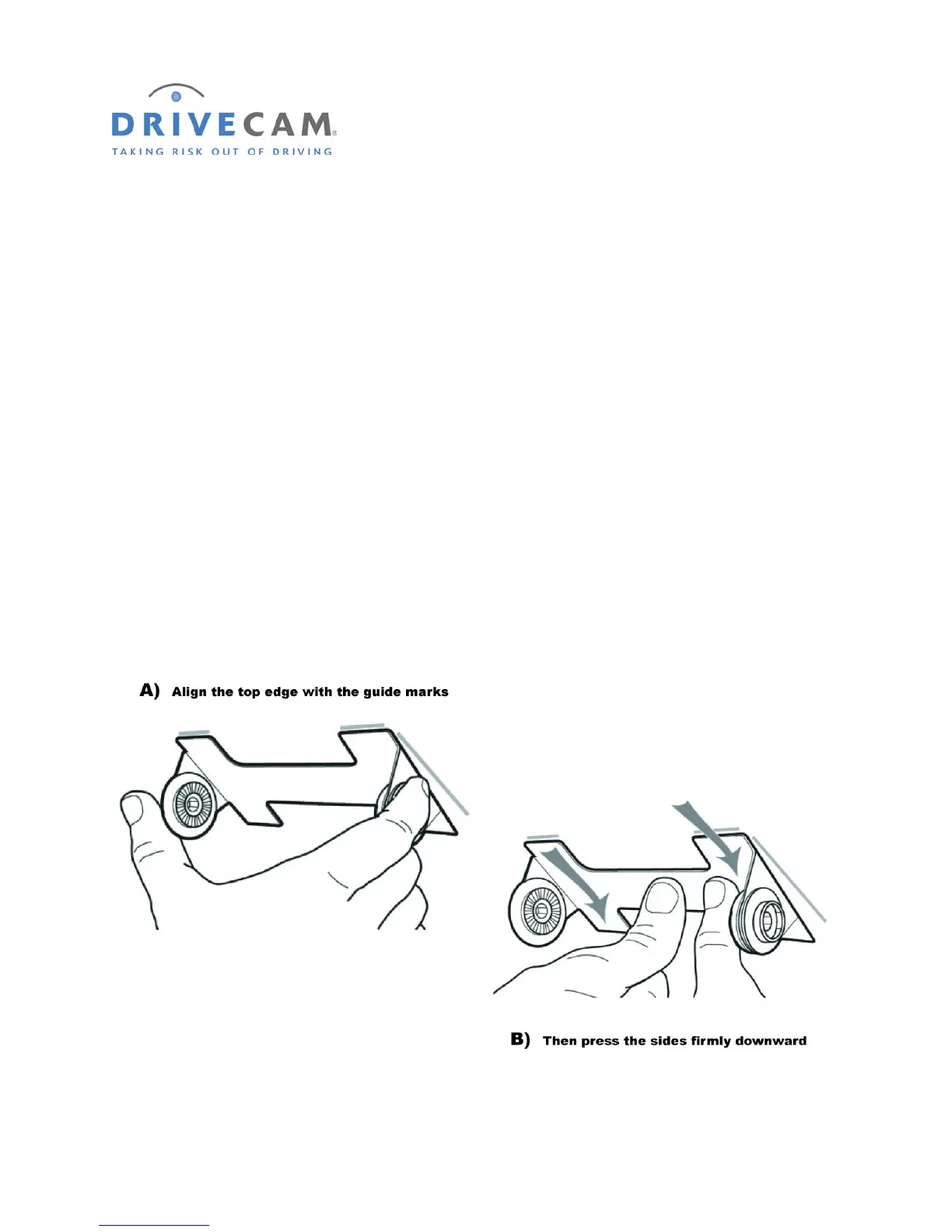
Step 3 Start by placing only the top edge of the bracket against the windshield,
aligned with the guide marks, and make sure it is level.
Step 4 Press the bracket firmly against the windshield starting at the top
and pressing the sides downward.
Do not apply excessive pressure as it may cause the windshield to break.
Step 5 Make sure there are no large air bubbles under the bracket.
You may need to (carefully) apply additional pressure to the bracket and remove any large air
bubbles. Use a small pin to create an escape path for the air if the problem is persistent.



 To Next Page