DRC 242-A 2007-08-03 Page 7 DC3 with SEM Installation Instructions
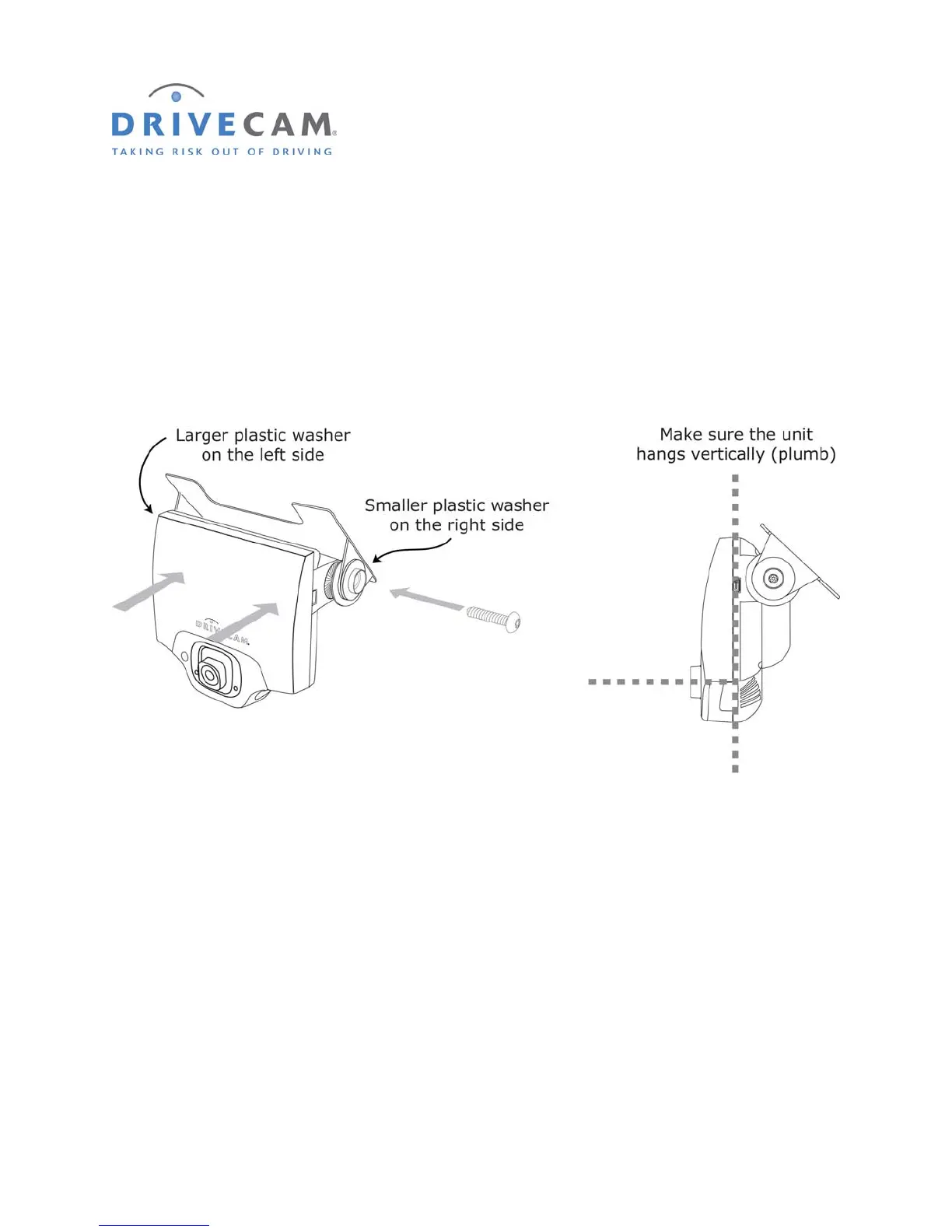
7. Mount the event recorder in the bracket
Step 1 Plug the RJ45 Interconnect Cable into the event recorder.
Step 2 Place the event recorder in the bracket.
Step 3 Adjust the event recorder so that it hangs vertically (plumb).
Step 4 Secure the event recorder in the bracket using the 2 Torx screws and Torx wrench.
The Large Plastic Washer on the left side of the bracket is designed to partially cover the RJ45
Interconnect cable so that it cannot be unplugged by the driver. The plastic washers can be easily
removed from the metal bracket after removing the screws. Make sure the larger of the two washers is
on the left (power connection) side of the bracket.



 To Next Page