DRC 242-A 2007-08-03 Page 6 DC3 with SEM Installation Instructions
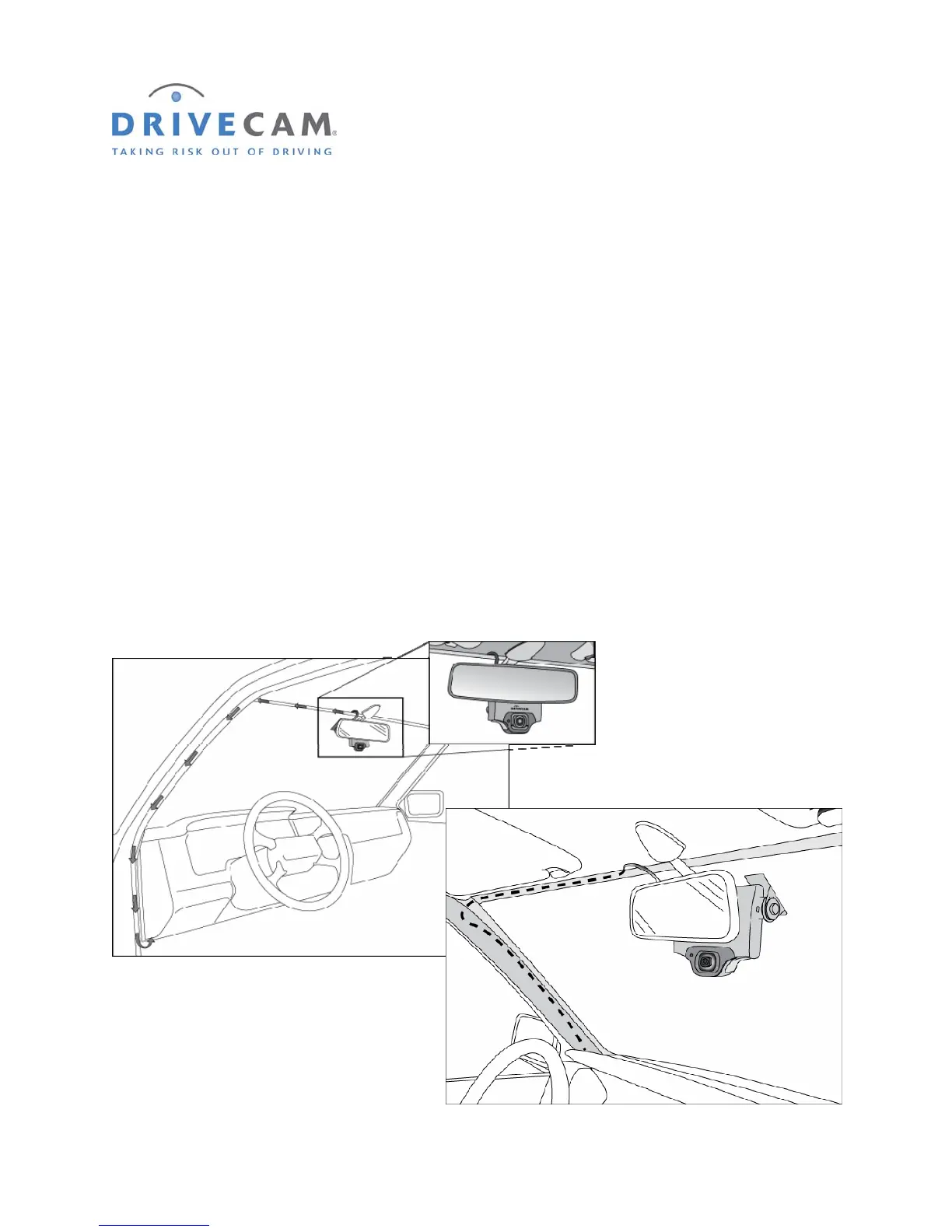
6. Route the RJ45 Interconnect Cable
CAUTION: When installing the RJ45 Interconnect Cable in a vehicle with side or curtain airbags,
be certain that neither the cable, nor your installation activities, interferes with any
airbag related mechanisms or otherwise affects airbag deployment.
NOTE: If you plan to connect the primary trigger input to the dome light (page 11), you
may want
to route the white wire from the UM05 Switch Cable along side the RJ45
Interconnect Cable at this time.
Step 1 Starting just above the rear view mirror, route the cable under the window trim or
headliner across to the door pillar.
Step 2 Route the cable down the door pillar underneath the vertical door / window trim.
Step 3 Route the cable out from underneath the trim and under the dashboard.
You may need to remove the trim to route the cable. When reinstalling, be careful not to damage
the trim clips or the cable. Keep the cable clear from sharp edges and moving parts.



 To Next Page