DRC 242-A 2007-08-03 Page 17 DC3 with SEM Installation Instructions
16. Test the orange connection (secondary trigger input)
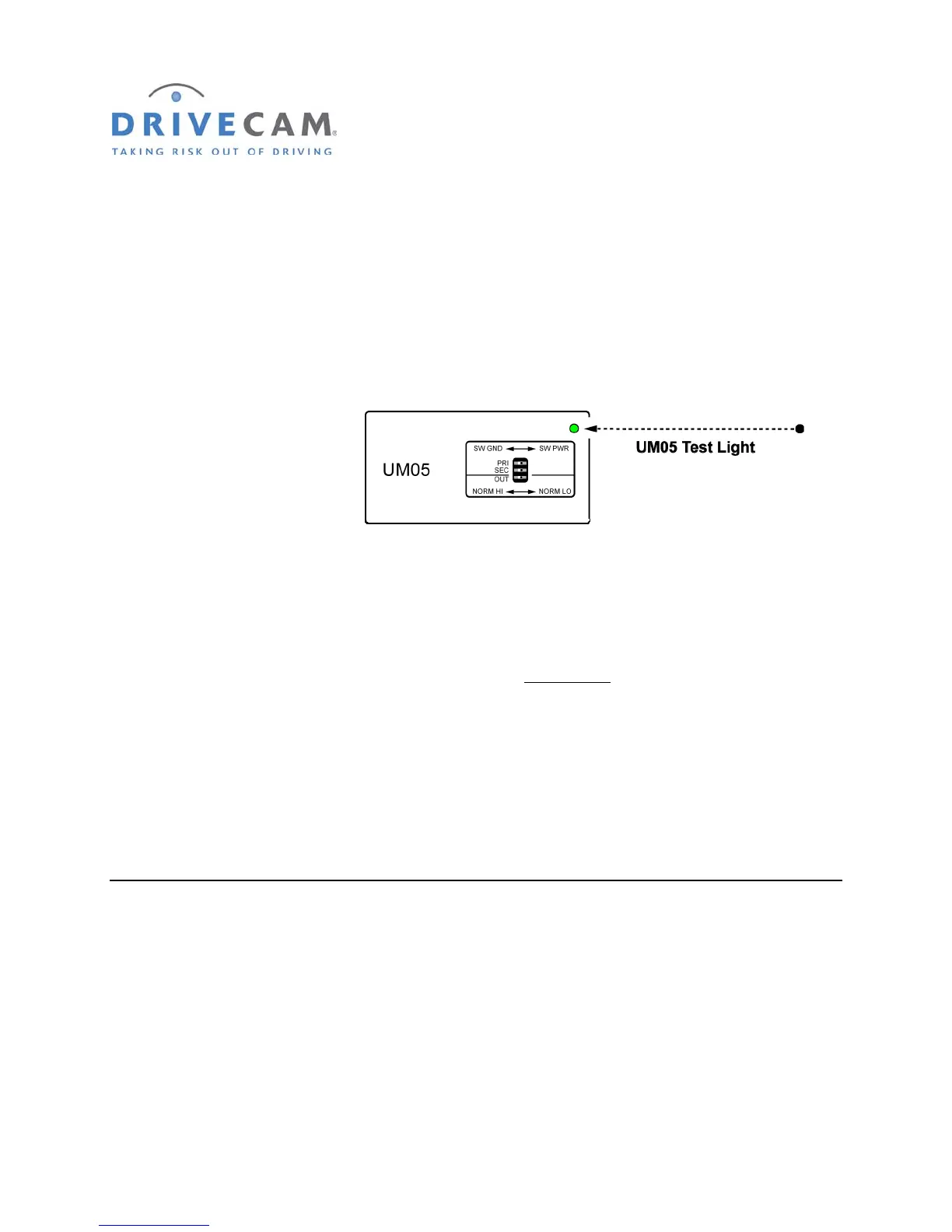
Place the UM05 in a location where you can see the UM05 Test Light. Verify that the event recorder is
powered (the right status light on the event recorder is either solid green or solid red).
NOTE: The status lights on the event recorder will not flash while recording events
through the primary or secondary trigger inputs (see page 25). Use the UM05 Test
Light to ve
rify proper wiring and switch configuration.
Step 1 Close all of the vehicle doors and wait for the dome light to go out.
The UM05 Test Light should also go out.
Step 2 Turn (or press) the secondary switch to “ON”.
The UM05 Test Light should light for approximately two seconds
and then go out.
NOTE: If you are using a momentary pushbutton (press ON – release OFF), press and
release the button. The UM05 Test Light should light for approximately two
seconds and then go out. Step 3 will not be necessary with this type of button.
Step 3 Turn (or press) the secondary switch to “OFF”.
There should be no indication from the UM05 Test Light.
If the test worked as described, the secondary trigger input is functioning correctly. Continue to the next
section to complete the installation.
If the UM05 Test Light did not light when the switch was turned “on” then the secondary (SEC) switch
setting on the UM05 is incorrect. Change the switch setting (page 13) and repeat the test procedure.
If the UM05 Test Light is
on all of the time then the con
nection was made to the wrong side of the circuit
as described on page 13.
If the UM05 Test Light did not light at all, check the power, ground, secondary wire, & switch connections.
Make sure the connection was made to the correct side of the circuit as described on page 13.



 To Next Page