7 | Live View
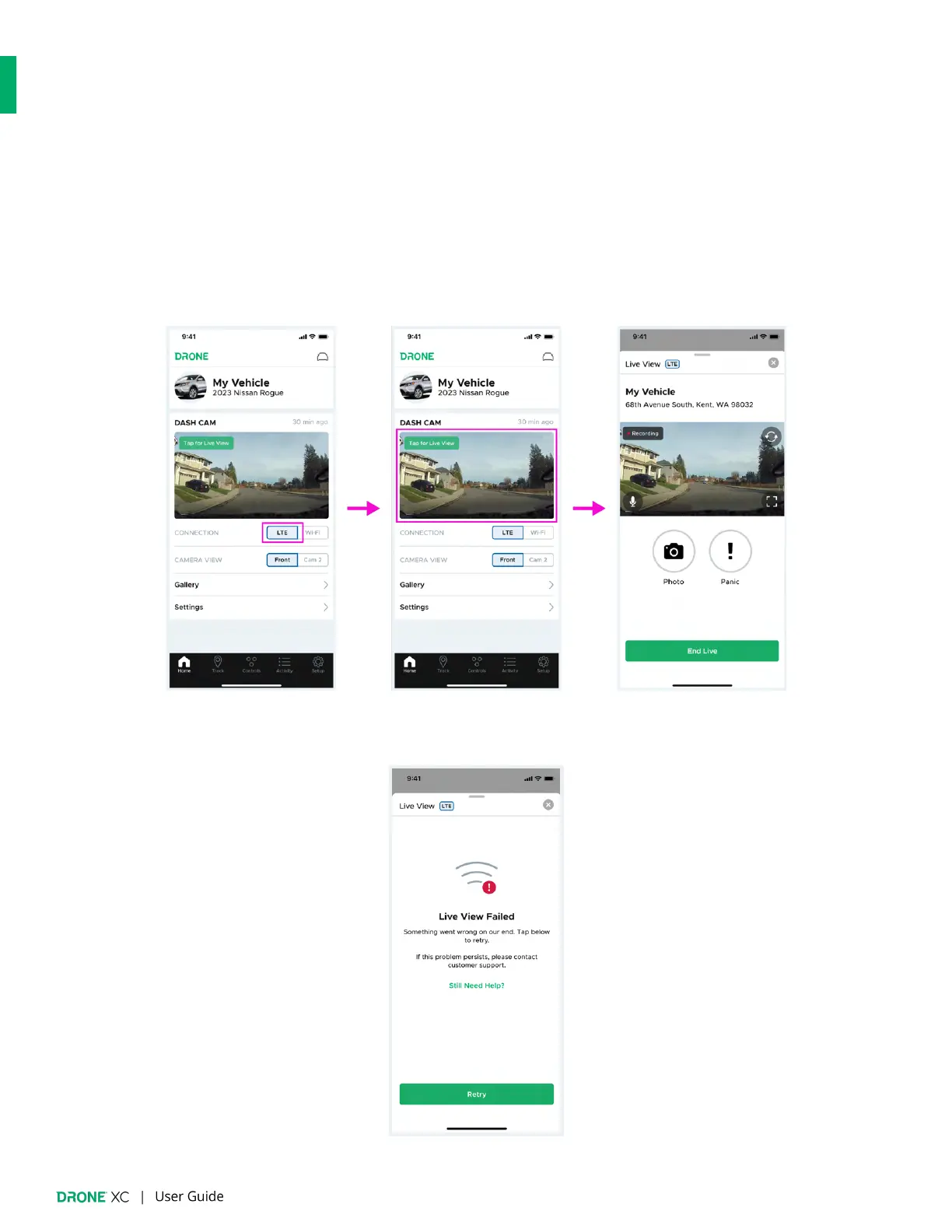
Drone XC allows you to view a live video feed of what’s happening at your vehicle. You have the option of live streaming remotely
via LTE or while connected to your dash cam’s Wi-Fi inside your vehicle.
7.1 | “Live View” via LTE (Requires a “Streaming” plan)
1. Navigate to the “Dash Cam” widget on the “Home” page.
2. Set “LTE” as your “Connection” type
3. Tap on the thumbnail to open the “Live View” window and wait 10-15 seconds for the live stream to start.
4. If “Live View” fails due to a technical error on our end, please tap “Retry”. If this problem persists, tap on the “Still Need
Help?” link for further assistance.


 To Next Page