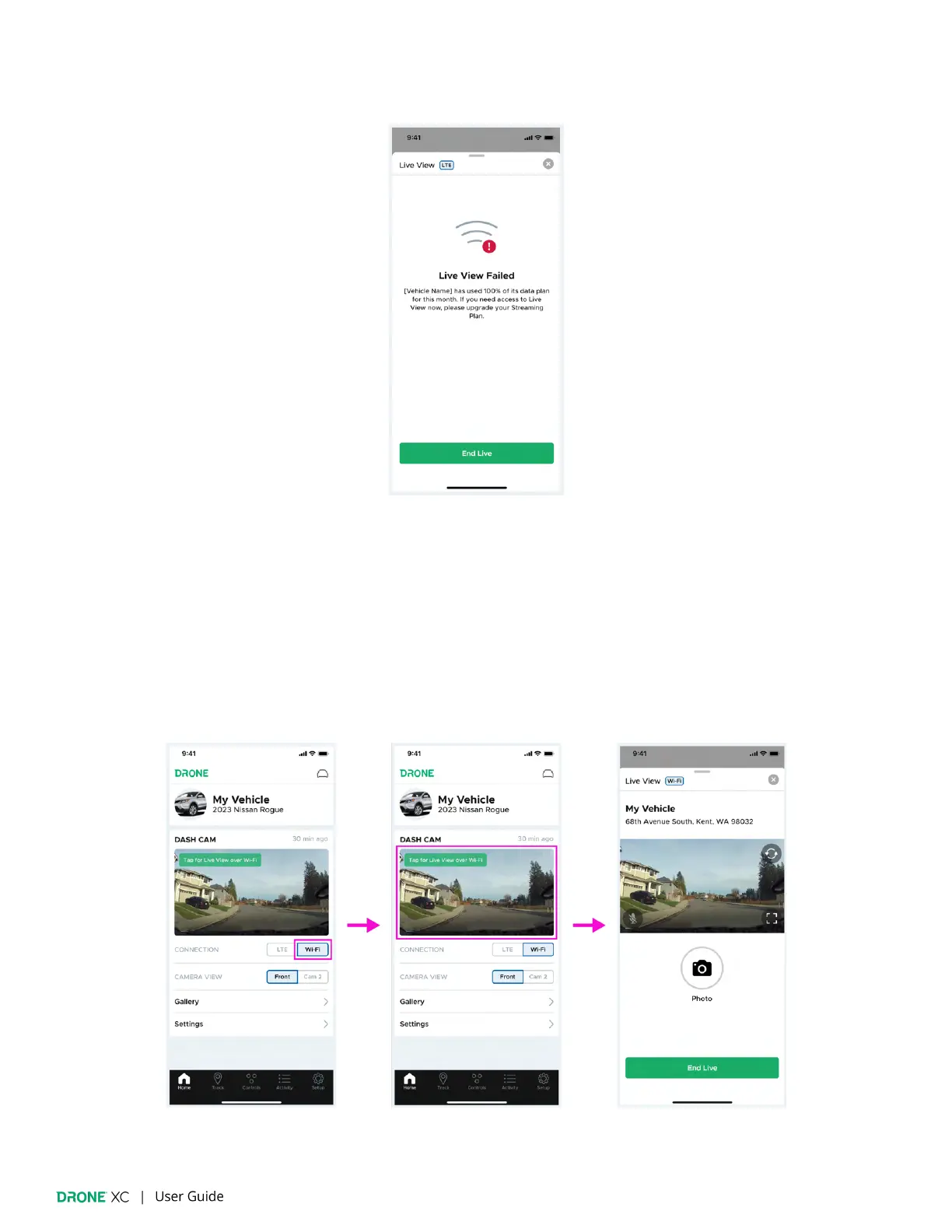
5. If “Live View” fails due to insu
fficient data, you can renew your “Streaming” plan early, or wait until your data is reset in the
next billing cycle.
7.2 | “Live View” via Wi-Fi
1. Make sure you are inside your vehicle as the dash cam’s Wi-Fi has limited range.
(Please note: Your phone may have limited access to the internet while connected to the dash cam’s Wi-Fi.)
2. Navigate to the “Dash Cam” widget on the “Home” page.
3. Set “Wi-Fi” as your “Connection” type
4. Tap on the thumbnail to open the “Live View” window.


 To Next Page