9 | Downloading Media
9.1 | Downloading Media via LTE on the “Gallery”
(Please note: This feature is for customers with “Streaming” plans only.)
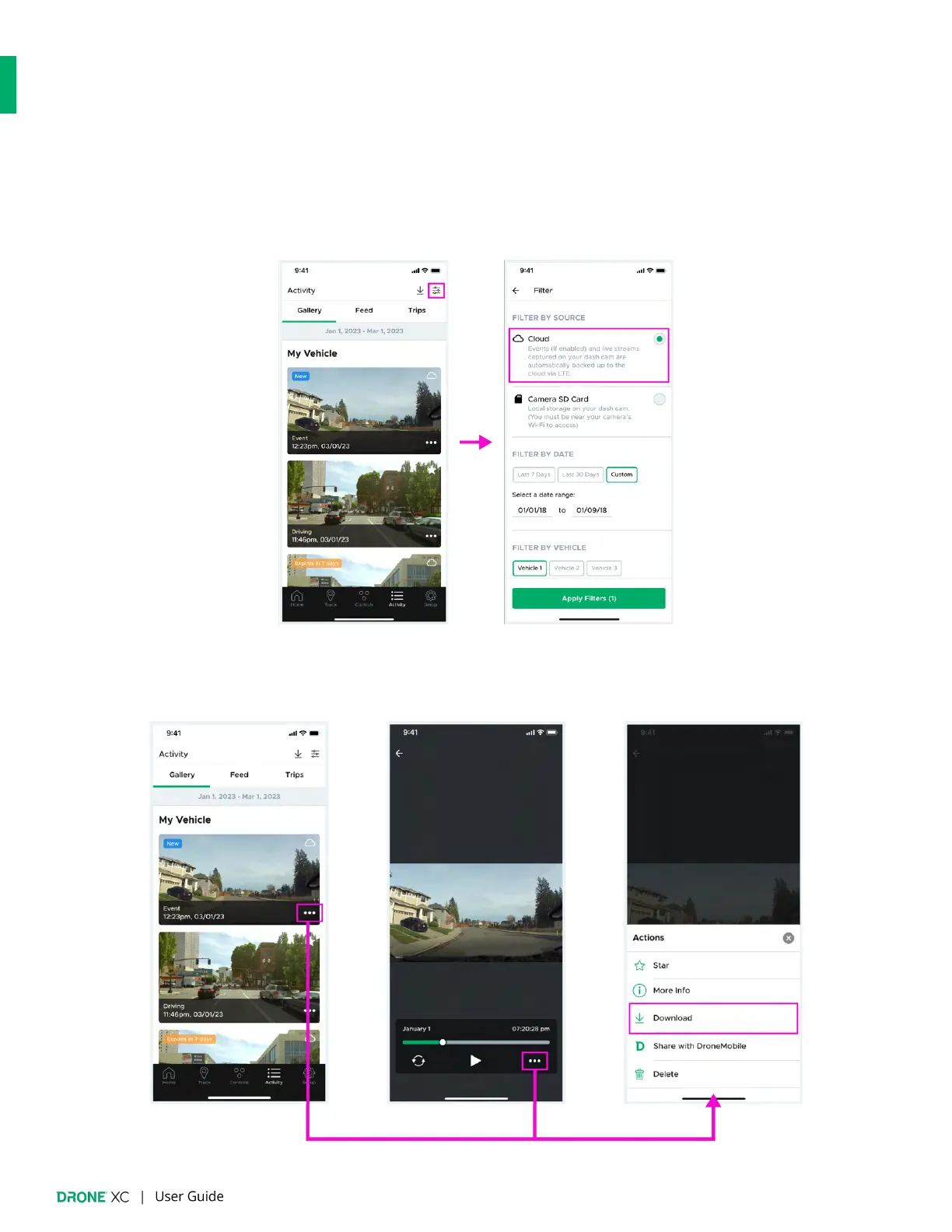
1. Navigate to the “Gallery” tab on the “Activity” page. Select “Cloud” as your source.
2. Tap the “More Actions” icon on the thumbnail of the media you would like to download. You can also tap the “More Actions”
icon on the “Media Player/Viewer” page. Next, tap “Download” on the “More Actions” pop-up.


 To Next Page