3 | Installation
3.1 | Where to Buy
DroneMobile products are sold and installed exclusively at authorized dealers across North America. To
fi
nd an authorized
dealer near you, please visit www.dronemobile.com.
3.2 | Installation Types
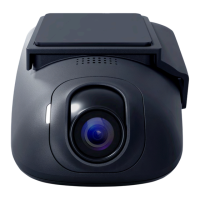
● Standalone Mode - Install Drone XC as a standalone LTE/Wi-Fi dash cam with GPS tracking capabilities to monitor
speed, location, battery voltage, and more!
● Data-to-Data Mode - Connect Drone XC to a compatible Firstech remote start or security system to enjoy the
convenience of unlimited-range vehicle control and monitoring.
3.3 | Basic Connections
● All Drone XC installations will require constant power (12v) and ground connections to su
fficiently power the device.
● If installed in standalone mode, an additional connection to ignition is required.
● If installed in Data-to-Data Mode, Drone XC will connect to the RS-232 data port on the Firstech remote start or security
control module.
3.4 | Compatibility
Drone XC works with all current Firstech remote start and security brands, including Compustar, Arctic Start, Nustart, FTX, and
iDatastart.
Compatible Control Modules:
● Firstech CM-X
● Firstech CM-9 Series
● Firstech DC3 Series
● Firstech CM-2400/CM-2500 Series
● iDatastart HCX Series
● iDatastart VWX
● iDatastart BMX


 To Next Page