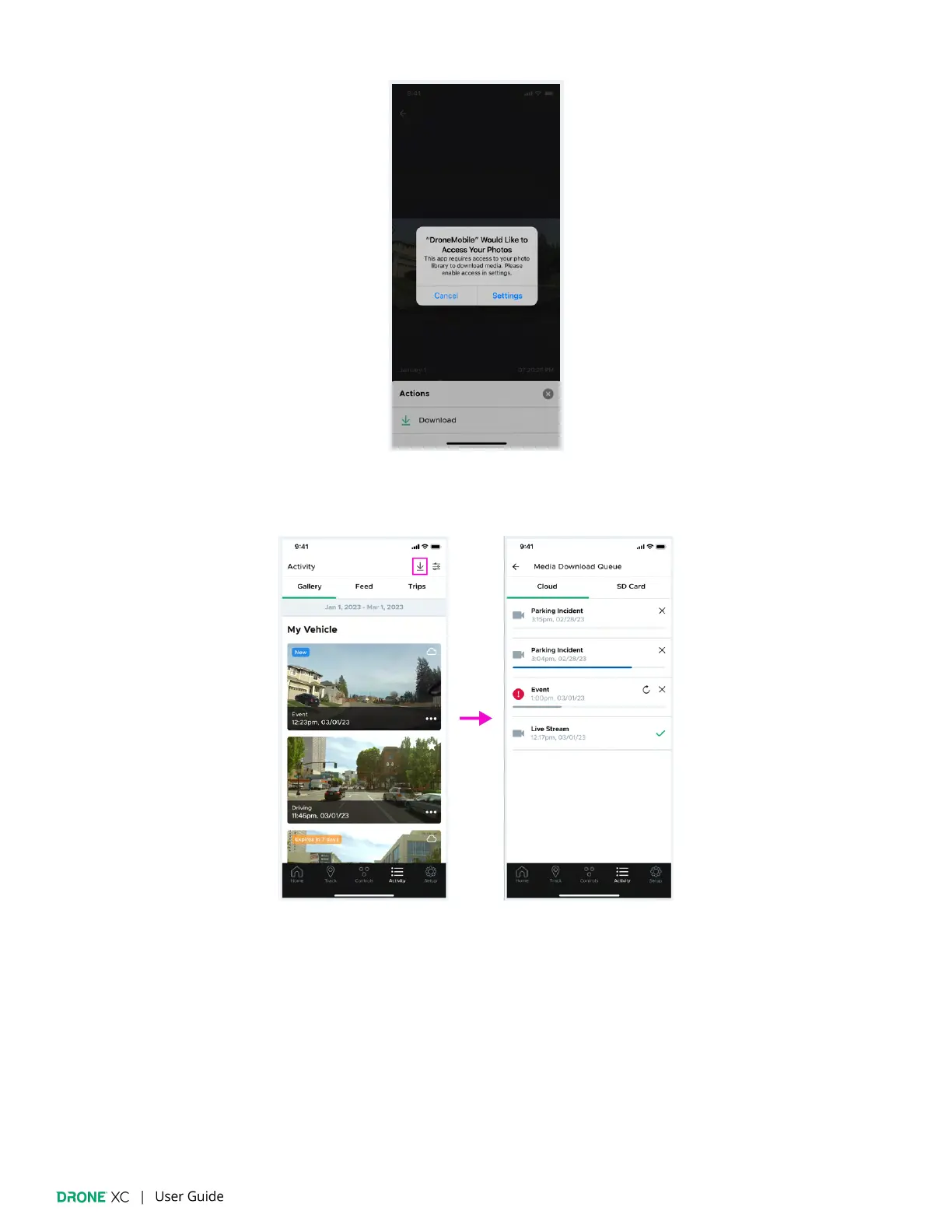
8.3 | Media Download Queue
The “Media Download Queue” shows the progress of items currently being downloaded to your device. You can access this page
by tapping on the “Download” icon in the top right corner of the “Activity” page. On this page, queued items are separated into
“Cloud” and “SD Card” tabs. For each item in the queue you will see an icon indicator of the media type, event name, date & time,
and progress bar. You may also see an “X” icon to cancel in-progress downloads, a “Retry” icon for failed downloads, or a green
checkmark for completed downloads.
(Please note: If you are downloading from the SD card via Wi-Fi, you must remain in the vehicle until the download is
complete, otherwise, it will fail.)



 To Next Page