Tamarisk
®
Camera Control Software User Guide
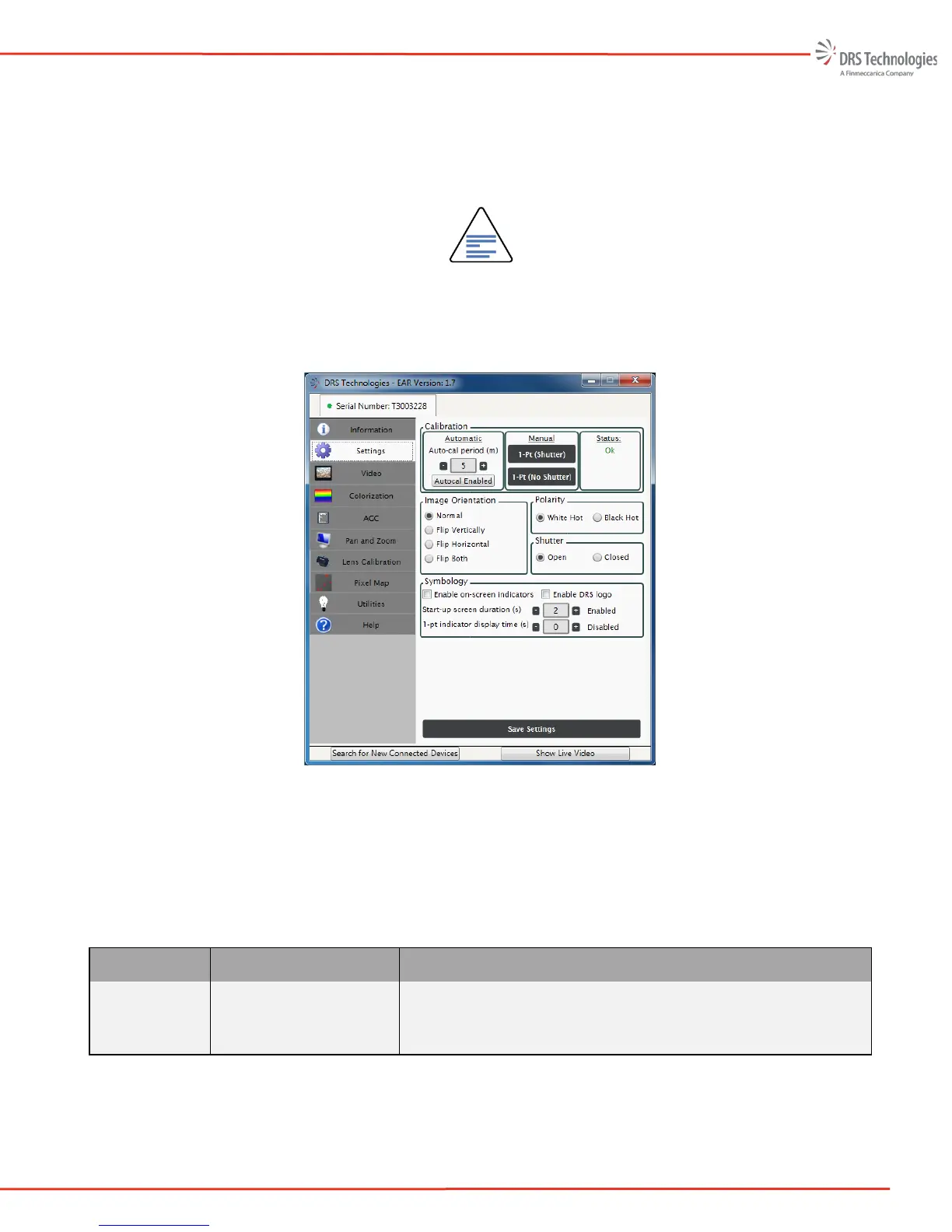
The selected command is immediately applied to the camera and the results will appear on the output
video. Note, the settings are not saved until you select the Save Settings tab at the bottom of the
window. Once Save Settings has been selected, all indicated settings will be saved to the cameras
non-volatile memory; this may take a few seconds. When the camera is powered cycled the settings
are retained.
NOTE
To save settings, select the Save Settings tab at the bottom of the window. This
may take a few seconds and will store all selected settings to non-volatile
memory.
Figure 20. Settings Tab
Table 3 provides an overview of the features and functions available on the Settings tab.
Table 3. Settings Overview
Task Pane Description Function
Calibration
1-Point Calibration
1-Point (No Shutter)
Performs calibration / non-uniformity correction (NUC) – shutter is
used
Performs NUC through the lens – shutter is not used



 To Next Page