Tamarisk
®
Camera Control Software User Guide
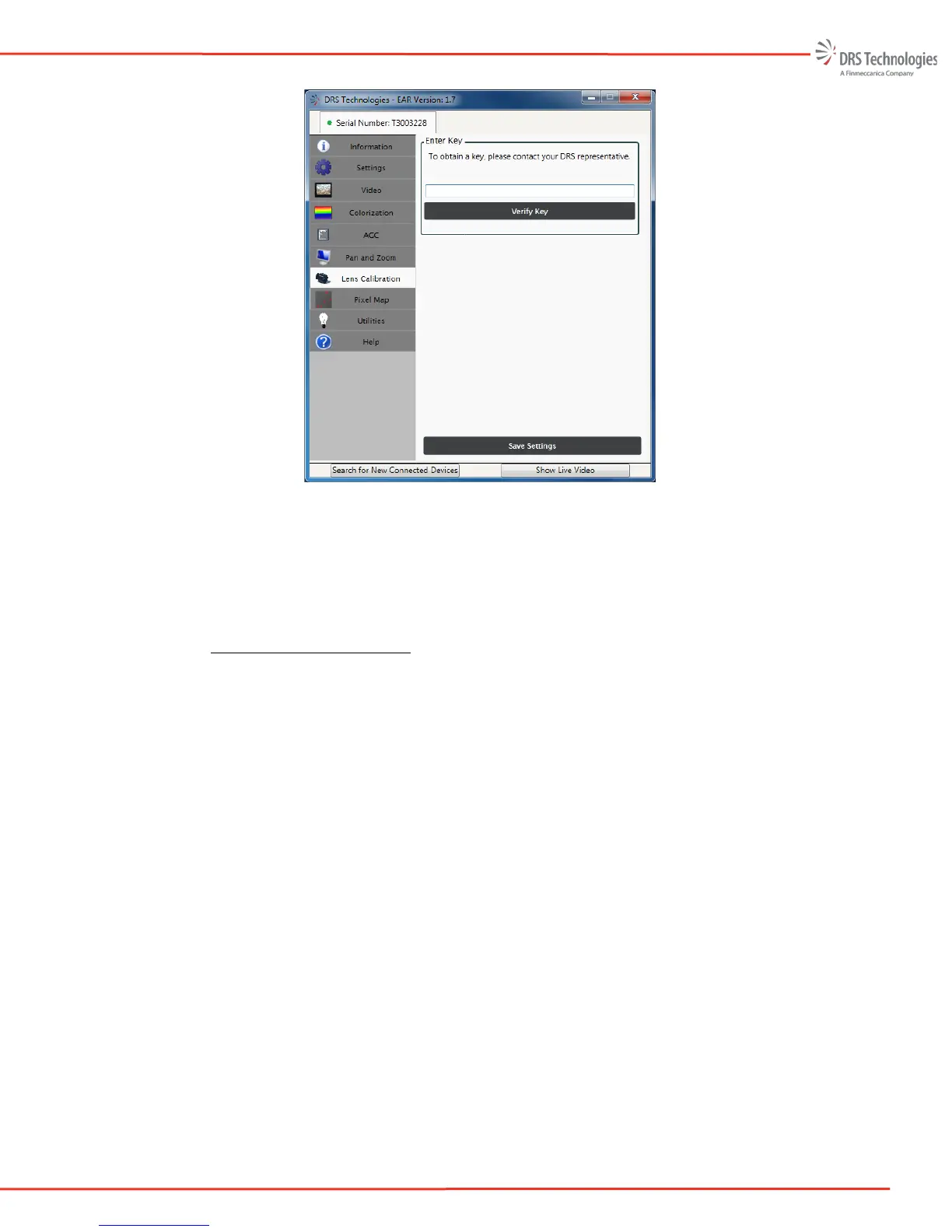
Figure 36. Pass Key
3. After entering a valid pass key, select Verify Key. Once the pass key is verified, the Lens
Calibration tab (shown in Figure 38) is displayed. If the pass key is invalid, a pop up
message provides a warning and the user is returned to the Verify Key screen.
5.7.3 Lens Calibration - Setup
This section provides a step-by-step proceduree and recommended conditions for performing lens
calibration.
4. Set-up. Figure 37 illustrates the hardware setup to perform a custom calibration. Connect
the serial data cable (USB or RS232) and power the camera. Please allow the camera to sit
for 30 minutes to stabilize its temperature before beginning the calibration process.
5. Place the camera at the appropriate distance from the black body/thermal scene such that the
entire field of view is flooded with the uniform thermal scene, but not so close as to affect
the thermal equilibrium of the camera. The recommended calibration temperature set points
are:
• Cold set point -10°C below camera ambient temperature
• Hot set point +10°C above camera ambient temperature
The exact temperature is not critical. For best results a black body should be used but any
thermally uniform scene is acceptable.



 To Next Page