Tamarisk
®
Camera Control Software User Guide
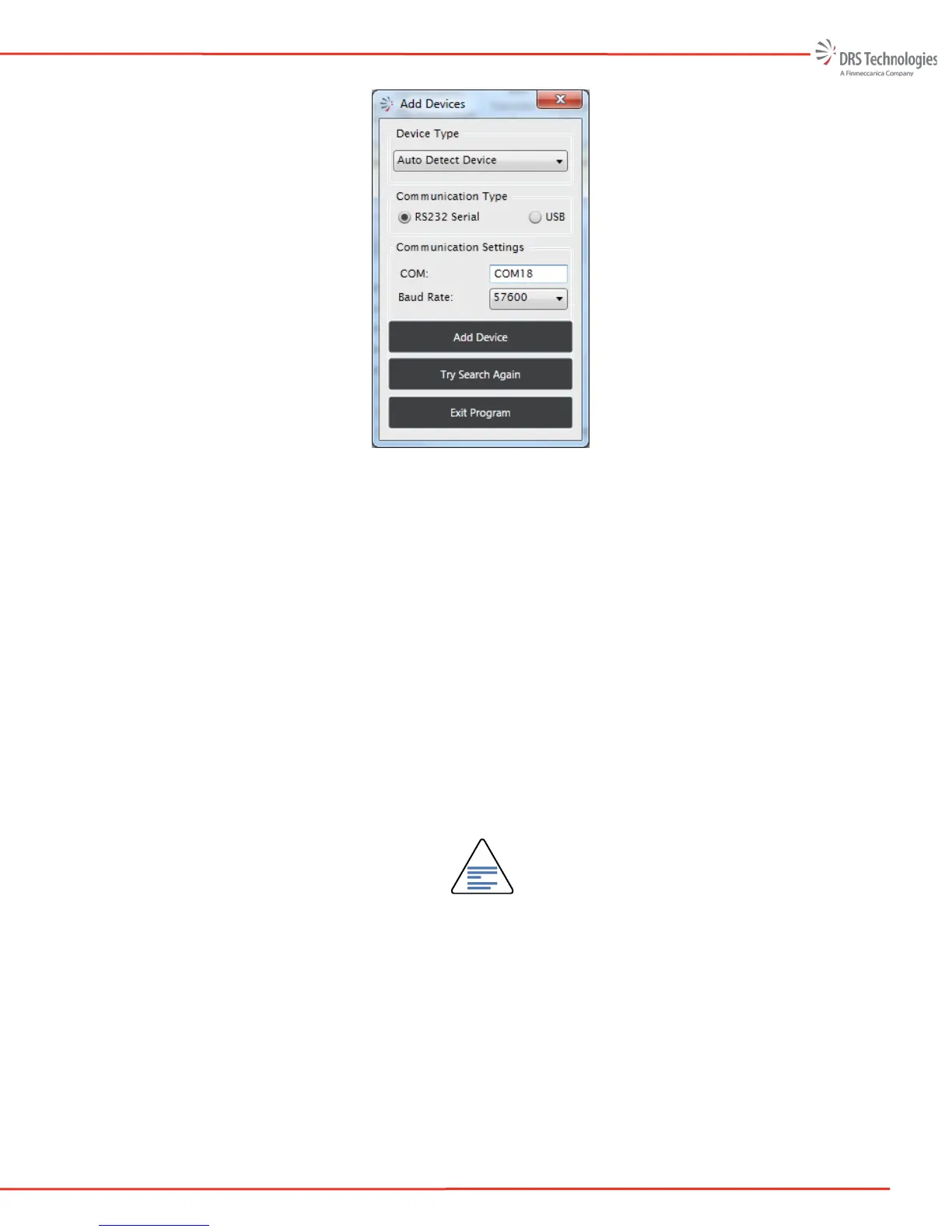
Figure 61 Add Device
The user can now manually select the Device Type, the Communication Type, and
Communications Settings.
Select the Tamarisk
®
device type.
Select RS232 Serial or USB as the Communications Type
To set the COM port the user needs to open Windows Device Manager and determine
the port number. If the COM port is not listed in the Communications Settings
window, the user should select “custom” and then enter the COM port. The COM
port number must be in the format of COMX where X = any number from 1 – 99.
For example if the Window’s device manager reports that the USB-to-serial cable is
COM18, the user must select “custom” and then type COM18 into the port number.
The user also must select the correct baud rate for RS232 (57600 is factory default) or
921600 as the baud rate for USB.
NOTE
Adding Devices: The USB-to-serial cables are uniquely identified by the USB
driver but the Camera Control Software does not always recognize these as
camera interfaces; hence the user must manually connect to the camera. In
addition the Camera Control Software will only allow one (1) manual connection
at a time. If the user has manually connected to a second camera, the first
camera connection is lost and the second camera is connected



 To Next Page