Setup
22
6 CONNECTING TO THE GATEWAY MANAGEMENT PAGES
You may wish to consult your company IT
department before making changes to your PC
network settings.
Connect the DSE892 ethernet port directly to your
PC Ethernet port.
You can use either a ‘straight through’ or ‘crossover’
network cable.
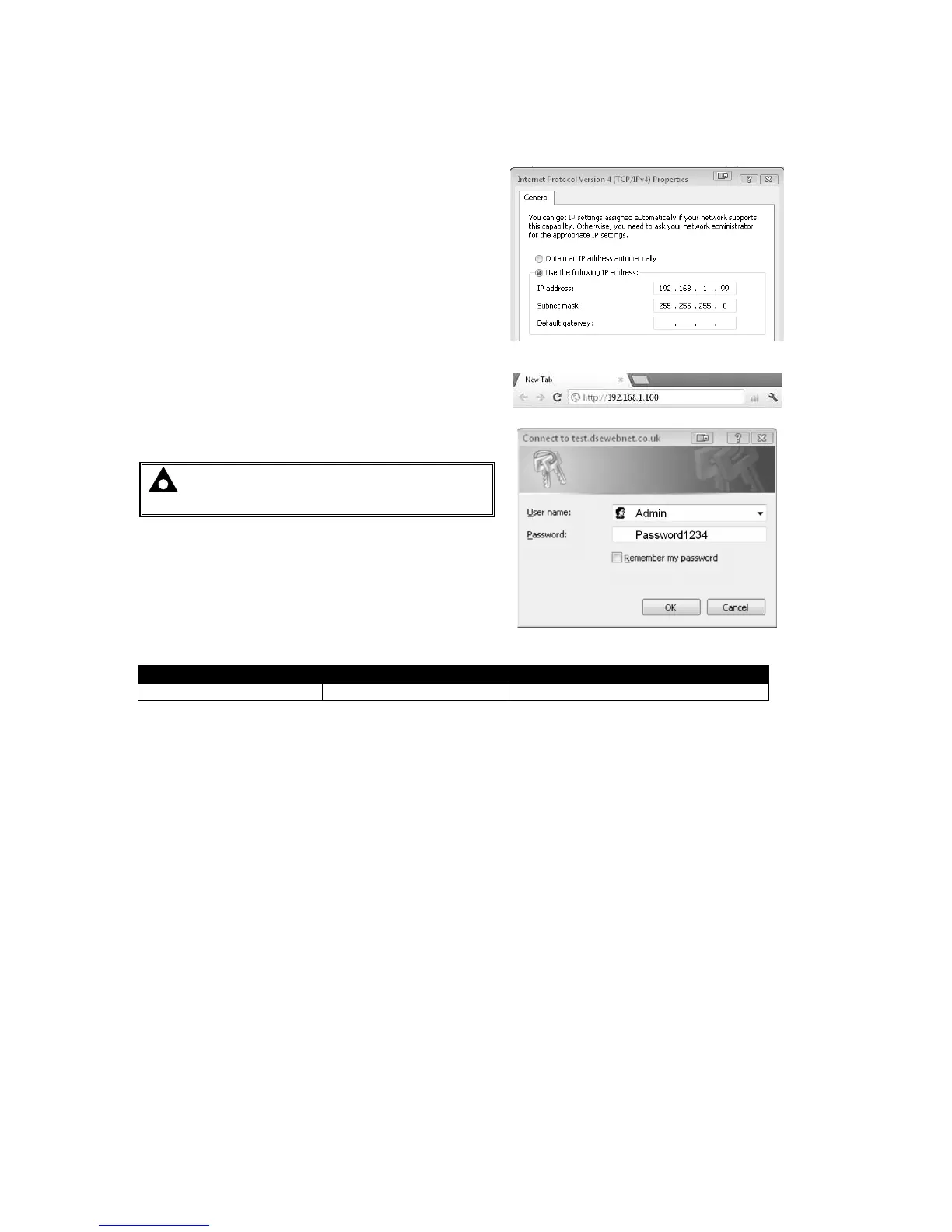
Set the PC IP address as shown.
Using Google Chrome, Microsoft Internet Explorer or
Mozilla Firefox, enter the IP address of the gateway.
Enter the username and password of the Gateway :
NOTE: Username and Password are both
CASE SENSITIVE.



 To Next Page