Setup
24
6.2 SYSTEM SETTINGS
Ensure you consult with the IT/Network manager of the site that the DSE892 is connected to before
making any changes to these settings.
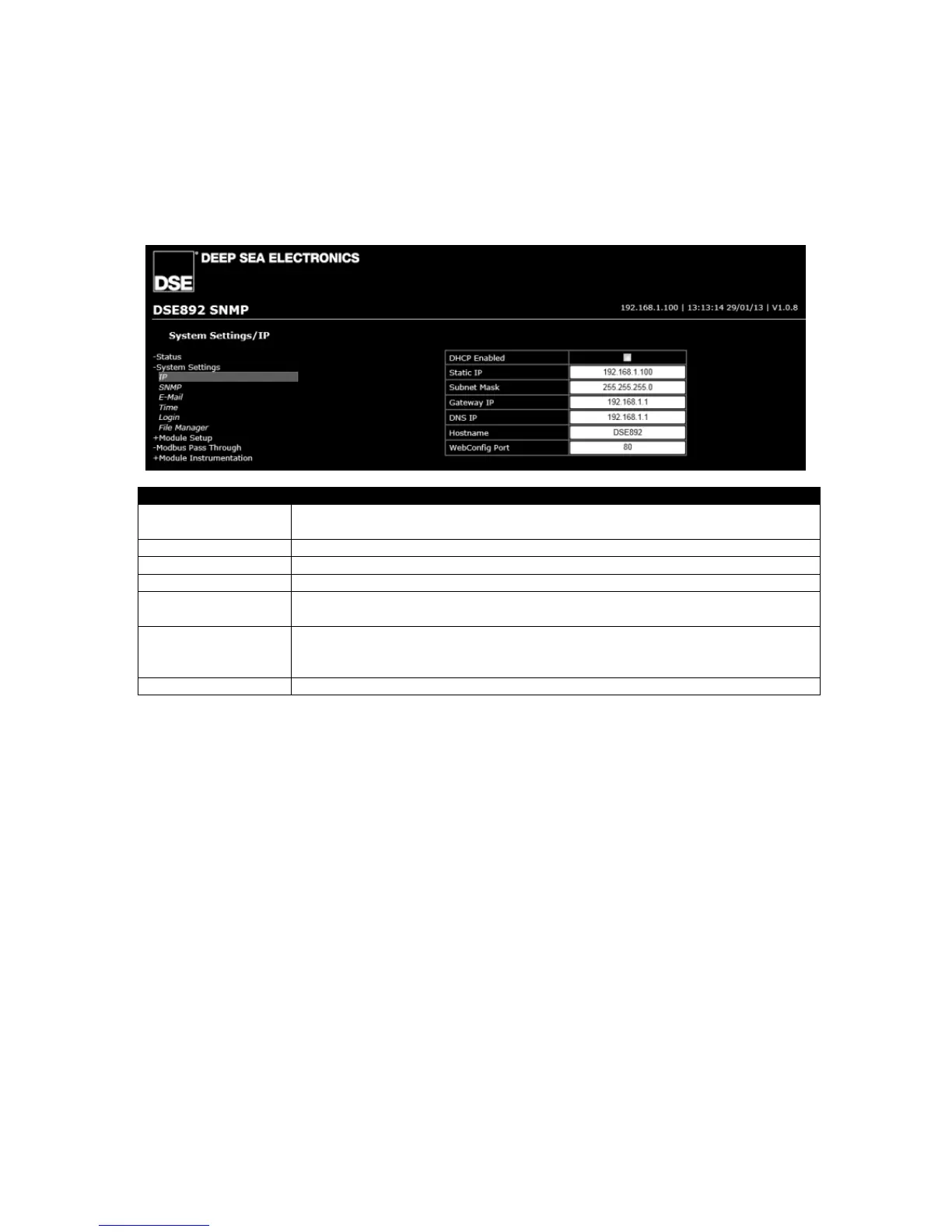
6.2.1 IP
DHCP Enabled = The Gateway will request network settings from a DHCP server.
= The Gateway’s network settings must be entered manually.
Static IP (Factory setting 192.168.1.100)
Subnet mask (Factory setting 255.255.255.0)
Gateway IP IP address of the internet router that the DSE892 is connected to.
DNS IP IP address of the Domain Name Service. Usually this is the same as the
Gateway IP.
Hostname Hostname of the device. Used to identify the Gateway on the network. Give
this a meaningful name to assist the network IT manager to recognise the
device on the network!
WebConfig Port The port number that these configuration pages are served on.



 To Next Page