Setup
34
6.3.1.2 MONITORING INSTRUMENTATION
This section allows the monitoring of instrumentation values within the connected controller. When the
values meet the configured condition, an action is made by the Gateway.
Modbus Addr The modbus address of the register (instrument) being monitored.
For details of available registers you are referred to the DSE Gencomm
Document, available upon request from support@deepseaplc.com.
The specified registered is read using Modbus Function Code 3 (Read Multiple
Holding Registers).
Register Num Number of Registers that make up the value being read.
This information is obtained from the Gencomm Document.
1 = When the value to be read is a 16 bit value.
2 = When the value to be read is a 32 bit value.
Sign
This information is obtained from the Gencomm Document.
Description Give the value a meaningful name. For example this could be the name of the
instrument in the connected controller (ie Oil Pressure)
Pol.
Trip Val
Ret Val
When Pol. Is set to :
Bigger = When the value rises past the Trip Val setting, the configured actions
are taken. The Value must fall below the Ret Val setting before the condition is
considered to be back to normal.
Smaller = When the value falls below the Trip Val setting, the configured
actions are taken. The Value must rise above the Ret Val setting before the
condition is considered to be back to normal.
SNMP Trap = This event is not monitored by the Gateway device.
= Where supported by the connected controller’s event log, the Gateway
generates an SNMP TRAP message upon activation of this event.
E-Mail Add 1
E-Mail Add 2
= This event is not monitored by the Gateway device.
= Where supported by the connected controller’s event log, the Gateway
sends an email to the specified address(es) upon activation of this event.
Delete Deletes this entry from the table of monitored addresses.
Add Adds a new entry to the table of monitored addresses.
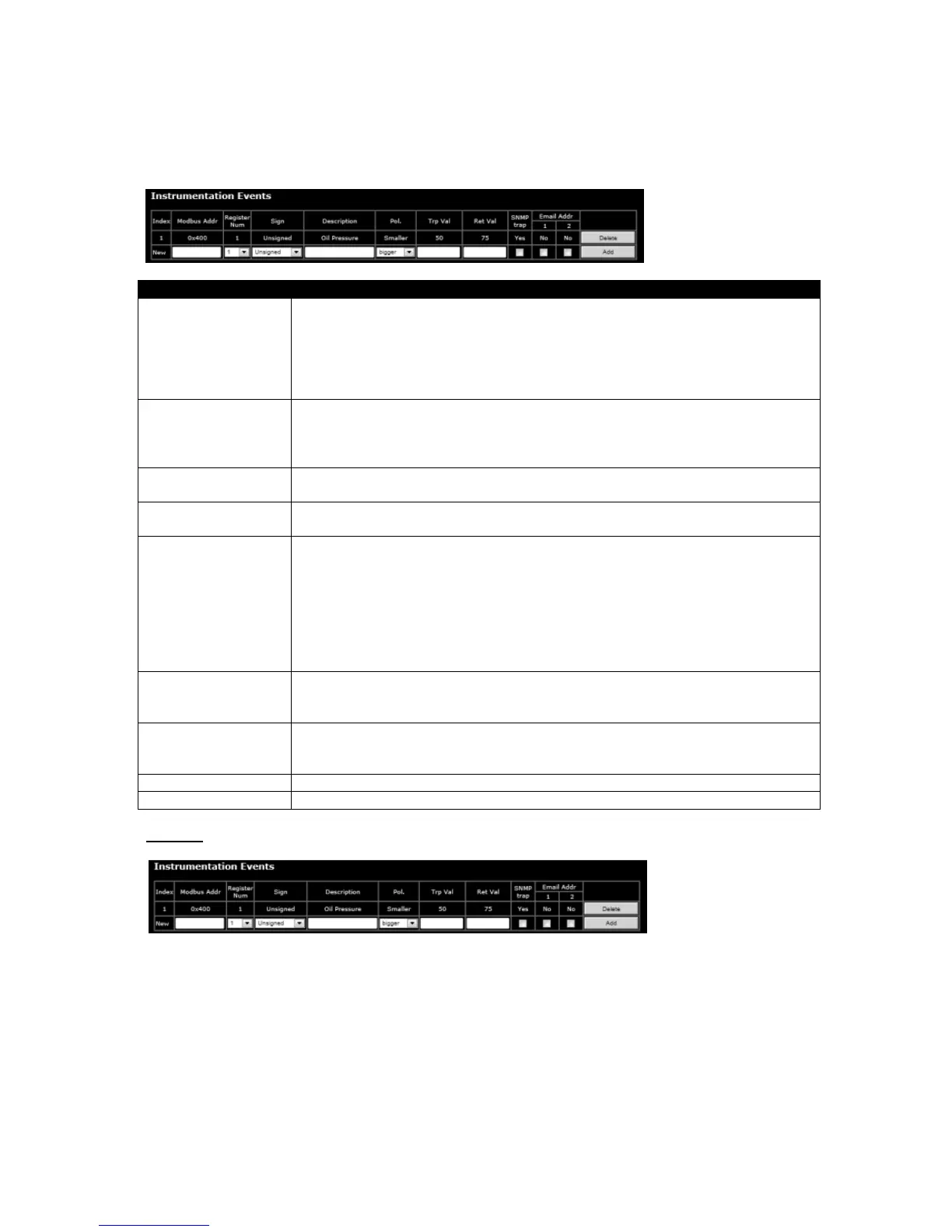
Example
Modbus address 0x0400, a value consisting of a single 16 bit unsigned register is monitored.
This has been given a description of “Oil Pressure”.
When the value rises past the Trip Val setting,of 50 an SNMP trap is generated, but no emails are
sent. The Value must fall below the Ret Val setting of 75 before the condition is considered to be back
to normal.



 To Next Page