Page 29
Pulmonary Function Test • Publication 014181-001 Rev 02 • www.datasci.com ©2023 Data Sciences International
5 - Setting Negative Pressure
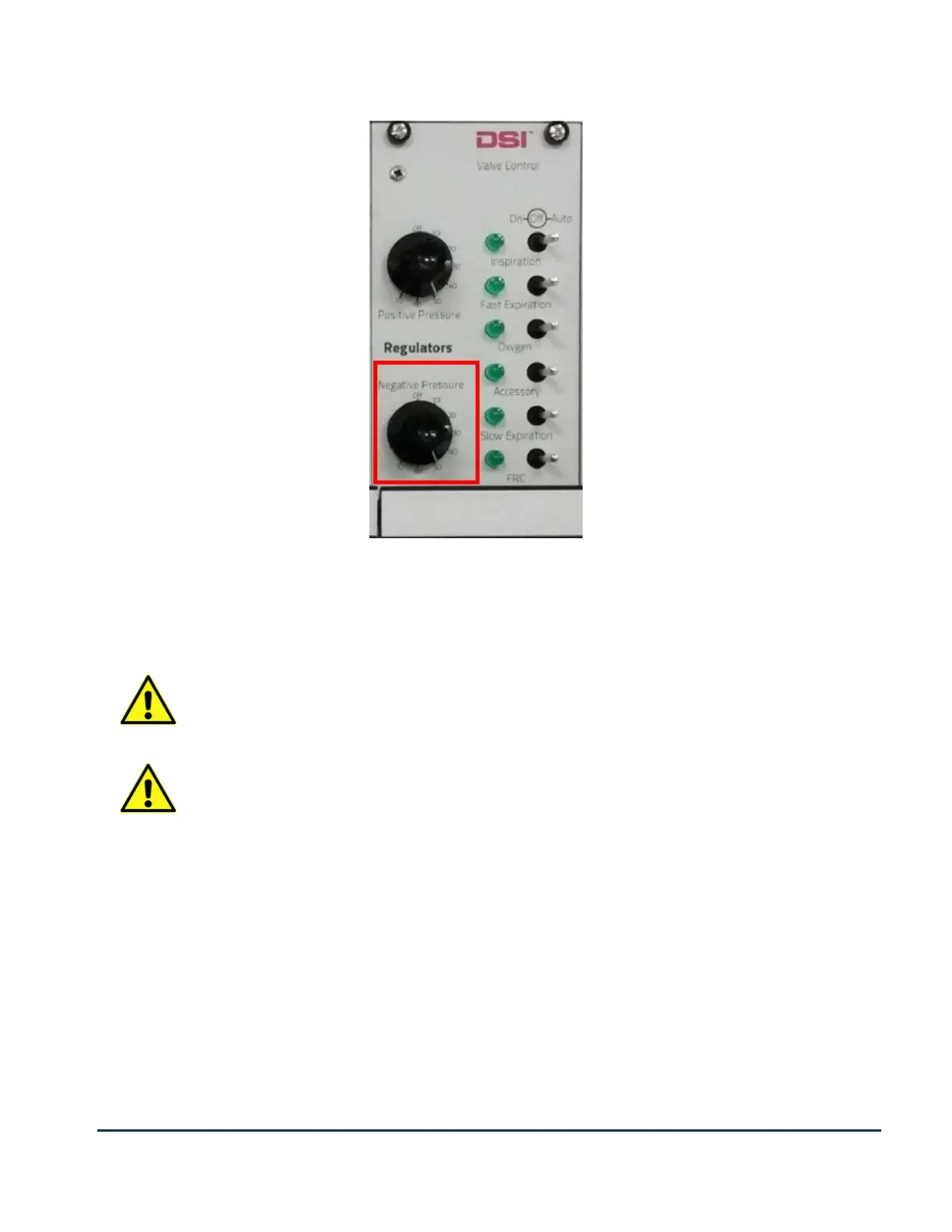
Use the 8-position knob labelled Negative Pressure on the Valve Control module to set the desired pressure level.
For most situations, set this to 50.
Confirm the new pressure by watching the Negative Pressure Display. The pressure is approximate so anything
within 5% should be acceptable.
Note: If the FRC valve is actuated (the light beside the FRC valve is lit on the Valve Control
module, the regulator is inhibited. Make sure the FRC valve is switched off or in the Auto position.
Note: The reservoir regulator works by only pumping air out of the reservoir. When turning the
pressure up, you must vent the reservoir by switching on the Slow Expiration valve on the Valve
Control, otherwise you will not see your pressure reflected on the display.
6 - Setting Inspiration Flow
Using the toggle switch on the front panel, select Large Animal if you are using a large animal pressure reservoir, or
Small Animal if you are using a small animal pressure reservoir. If you selected large animal, use the large green
flow rate adjustment knobs. If you selected small animal, use the small silver flow rate adjustment knobs.
On the Valve Control module, make sure the FRC valve is switched off or in the Auto position. Then flip the
Inspiration valve switch to ON.
Turn the knob labeled Inspiration until the inspiration flow rate display reads the value of your desired flow rate. A
general guideline when setting the inspiration flow rate is to use a rate at which it would take 2 or 3 seconds to fill
the animal’s lung to TLC (Total Lung Capacity).


 To Next Page