Page 33
Pulmonary Function Test • Publication 014181-001 Rev 02 • www.datasci.com ©2023 Data Sciences International
Switching Between Mouse and Rat
It is common to purchase a Pressure Panel and both a plethysmograph for rat and a plethysmograph for mouse.
The two work almost identically, except you are required to adjust a jumper on the Signal Generator module when
you switch from using one plethysmograph to using the other. In addition, the first time you calibrate after you
switch, you may have to rebalance the transducers and adjust the gains for the system to pass the calibration
wizard.
At the time of installation, your installer should have set up two hardware configurations using the same Pressure
Panel: one for the rat plethysmograph and one for the mouse plethysmograph.
Use the following procedure as a guide when you switch between rat and mouse plethysmographs:
1. Switch the plethysmographs:
a. Disconnect the old plethysmograph.
b. Remove the tubing.
c. Replace with the new plethysmograph and its proper sized tubing.
d. Change transducers if necessary. The mouth pressure transducer is built into the mouse
plethysmograph, so you will at least have to change this one.
2. Adjust the inspiration flow and slow expiration flow for your new animal.
3.
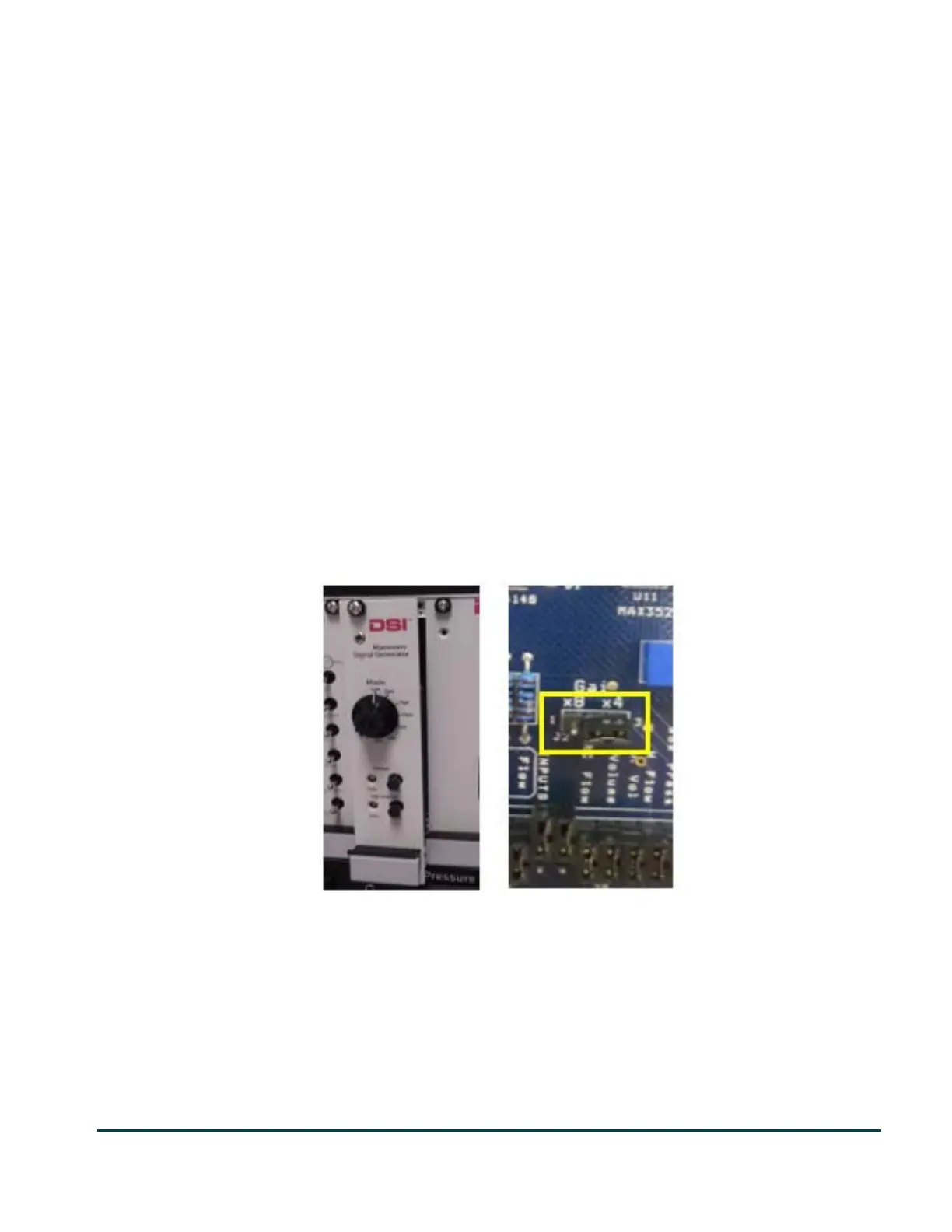
Remove the Signal Generator module from the Pressure Panel and set the jumper labeled J2 (Gain
Jumper) to:
x4 for mouse
x8 for rat
4. Re-insert the Signal Generator module back into the Pressure Panel
5. Bring up the FinePointe Software, go to the Laboratory page and re-calibrate the appropriate station.


 To Next Page