Page 61
Pulmonary Function Test • Publication 014181-001 Rev 02 • www.datasci.com ©2023 Data Sciences International
Saving Your Data
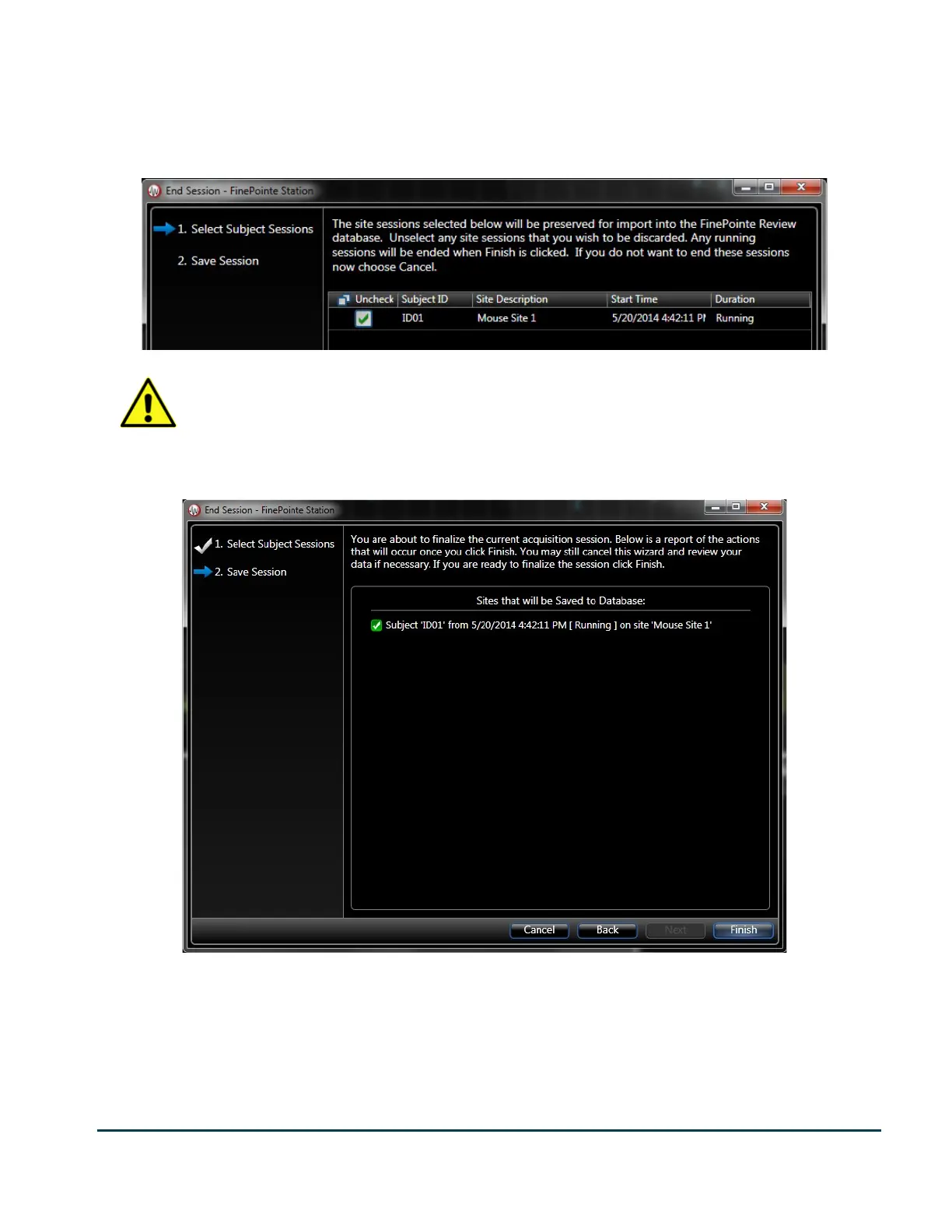
After you complete the task sequence, exit FinePointe Station (File->End Session) and be sure to leave the box
checked to save the data to the study.
Note that any unchecked recordings are deleted and not saved to the study.
Once you have made your selection, click Next.
The final wizard page presents you with a summary of which recordings FinePointe will save to the study. Click
Back or Cancel if you want to make changes, otherwise click Finish.
If you click Finish, FinePointe will begin the process of importing the data into the SQL study. This can take a few
minutes, but you can launch FinePointe Station again (even before the data is fully imported) and begin data
collection of the next subject.


 To Next Page