Page 64
Pulmonary Function Test • Publication 014181-001 Rev 02 • www.datasci.com ©2023 Data Sciences International
Creating Reports
There are several kinds of report you can produce within FinePointe. From the study page, you pull down the
button named Create Report and select the type of report you want to create. The Parameter Summary report
summarizes a parameter (or formula). In addition to that report, you can also produce group average Flow-
Volume or Pressure-Volume curves. And if you are interested in modeling the Pressure-Volume curve to a
sigmoid there is a special report named PV Sigmoid Report.
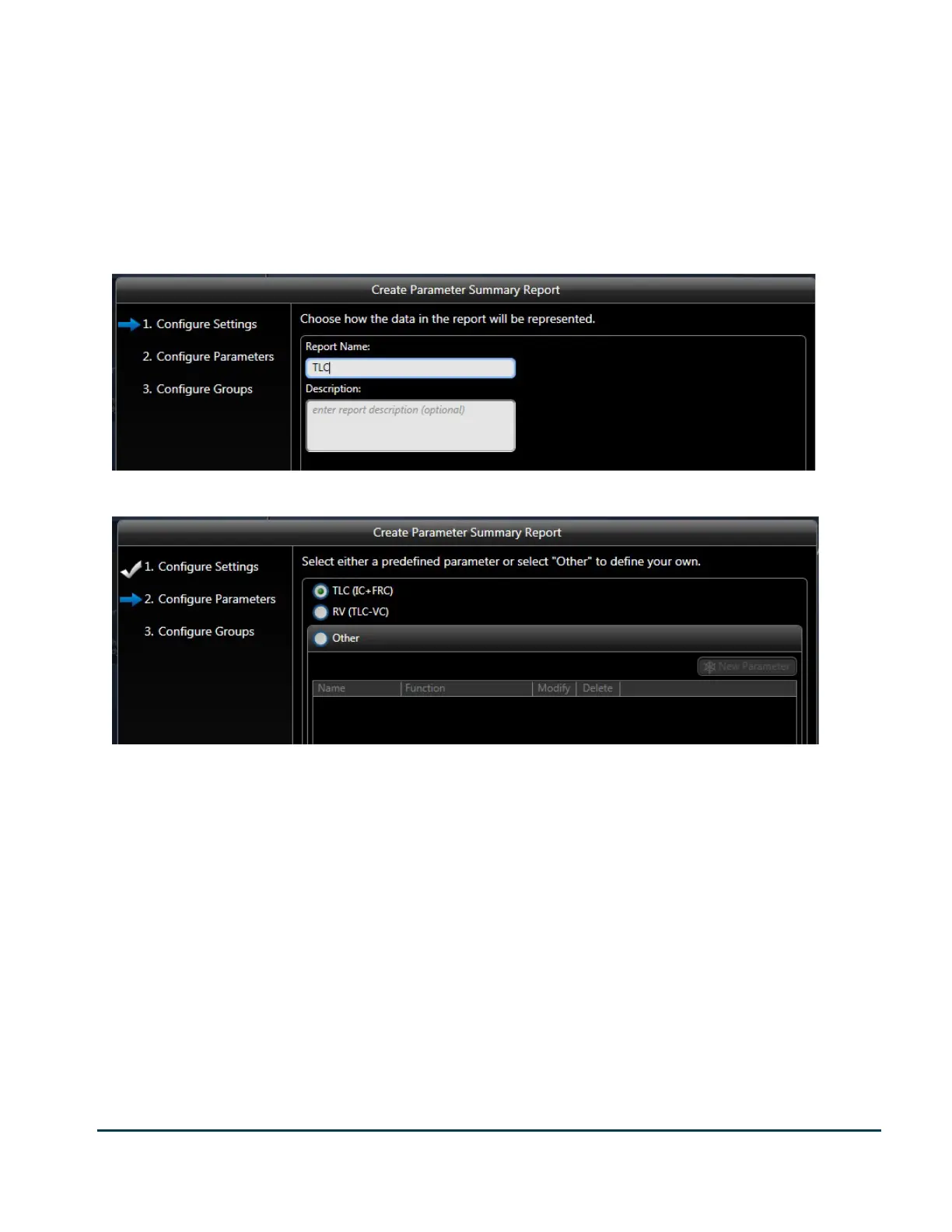
If you select Create Report->Parameter Summary Report, the wizard is presented.
On the first page, specify a descriptive report name. Click Next.
Select the parameter to summarize. The Parameter Summary provides two special formulas: TLC and RV.
These are common values which are computed from more than one parameter.


 To Next Page