Page 63
Pulmonary Function Test • Publication 014181-001 Rev 02 • www.datasci.com ©2023 Data Sciences International
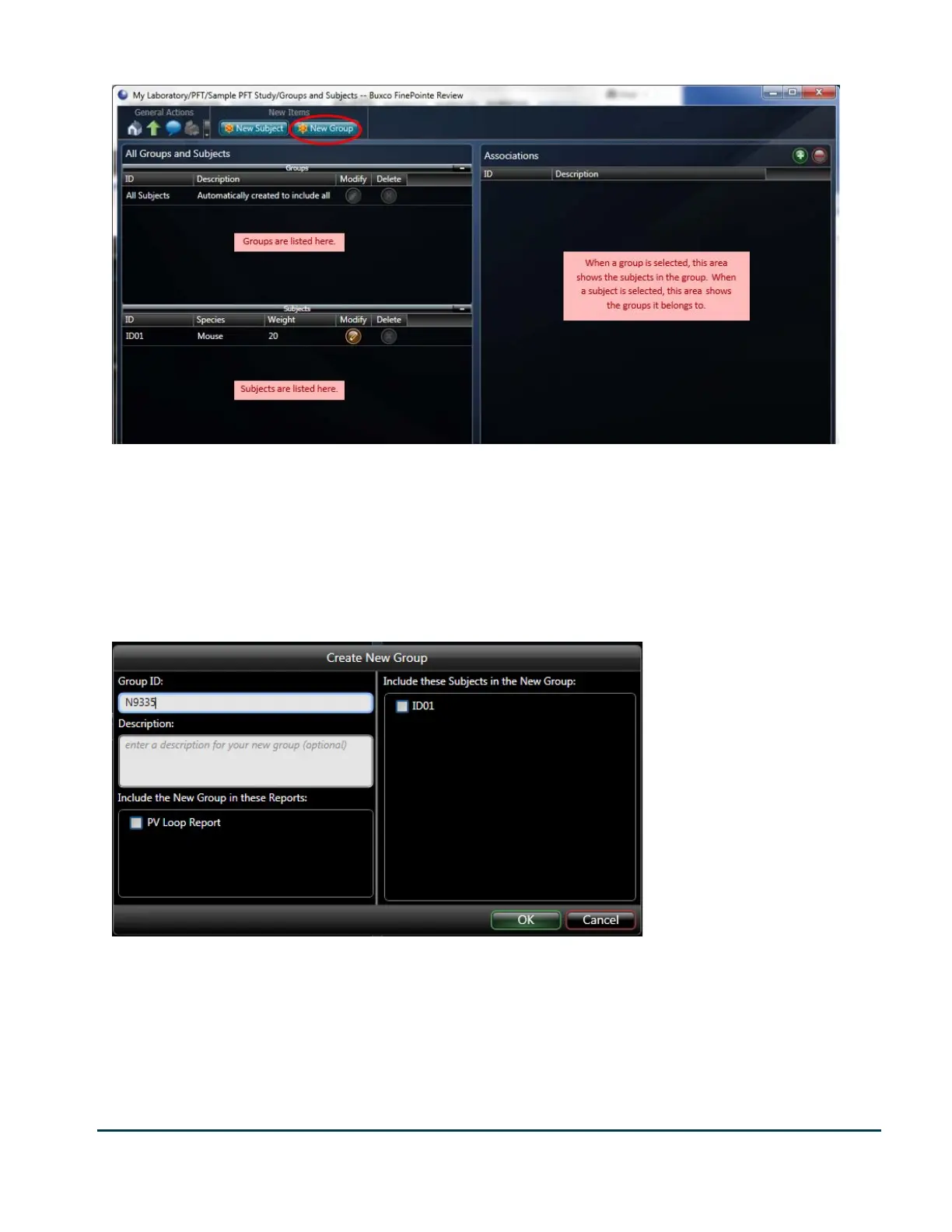
The page shown above shows how the subject and group content is arranged. The left side of the display is
divided into 2 lists: groups and subjects. The groups list shows you the groups which are currently created. You
can modify or delete each of them by clicking the appropriate button under Modify or Delete header. The content
on the right of the page changes based on what is selected on the left. If a group is selected on the left, then the
right shows the subjects that belong to that group. You can modify the constituents of the group by selecting the
group and clicking the + or - button over the right list of subjects.
To create a Group, click the New Group button on the command bar.
The group ID is the identifier which you will see in the reports describing this group of subjects. At this time, you
can add any relevant subjects you already have created to this group. You can also add them later too. Also, if you
have already created reports and you want to include this group in any of those reports, you can check the reports
in the list below the description.
Click OK when done.



 To Next Page