Page 58
Pulmonary Function Test • Publication 014181-001 Rev 02 • www.datasci.com ©2023 Data Sciences International
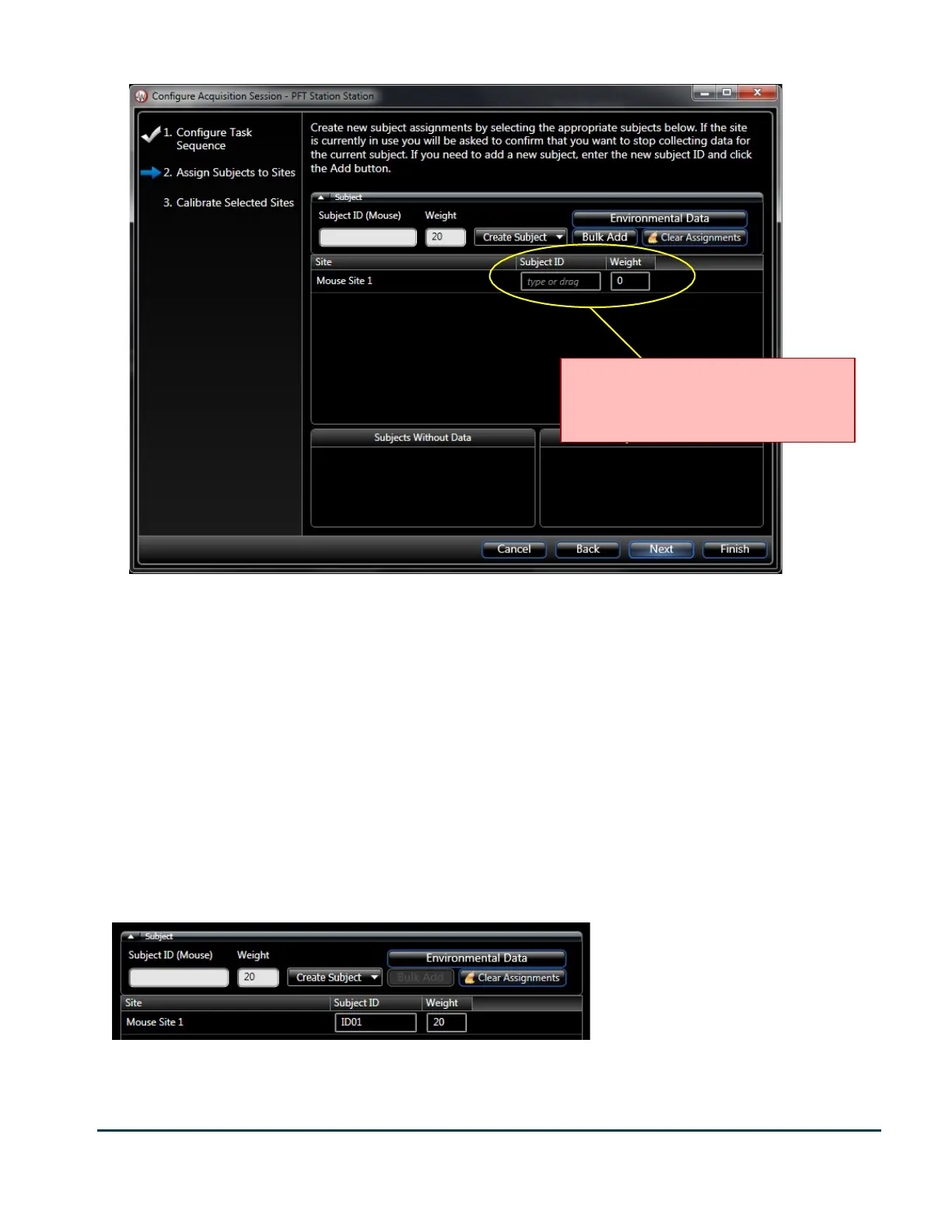
The Assign Subjects page provides a flexible way to associate a subject ID with this recording. In this page, you can
create a new subject ID or use an ID which has already been created in the study. The page has a Subject ID and
Weight edit box followed by a Create Subject and Bulk add buttons. These controls allow you to create new
subject IDs. The Clear Assignments button restores the form back to its initial state (like you see above).
When you click Create Subject, the subject ID and weight that you entered in the edit boxes beside the button is
added to the next unassigned Site. In this case there is only one site.
Subject ID’s, which are already in the study, are presented in the two lists at the bottom of the page: Subjects
Without Data, and Subject With Data. Just as the description suggests, the subject IDs in the Subjects With Data
list already have data acquired in the study. Subjects Without Data contains subject IDs which have been created
in the Study, but there has not yet been any data acquired for them. You can drag an item from these lists and
drop them on the Site to assign an existing subject ID to that site.
You should also be sure to fill in the environmental data too. This data is used by the FRC analysis and will affect
the results. Should you forget, it can also be modified later from within the study and by clicking the Edit
Environmental Data in the Operations column of the recording.
After you have specified the subject ID and clicked the Finish button, FinePointe station begins acquiring live data.
If you are running for the first time, it starts up with the Summary view.
Make sure this content is filled in. You
can change it later, but it needs to be
filled in now.



 To Next Page