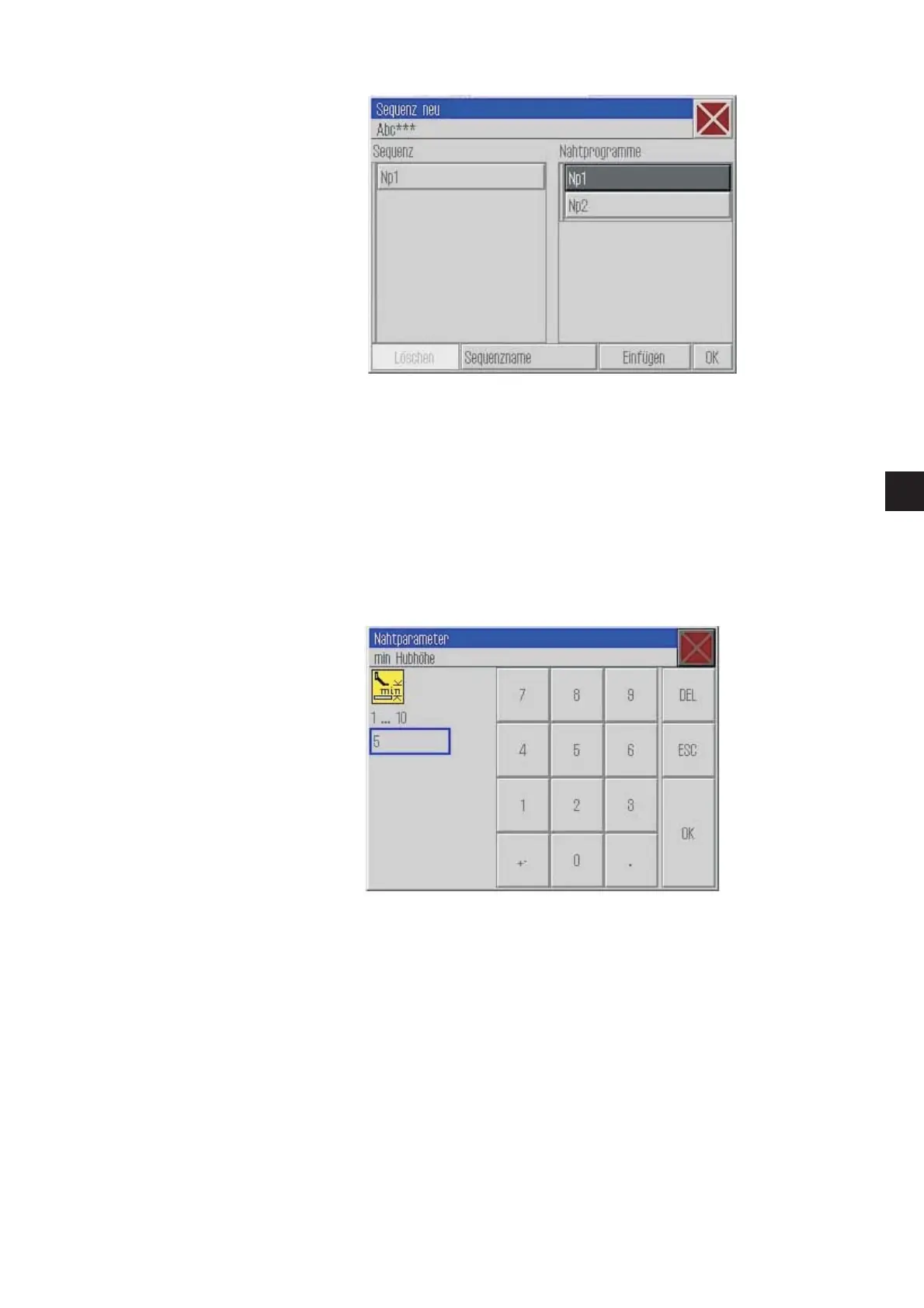
7.2.3 Selection window
On this screen, t he following actions can be executed:
–
If the button is bright it cannot be activated.
–
A field, in this case the sewing program, has been selected and
can be edited or appended.
7.2.4 Numeric input for a parameter
The title bar indicates the parameter group.
The status bar indicates which parameter will be edited.
Underneath the icon, the min. and max. values are displayed. Enter
the corresponding value in the input box.
–
The “DEL” key cancels an input.
19
1







 To Next Page