7.7 Menu item “Edit”
7.7.1 Editing a sewing program
A sewing program consists of a contour and sewing parameters.
The contour (shape of seam) is created via Teach-in or w ith the help of
the DA-CAD 5000.
The program parameters are divided into different groups and are
modified as follows:
–
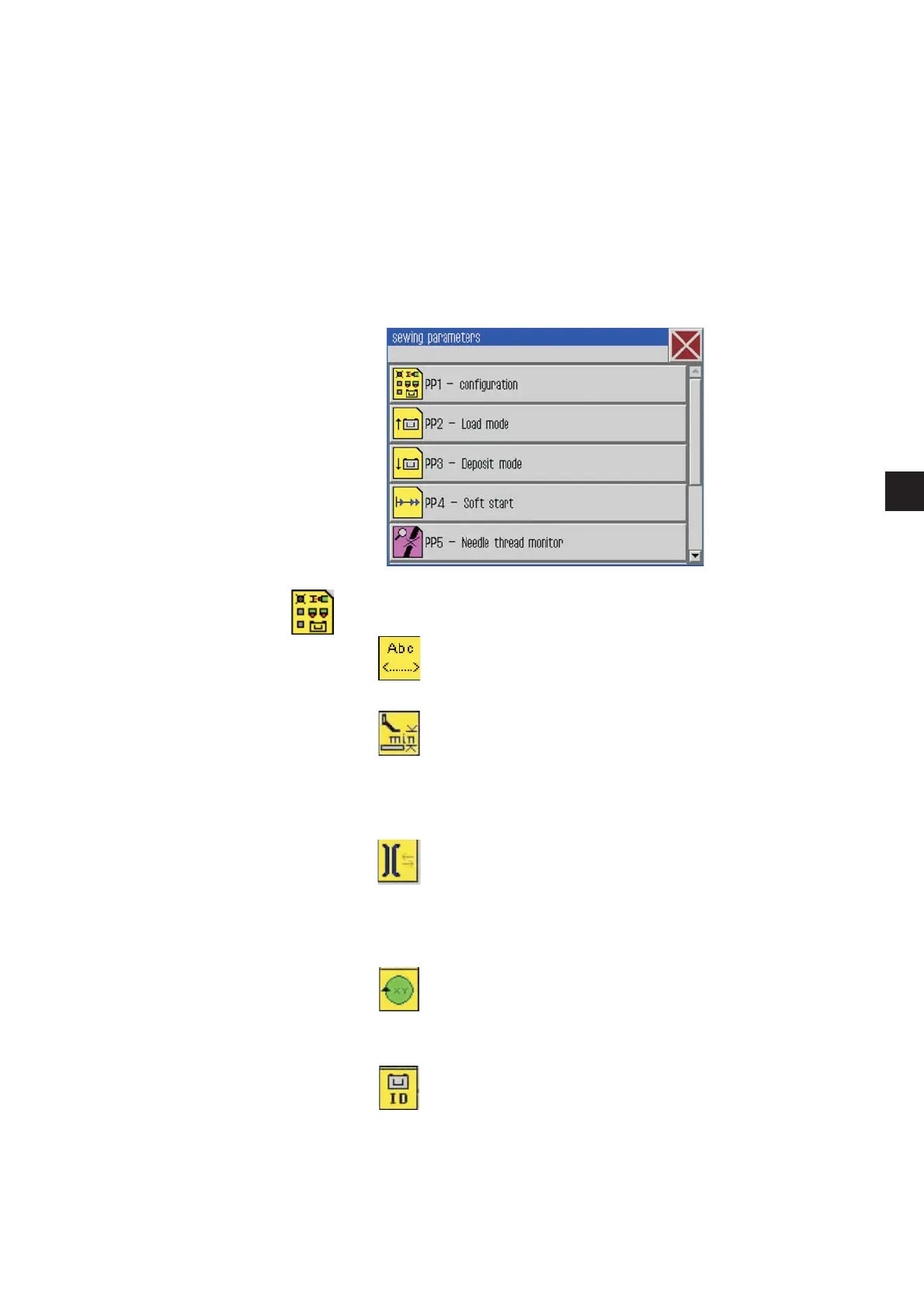
Click Edit -> Seam program -> Parameters
The following screen will appear:
PP1 - Configuration
Seam name max. 20 characters
minimal foot height
(min. = 1.0 .. max. = 10.0; def. = 10.0 mm )
Limits the programmable foot height to this
value so that with thicker material only this value
has to be adjusted.
Adjust the thread tension
(min. = 10… max. = 200; def. = 100%)
The thread tension profile of the whole contour will be
adjusted according to the percentage value. With the
value 100% no adaptation takes place.
Adjustthenoloadrunspeed
(min. = 10… max. = 200; def. = 100%)
The run speeds will be adjusted accordingly.
Clamp ID-Code
Barcode (ID-Code) max. 10 characters for a security
check before the sewing start (the optional equipment
barcode reader has to be activated)
29
1







 To Next Page